


Ingredient-based recipe search starts with what’s in your kitchen, helping you find meals without extra grocery trips. This approach reduces food waste, saves money, and caters to dietary needs. Tools like RecipeRadar and OrganizEat simplify the process by matching recipes to your ingredients, dietary preferences, and cooking time.
Here’s how it works:
- Enter Ingredients: List what you have (e.g., "chicken, tomatoes"). Some apps support voice input or photo uploads for convenience.
- Recipe Matching: Algorithms find recipes based on your input, using filters like "ALL ingredients", "ANY ingredient", or exclusions (e.g., allergies).
- Single vs. Multiple Ingredients: Single-item searches give broad results, while multiple-item searches narrow down options.
- OrganizEat Features: Tag ingredients, organize recipes, and plan meals with a calendar. Sync across devices for easy access.
Tips for Better Results:
- Be specific (e.g., "chicken thighs" vs. "chicken").
- Use filters for dietary needs or exclude disliked ingredients.
- Track pantry items to prioritize recipes for expiring foods.
This method saves time, money, and effort while making meal planning stress-free.
Recipes You Can Cook With Ingredients You Have In The Cooklist App
sbb-itb-6688478
How Ingredient-Based Recipe Search Works
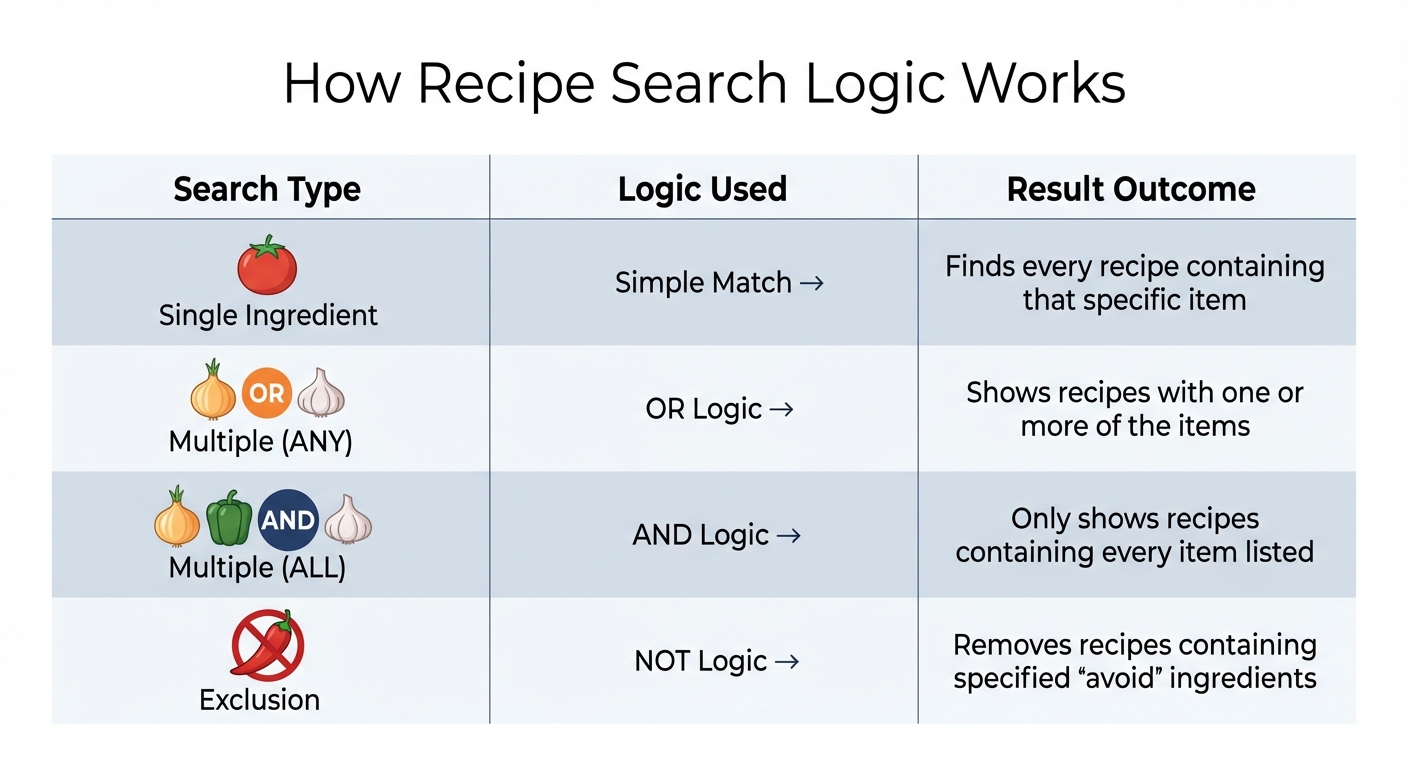
Ingredient-Based Recipe Search Logic Types Comparison
Entering Your Ingredients
Starting is easy – just type out the ingredients you have on hand. Most tools allow you to manually enter ingredients, separated by commas (e.g., "garlic, chicken, tomatoes"). This helps the system understand you’re looking for recipes that combine these items. Some apps even let you use voice dictation for added convenience.
For those using apps like OrganizEat, you can take photos of recipe cards or import recipes from websites, tagging them with ingredient names. This creates a searchable library, making it simple to find recipes based on what you have by typing in a few keywords.
Once you’ve entered your ingredients, the system processes them and delivers recipe suggestions tailored to your input.
How Recipes Get Matched to Your Ingredients
Behind the scenes, these tools work by indexing recipe titles, ingredient lists, and cooking instructions into a searchable database. When you input your ingredients, the system uses matching algorithms to find relevant recipes. A common method is BM25 ranking, which scores recipes based on how well they align with your search terms.
Some advanced tools go a step further with Doc2Query techniques, which predict search intent. Kelley Sweitzer, creator of KitchenQuery, explains:
"If a document didn’t explicitly say it was vegan, but its ingredients list was all plant-based, our Doc2Query function added the string ‘vegan plant-based no_meat no_eggs no_fish dairy-free’ to the end of the recipe document".
This allows recipes to appear in dietary-specific searches even if the original text doesn’t include those keywords. Similarly, query expansion helps systems recognize synonyms – searching for "fast" recipes will also display those labeled "quick".
Matching logic operates through various filters. For example:
- "With ALL" logic: Displays recipes containing every ingredient you listed.
- "With ANY" logic: Shows recipes with at least one of your ingredients, prioritizing those with the most matches.
- "Without" logic: Excludes recipes with specific ingredients, which is helpful for allergies or dislikes.
You can also refine results further by factors like cooking time, nutritional information, available equipment, or cuisine type.
In tests, about 34.5% of top search results were deemed "very relevant", with advanced techniques like Doc2Query improving precision by around 5%.
The way recipes are matched also depends on whether you’re searching with one ingredient or several.
Single vs. Multiple Ingredient Searches
The results you get vary significantly depending on whether you’re searching for one ingredient or multiple. A single ingredient search casts a broad net, pulling up every recipe that includes that item. In contrast, a multiple ingredient search narrows the focus, prioritizing recipes that use all or most of the ingredients you list. This method is perfect for using up leftovers or tackling a nearly empty fridge.
| Search Type | Logic Used | Result Outcome |
|---|---|---|
| Single Ingredient | Simple Match | Finds every recipe containing that specific item |
| Multiple (ANY) | OR Logic | Shows recipes with one or more of the items |
| Multiple (ALL) | AND Logic | Only shows recipes containing every item listed |
| Exclusion | NOT Logic | Removes recipes containing specified "avoid" ingredients |
Using OrganizEat for Ingredient-Based Recipe Search
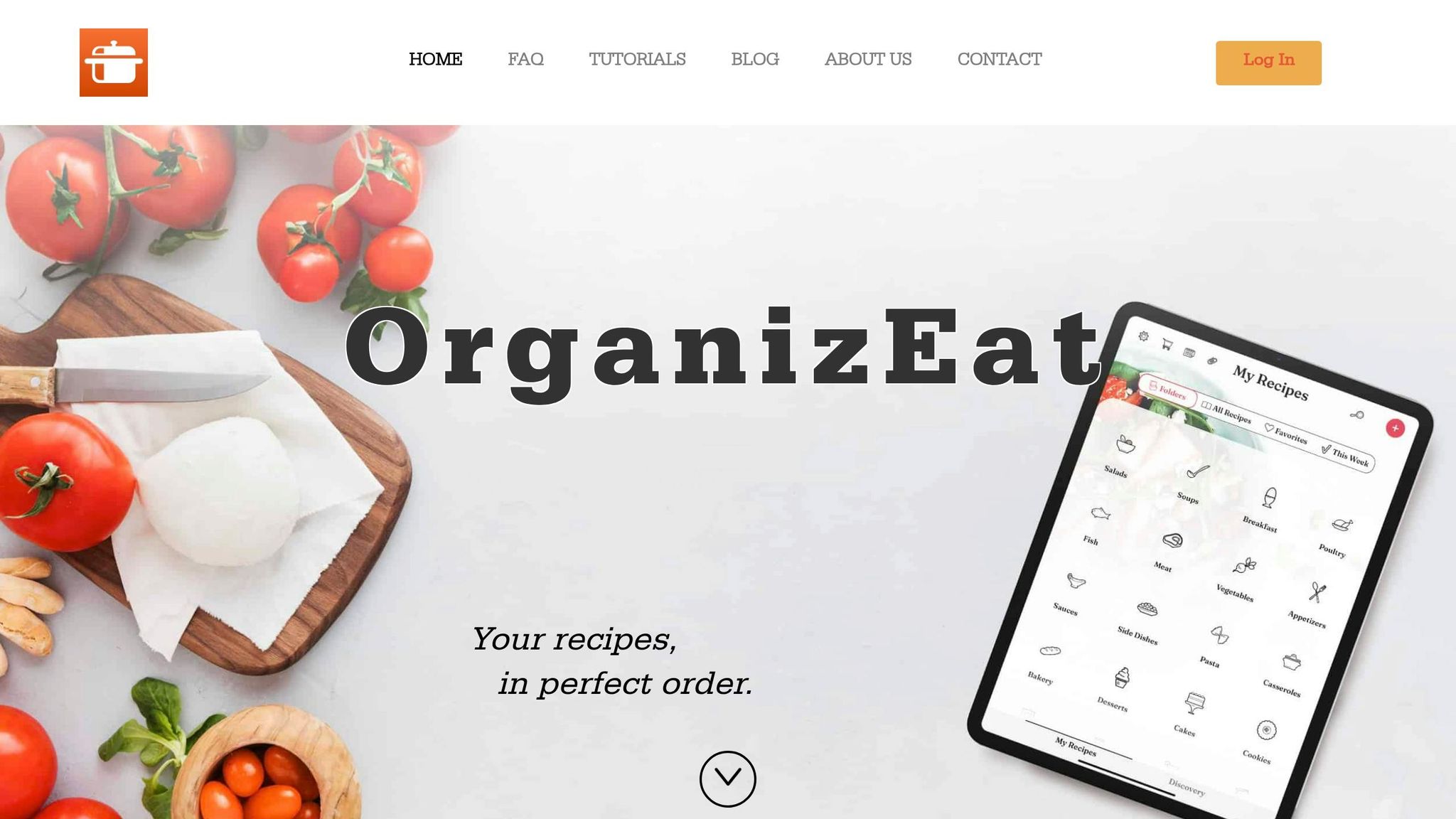
OrganizEat makes it simple to build and search your recipe collection based on ingredients. Acting as your personal digital cookbook, it allows you to search only through recipes you trust and have saved.
One standout feature is the multi-tag search. By combining multiple ingredient tags – like searching for "chicken" and "tomatoes" together – or narrowing your search within a specific category, such as finding recipes with "cream" in your "Cakes" folder, you can quickly locate meals that match what you have on hand. This functionality makes meal planning smoother and cooking less stressful.
Organizing Recipes by Ingredients with OrganizEat
Adding recipes to OrganizEat is straightforward, with three main methods to choose from:
- Use Snap ‘n Store to photograph handwritten recipes or cookbook pages.
- Clip recipes directly from over 200 websites with just one tap.
- Import recipes from social platforms like Instagram and TikTok.
The app also supports automatic recipe extraction from websites using the JSON-LD data standard.
Rachel, OrganizEat’s Lead Software Developer, highlights the importance of tagging:
"By adding short tags for main ingredients and keywords, you make your recipe searchable".
For example, you can snap a photo of a beloved recipe and tag its main ingredients. If you’re manually entering a recipe, the app automatically organizes the text into ingredients and steps based on line breaks, saving you time.
Tags can also double as virtual subfolders. You could label recipes with tags like "picky eater" or even a family member’s name to create personalized, searchable collections. While cloud-synced accounts have storage limits, local storage on your device is unlimited. With your recipes neatly organized, meal planning becomes a breeze.
Meal Planning with OrganizEat
Once your recipes are organized, the Meal Planner feature helps turn your ingredient searches into actionable plans. The planner includes its own search tool, so you can filter recipes by ingredient tags and add them to your monthly calendar. After scheduling your meals for the week or month, you can tap "Add to groceries" under the "More" menu to instantly create a shopping list from your planned recipes.
Adding ingredients is easy – just tap on any recipe screen. One user, Odey2333, shared their experience:
"I love that I can sync and have access to ingredients while I’m still shopping at the store".
Even better, recipes are cached locally, so you can access your ingredients and instructions without an internet connection. This ensures you’re covered, whether you’re conserving data or cooking in a spotty Wi-Fi area. Once your meal plan is ready, OrganizEat’s Cooking Mode ensures your recipes are handy during preparation.
Hands-Free Cooking Mode
When it’s time to cook, Cooking Mode offers a full-screen view that keeps your device awake. This hands-free option is perfect for when your hands are busy – whether you’re kneading dough or chopping vegetables. Cooking Mode works seamlessly across iOS, Android, and major browsers like Chrome, Safari, and Edge. You can organize recipes on your computer and then use your tablet or phone to cook with ease.
Tips for Better Ingredient-Based Recipe Searches
Want to make the most of your ingredient searches? These practical tips will help you refine your approach and find recipes that match what you have on hand.
Use Specific Ingredient Names
Precision matters when searching for recipes. Instead of entering something broad like "chicken", try "chicken thighs" or "boneless chicken breast." Many recipe databases – some managing thousands of unique ingredient names – work best when you’re detailed. For example, if you have "ripe tomatoes", include that detail instead of just "tomatoes." This level of specificity helps filter out recipes that won’t suit your exact ingredients.
In apps like OrganizEat, using specific tags for ingredients not only improves your current search but also makes future searches quicker. Over time, you’ll build a more efficient system for finding recipes among your saved entries.
Once you’ve nailed down your ingredient details, take it a step further by using search filters.
Apply Search Filters
Filters are a game-changer when you’re overwhelmed by too many options. They allow you to focus on recipes that meet specific needs, such as dietary preferences (vegan, vegetarian), food allergies (nuts, dairy, gluten), or even nutritional goals like calorie counts or protein content. You can also exclude ingredients you don’t like or can’t use.
For example, in OrganizEat, you can combine ingredient tags with folder filters. Want a cake recipe that uses cream? Search for "cream" within your "Cakes" folder. Need a dinner recipe with chicken and tomatoes? Use those tags in your "Dinner" category. This layered approach saves time and ensures the results align with both your ingredients and your preferences.
Filters are especially helpful when your pantry is running low. Let’s talk about how to make the most of limited supplies.
Working with Limited Ingredients
When your pantry is nearly empty, focus your search on the few ingredients you do have. Enter them as a list, separated by commas, to discover recipes that combine those items. Even with just two or three ingredients, you’d be surprised by the creative options that pop up. If you’re stuck, browse recipes by primary ingredient categories – like oils, flours, or herbs – to spark ideas when you have an abundance of one specific item.
Using a digital pantry tracker in tools like OrganizEat can also make a big difference. By keeping an updated list of what’s on hand, including items nearing their expiration dates, you can prioritize recipes that use them up before they spoil. This not only reduces waste but also helps you stretch your limited supplies further.
Conclusion
Using the tools and strategies outlined above, ingredient-based recipe searches can completely change how you approach cooking. By focusing on what’s already in your kitchen, you can cut down on food waste, save money by avoiding unnecessary grocery trips, and make meal planning much less stressful. These methods allow you to prioritize ingredients that are close to expiring, create meals around seasonal produce or sale items, and find inventive ways to use what you already have.
But it’s not just about practicality – this approach can also open the door to new culinary adventures. It encourages you to try recipes you might not have considered otherwise. As Julia Child famously said, "You don’t have to cook fancy or complicated masterpieces – just good food from fresh ingredients".
OrganizEat simplifies this process with features like a searchable digital cookbook, ingredient tagging, meal planning tools, and hands-free cooking options.
Rachel Mislovaty, Lead Software Developer at OrganizEat, highlights the deeper connection recipes bring to our lives:
"Recipes are more than just a list of cooking instructions. Recipes are our memories, our topics of conversation, our ways of expressing ourselves, and our daily companions".
By organizing and searching recipes based on ingredients, you’re doing more than planning meals – you’re creating a system tailored to your lifestyle. This approach helps reduce waste while keeping cooking fun and creative.
Keep a well-maintained digital pantry, use filters for dietary preferences, and take advantage of seasonal sales to get the most out of your ingredients. With the right mindset and tools, ingredient-based recipe searches can become second nature, completely reshaping how you plan and enjoy your meals.
FAQs
How do I tag ingredients to improve searches?
To get the most out of searches in OrganizEat, focus on using clear and consistent tags. Stick to singular forms, keep everything lowercase, and avoid creating duplicate tags. For example, tag "chicken" rather than "chickens." Use tags that describe ingredients, cooking methods, dietary preferences, or occasions. This approach keeps your recipes well-organized and makes them much easier to locate.
What’s the best way to avoid allergens in results?
To steer clear of allergens when searching for recipes, make use of filters that let you exclude certain ingredients or categories. This way, recipes with known allergens won’t show up in your results. Many platforms also offer options to tailor searches based on dietary requirements, helping you quickly find recipes that meet your needs.
Can I use OrganizEat offline while cooking?
Yes, you can use OrganizEat even without an internet connection. Once you’ve downloaded recipes to your device, they’ll be available offline. This makes it convenient to access and follow your favorite recipes while cooking, no matter where you are.