


At 5 p.m., pantry systems typically unravel. You find half a bag of spinach, an open jar from Tuesday, and one onion that might still be fine. Then dinner becomes a scavenger hunt across your fridge, your recipe app, and a grocery list that lives somewhere else.
I used to think the hard part was building the system. It wasn’t. The hard part was keeping it accurate after real life got involved. One missing update after taco night turns into buying duplicate broth, forgetting the chickpeas in the back of the shelf, and losing trust in the app by the end of the week.
A meal planning app with pantry inventory helps because it connects three things that usually stay separate: what is in the house, what you like to cook, and what you still need to buy. The appeal is easy to understand. Grocery shopping keeps shifting online, food waste is still a household problem, and app makers keep pointing to those trends.
But the setup is only the first win.
What matters is whether your inventory still matches your shelves on Thursday night, after partial ingredients, snack raids, freezer mysteries, and one person in the house forgetting to log anything. That maintenance gap is where many meal planning systems stop being useful. A good workflow has to survive normal cooking, not just look organized on day one. The same mindset shows up in other food habits too. If you want a simple example, visual tracking can make patterns easier to stick with over time. See transform your health with visual logging.
Table of Contents
- Why an Integrated App Changes Everything
- Creating Your Master Pantry Inventory
- Filling Your Digital Cookbook With Favorites
- From Meal Plan to Automated Grocery List
- Keeping Your Pantry Accurate Day to Day
- Advanced Tips for Families and Troubleshooting
Why an Integrated App Changes Everything
A common weeknight failure looks like this. Chicken is thawed, a recipe is saved, and the store run already happened. Then dinner prep starts and the soy sauce is empty, the spinach went bad two days ago, and there are still two cans of chickpeas hiding behind the pasta that nobody remembered buying.
That breakdown rarely comes from a lack of recipes or motivation. It comes from running three separate systems at once: a recipe collection, a mental pantry list, and a shopping habit built on guesswork. Even organized home cooks lose track when those pieces never talk to each other.
An integrated app puts recipes, pantry inventory, and grocery planning in one working loop. The benefit is not the initial setup. The benefit is that every time you cook, shop, or put groceries away, the next decision gets easier and more accurate. That is the part many meal-planning guides skip, and it is the reason so many pantry systems fade after two good weeks.
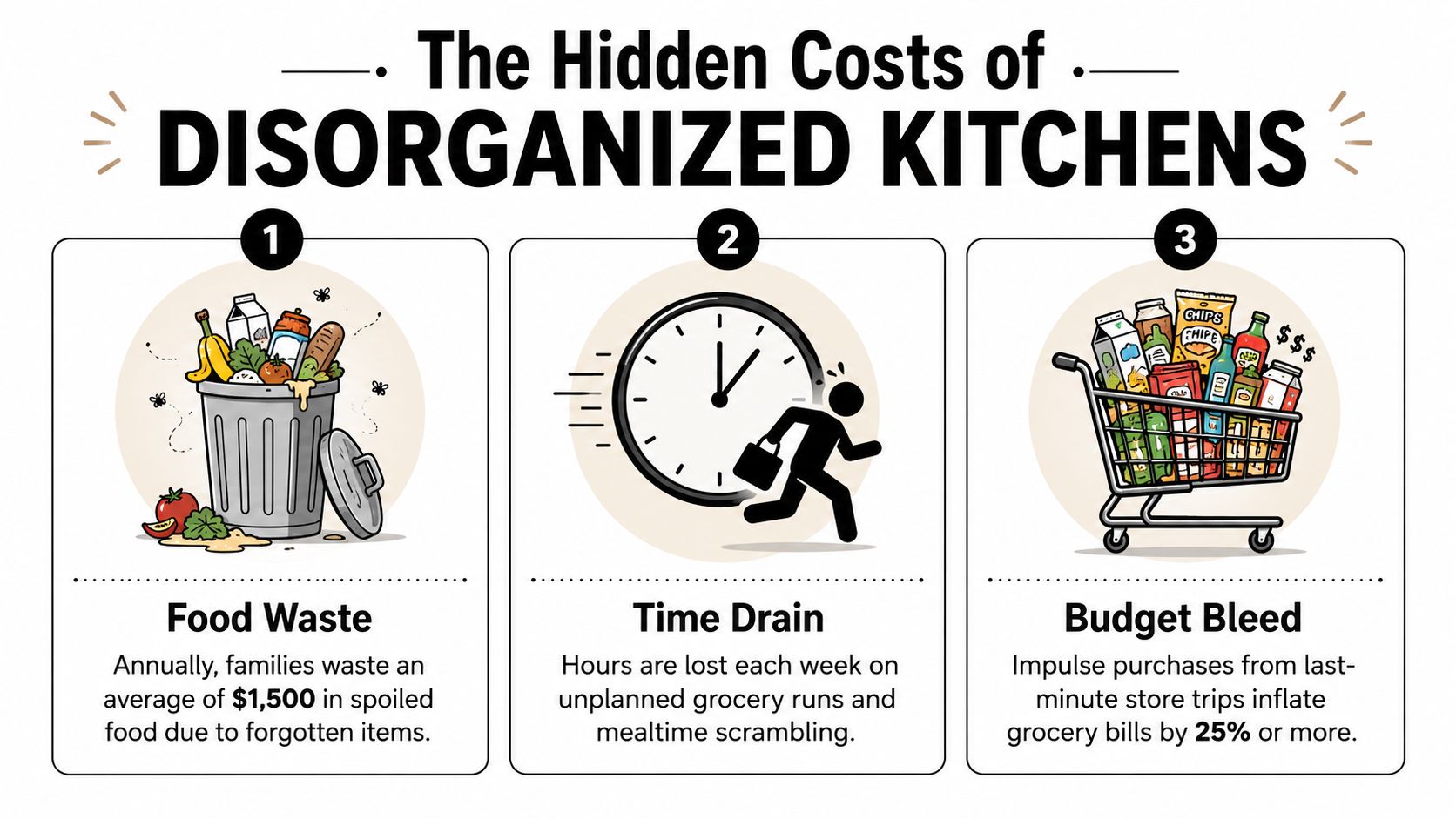
A pantry tool becomes useful when it changes what goes on your shopping list and what gets cooked before it expires.
Why this fits modern grocery life
Modern grocery shopping is scattered. One person grabs milk on the way home, another places a pickup order, and someone else adds snacks during a warehouse run on Saturday. A pantry system has to survive that kind of household traffic or it stops being trustworthy.
The primary value is speed under normal pressure. You need fast answers to three questions:
- What is already in the house
- What can turn into dinner
- What needs to be bought, and only that
The third question is where money and waste usually slip away. In my own kitchen, the biggest improvement did not come from saving more recipes. It came from reducing duplicate purchases and catching ingredients while there was still time to use them.
An integrated app fits the way households already shop and cook. It works best when the system is built for upkeep, not just for a satisfying setup day.
Creating Your Master Pantry Inventory
The first pantry setup feels bigger than it is. People fail here because they try to digitize their entire kitchen in one heroic sitting. That usually ends with half the freezer entered, no produce logged, and zero desire to keep going.
Start smaller than you want to
Pick one zone first. Dry pantry is easiest because barcodes are visible, quantities are clearer, and the items don’t change much during the week. After that, move to the fridge. Leave spices, freezer odds and ends, and baking supplies for later if needed.
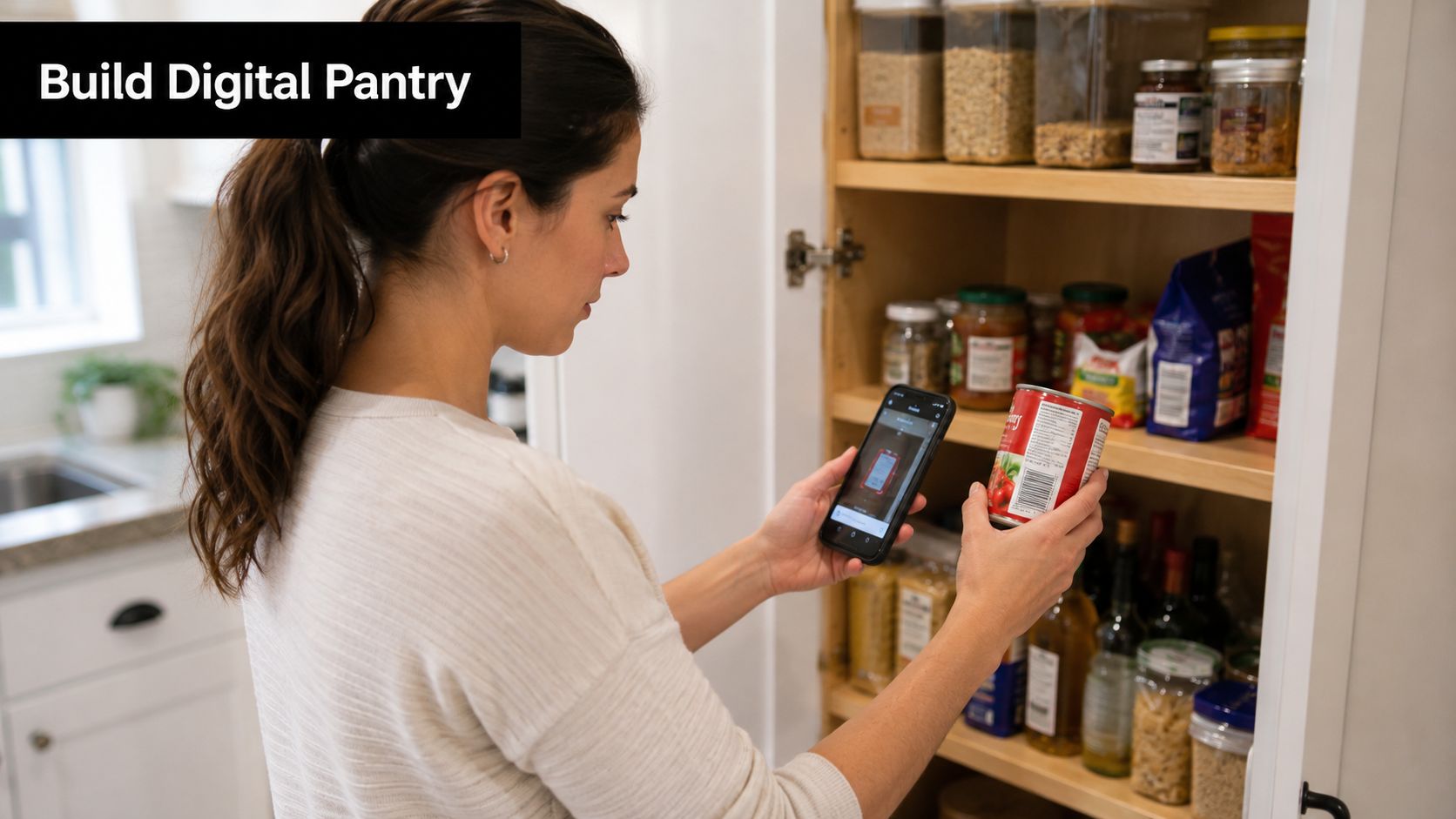
A workable first pass is better than a perfect inventory you never finish. The goal is to create enough structure that the app can support meal planning this week, not to produce a museum archive of every sesame seed in the house.
A simple starting order works well:
- Shelf-stable staples like pasta, canned beans, rice, broth, and sauces
- Frequently used fridge items like eggs, yogurt, cheese, greens, tortillas
- Proteins you forget about especially freezer chicken, ground meat, shrimp, tofu
- Fresh produce with short lives because these are the items most likely to be wasted
Use more than one capture method
The best pantry systems don’t rely on a single input method. A practical benchmark is to use multiple capture methods, especially barcode scanning and retailer loyalty card imports, because manual entry is the main reason people abandon pantry tracking.
That means your setup should look mixed, not pure.
- Barcode scan packaged goods: canned tomatoes, crackers, cereal, broth, frozen vegetables
- Manual entry for loose items: onions, lemons, half a cabbage, leftover rice
- Receipt or purchase imports when available: useful for restocking the pantry after a larger grocery trip
Practical rule: If an item takes longer to enter than it would take to remember, skip it. Track what affects dinner decisions and grocery spending first.
Set rules before you add too much
Accuracy improves when you define what counts as “in stock.” Without rules, your pantry becomes fiction.
Here are the rules I wish more people set up immediately:
| Pantry situation | Better rule |
|---|---|
| One tablespoon left in a bottle | Mark as low, not fully stocked |
| Half an onion in the fridge | Track it if you'd actually cook with it tomorrow |
| Five spice jars with traces left | Only count a spice as available if there's enough for one recipe |
| Freezer mystery containers | Label by food, not by hope |
If you use a recipe organizer like this guide to digital recipe management, the pantry becomes more valuable because your saved recipes and your ingredient data start speaking the same language.
The setup phase matters. But it doesn’t need to be impressive. It needs to be believable.
Filling Your Digital Cookbook With Favorites
Sunday at 5 p.m. is where many pantry systems fall apart. The app says dinner is possible. The fridge says otherwise. In my kitchen, the fix was not adding more recipes. It was saving the right recipes in a format the app could keep matching to real ingredients week after week.
A useful digital cookbook is small, structured, and tied to how you cook now. If you dump in 200 aspirational recipes from social media, you create a second maintenance problem. If you save 25 meals you repeat, plus a handful of flexible use-it-up dishes, the system starts helping instead of nagging.
Save recipes in a structured way
Bring scattered recipes into one place, but be selective. Import the dinners you return to, the soups and fried rice recipes that absorb leftovers, and the few seasonal meals that reflect what you buy every year. Skip the recipes you admire but never choose on a Tuesday.
Structure matters more than volume. Ingredient lines need to be readable enough for the app to match “1 onion” in a recipe to what you have on hand, and to flag the gaps without turning every meal plan into a manual audit. A good digital recipe management guide can help you standardize that recipe collection before it turns messy.
I also recommend separating everyday dinner recipes from special-purpose planning. If you camp, travel, or build grab-and-go meal ideas, this guide to lightweight tramp food belongs in its own tag group rather than mixed into your normal weeknight rotation.
Start with these recipe types:
- Reliable weeknight meals you can cook with little effort
- Use-it-up recipes such as soups, frittatas, pasta bakes, and fried rice
- Household favorites repeated often enough to justify upkeep
- Seasonal standards that match your usual buying patterns
Build tags you’ll use
Tags work best when they answer a real planning question in seconds. Can I make this fast? Will it use pantry staples? Is it good for leftovers? That is enough for most households.
Useful tags often look like this:
- Quick weeknight
- Uses pantry staples
- Freezer-friendly
- Vegetarian
- Good for leftovers
- Guests
- Lunch prep
The trade-off is simple. More tags feel organized at first, but they increase cleanup later. Every extra tag becomes one more thing to maintain when your habits change. I learned to avoid decorative labels like “cozy pasta” and “rainy day” because they sound fun and age badly. Practical tags survive contact with real life.
Save fewer recipes than you think. Save the ones you’d cook twice.
One factual option in this space is OrganizEat, which lets users save recipes from social platforms and websites, photograph handwritten recipes, organize them with tags, and plan meals on a calendar while generating grocery lists from scheduled recipes. That setup is useful when you want recipe storage and meal planning in the same workflow, instead of split across separate tools.
From Meal Plan to Automated Grocery List
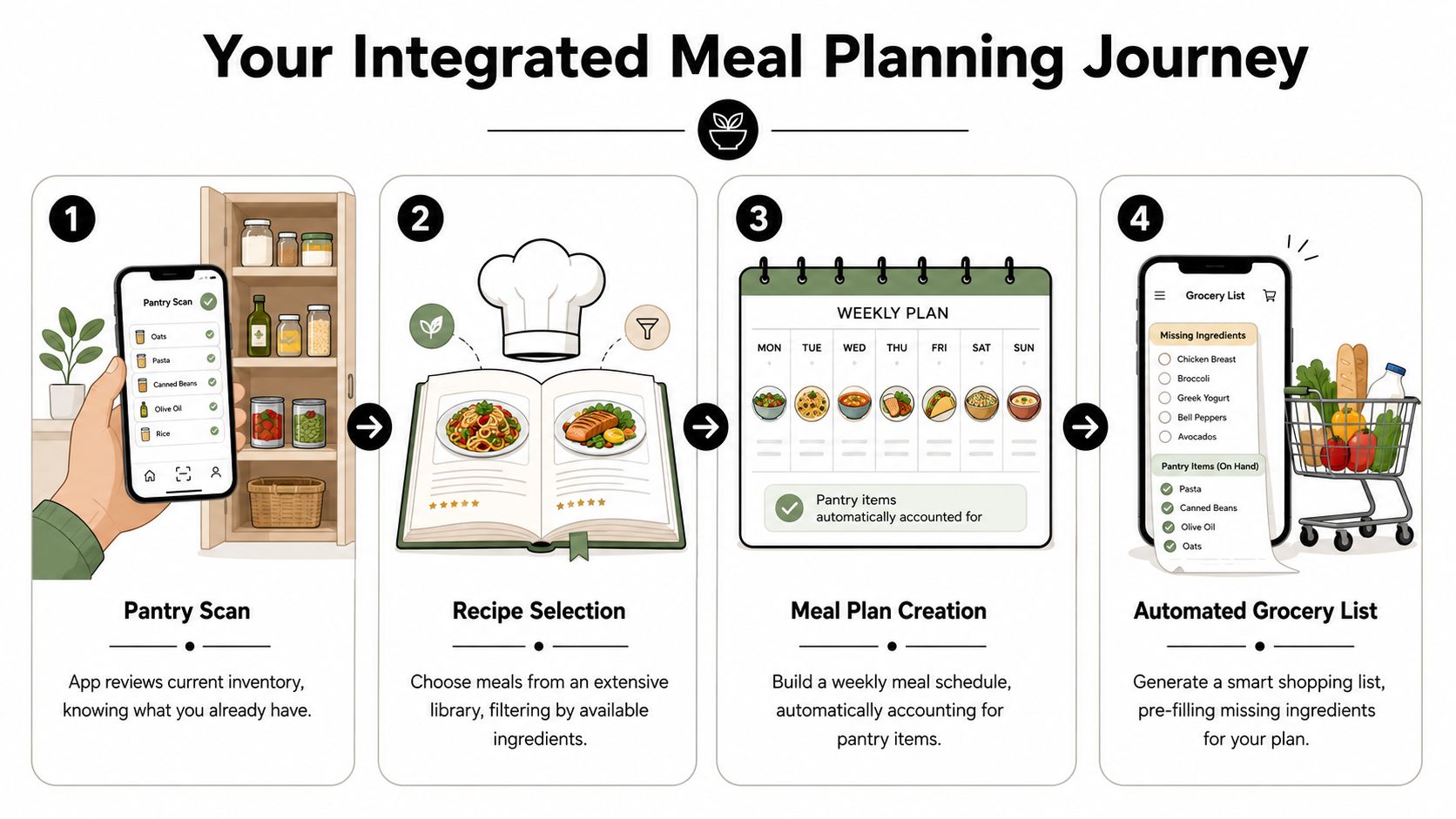
The satisfying part happens when planning stops being a writing exercise and starts becoming a filter. You choose meals. The app checks the pantry. The shopping list gets smaller.
What the automation is really doing
An advanced app does not just copy recipe ingredients into a shopping list. Behind the scenes, it should follow a three-step data pipeline: normalize recipe ingredients into a structured graph, reconcile that graph against pantry state using unit conversion, synonym matching, and quantity aggregation, and then generate a shopping list only for the remaining deficit, according to the workflow described in OhioHealth’s overview of meal planning apps.
That sounds technical, but the kitchen result is plain. If a recipe needs shredded mozzarella, olive oil, and pasta, the app should recognize what you already have and only ask you to buy the missing portion.
Weak apps start to show their limits. If they don’t understand ingredient names, quantities, or pantry state, they either leave needed items off the list or flood the list with duplicates. Neither helps.
A normal weeknight planning example
Say you plan four dinners:
- chicken parm
- black bean tacos
- lentil soup
- fried rice with leftover vegetables
Your pantry already contains pasta, canned tomatoes, rice, soy sauce, onions, taco spices, and lentils. You also have half a bag of shredded cheese and a few carrots.
A good app works through that week by subtraction. It may flag that you still need chicken, taco tortillas, celery, and eggs. It may also tell you the cheese is probably enough for tacos but not enough for chicken parm, depending on the quantities you’ve entered.
That is the whole value. You don’t have to mentally compare four recipes against shelves, fridge drawers, and freezer bins.
If you want a more list-focused workflow for shopping logic, this grocery list calculator for smart shopping is useful because it shows how ingredient planning and list cleanup fit together.
The best grocery list is not the longest one. It’s the one that proves your pantry data is working.
Shared shopping becomes easier too. You can add dish soap, foil, or paper towels manually, then sync the list to a partner or roommate without turning the trip into a texting thread. The app handles the food logic. The household can handle the timing.
Keeping Your Pantry Accurate Day to Day
This is the part most articles skip. Setup is visible and satisfying. Maintenance is repetitive, slightly boring, and absolutely where the system lives or dies.
The setup is not the hard part
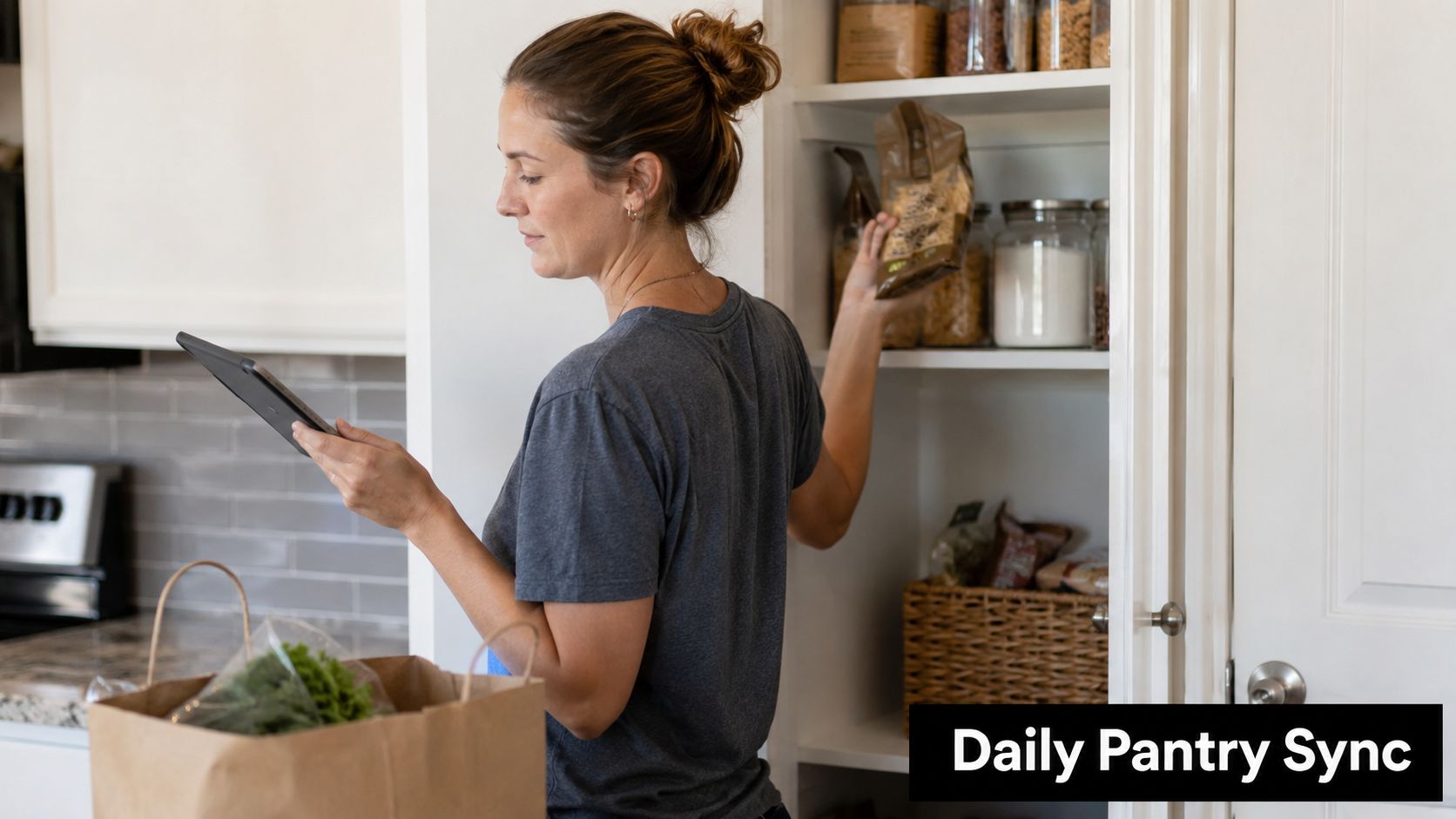
Many apps market pantry tracking, barcode scanning, and meal planning as one package, but the weak point is often ongoing accuracy. Public-facing descriptions rarely explain how the inventory stays current when items are partially used, moved, or shared. That maintenance burden matters, and it has been noted in commentary around pantry apps where users still adjust quantities and notes item by item after scanning.
That matches real kitchen life. The first scan is easy to demo. The hard question is what happens two weeks later when someone used half the yogurt, opened a second jar of pasta sauce, or moved tortillas from the fridge to the freezer.
A maintenance routine that people will follow
You don’t need constant perfect logging. You need a few repeatable checkpoints.
I’ve found the most realistic rhythm looks like this:
- After grocery unpacking: add or confirm the items that matter for upcoming meals
- After dinner cleanup: make one fast correction for anything mostly used up
- Before the next meal plan: scan the fridge mentally and digitally for ingredients nearing the end
This works because it attaches updates to moments that already exist. It doesn’t ask you to create a new pantry ceremony.
A low-friction routine might be:
-
Log restocks while putting food away
If you bought broth, yogurt, spinach, and chicken because they’re in this week’s plan, enter those immediately. -
Downgrade, don’t obsess
If a bottle of sesame oil is low, mark it low. You don’t need to enter tablespoons unless the app and your habits support that level of detail. -
Correct the biggest lie first
If the app says you have two packs of tortillas and you know you have none, fix that before anything else.
How to handle partial items without giving up
Partial items are where most digital pantries drift into fantasy. Half an onion, two stalks of celery, an open can of coconut milk, half a rotisserie chicken. If you try to measure every scrap precisely, you’ll quit. If you ignore them all, the inventory stops helping.
Use a middle path:
| Item type | Best maintenance choice |
|---|---|
| Produce halves | Track only if usable in the next few days |
| Open jars and sauces | Mark low when near one more recipe |
| Bulk grains and flour | Use broad quantities like full, half, low |
| Leftovers | Track as meals or components, not raw ingredients |
If a pantry entry creates more guilt than clarity, simplify it.
For families, assign ownership. One person may maintain freezer proteins. Another updates produce and dairy. Shared systems fail when everybody assumes somebody else handled it.
Advanced Tips for Families and Troubleshooting
A solo cook can get away with a slightly messy system. A household can’t. Once two or more people buy food, cook meals, snack unpredictably, and move ingredients around, a pantry app needs rules.
Make shared households less chaotic
The strongest family workflow is surprisingly simple. Shared access matters, but shared editing rules matter more.
Try this setup:
- One person plans the week
- Anyone can add shopping needs
- Only one person closes the loop after a grocery trip
- Everyone uses the same naming for common items
That last point sounds small until one person enters “mozzarella,” another enters “shredded cheese,” and a third writes “pizza cheese.” Now the app thinks you own three different ingredients.
If you’re planning for kids, changing schedules, and two adults shopping at different times, this simple system for meal planning for busy families is a helpful companion framework because it focuses on repeatable household habits rather than app features alone.
Fix the data issues that break the system
Most pantry problems are data problems in disguise. Here are the common ones and the practical fix for each.
-
Duplicate ingredient names
Merge them manually when possible. Pick one household standard. Use “black beans,” not alternating between “beans,” “canned black beans,” and “black bean cans.” -
Unit mismatches
Treat units by usefulness, not purity. “1 can” is often better than trying to convert every pantry item into ounces if your recipes also use cans. -
Fresh items that spoil fast
Keep these visible in your plan. If spinach or herbs are in the house, schedule them early in the week. Don’t trust memory. -
Non-recipe items
Add them straight to the grocery list. Trash bags, detergent, and lunchbox supplies don’t need to pass through the recipe system. -
Pantry drift after a busy week
Don’t rebuild everything. Audit five categories only: proteins, dairy, produce, grains, and lunch staples.
Shared kitchens don’t need perfect data. They need trusted data.
That’s the difference between an app you try for ten days and a system you keep using. The households that stick with pantry-based meal planning aren’t more disciplined. They just remove enough friction that updating the inventory becomes normal kitchen behavior instead of another task hanging over dinner.
If you want one place to organize recipes, plan meals on a calendar, and generate grocery lists from those plans, OrganizEat is worth a look. It’s built for home cooks who want their recipe collection and planning workflow in the same system, which makes pantry-aware meal planning easier to maintain over time.