



You’re probably dealing with some version of the same scene most families know too well. One person notices you’re out of milk but forgets to mention it. Another adds pasta to a paper list on the counter. Someone else sends a text about cereal while the shopper is already in the produce aisle. By the time groceries get home, you have duplicates of three things, missed two essentials, and no one is fully sure where the system broke.
That’s why a good grocery list app for family use matters. Not because it gives you another screen to look at, but because it replaces scattered habits with one shared workflow. The underlying problem usually isn’t list-making. It’s coordination.
Table of Contents
- Beyond the Paper List Why Your Family Needs a Digital Upgrade
- Core Features of a Family-Friendly Grocery App
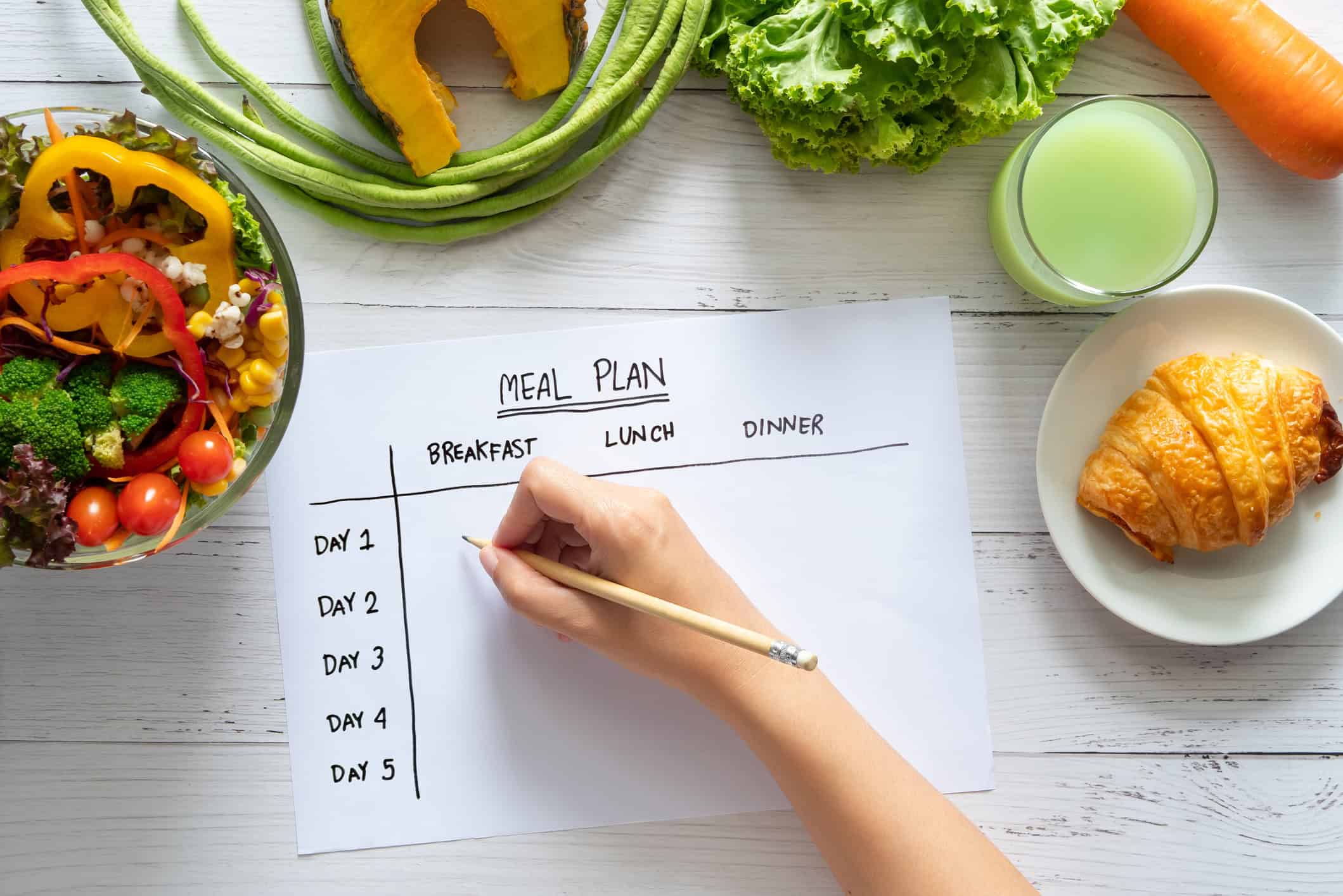
- Connecting Your List to Your Meal Plan
- Mastering the Shared List Practical Family Workflows
- Setup Privacy and Getting Everyone Onboard
- Your Next Steps to Smarter Family Shopping
Beyond the Paper List Why Your Family Needs a Digital Upgrade
The paper list fails in a very specific way. It works only when the right person sees it at the right time. Families rarely operate that neatly.
One parent is doing a planned weekly shop. Another grabs a few items on the way home. A child remembers snack requests at the last possible minute. The fridge note can’t follow any of them. A text thread isn’t much better because grocery updates vanish between school reminders and random messages.
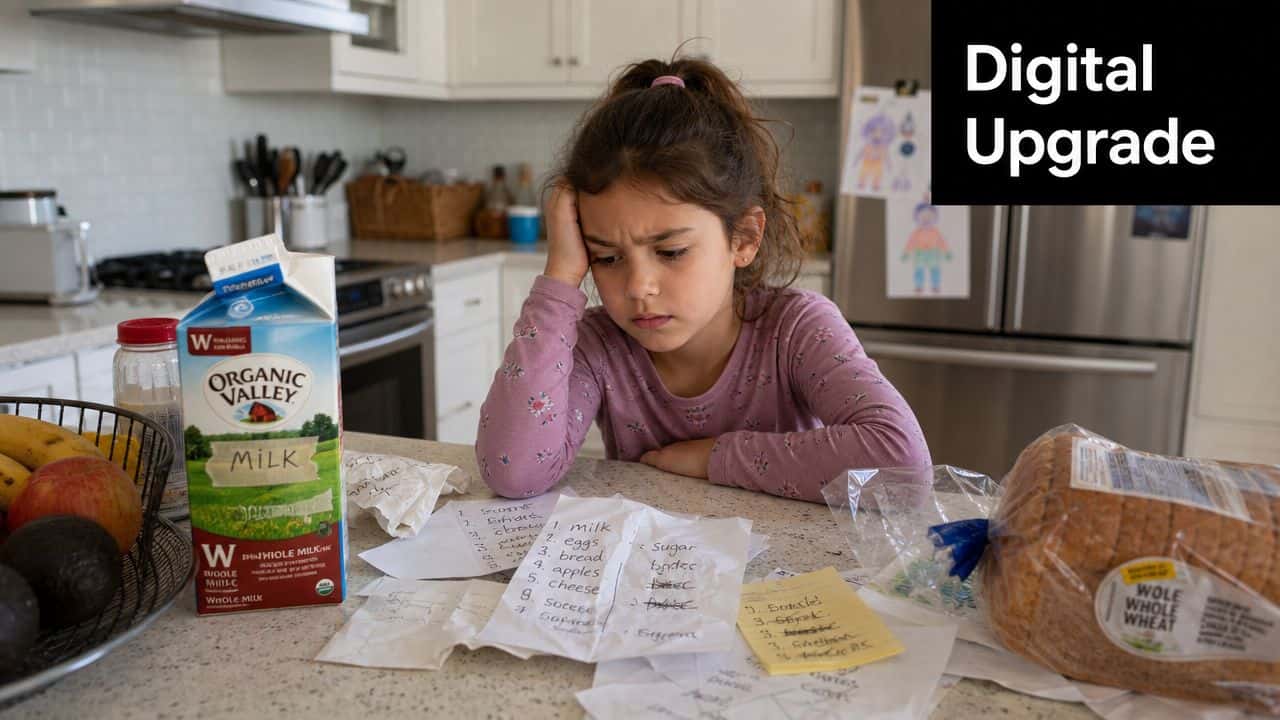
A digital list starts fixing that because it lives where the family already is, on their phones. The better shift, though, is deeper than convenience. Grocery-list apps became mainstream by moving from simple note-taking into multi-device household coordination systems, with major apps emphasizing real-time sync across phones, tablets, and the web.
That’s the point many families miss. You don’t need a prettier list. You need a household system.
A shared list only helps when everyone trusts it enough to stop keeping backup lists in their head.
Why paper breaks under family pressure
Paper works for one shopper with a fixed routine. It starts falling apart when the household has different rhythms.
A common pattern looks like this:
- The planner writes down dinner ingredients for the week.
- The top-up shopper remembers bread, fruit, or lunch items while already out.
- The kids announce wants, not needs, and usually too late.
- The store run becomes a guessing game because preferences and quantities weren’t clear.
That’s why the strongest argument for a grocery list app for family life isn’t speed. It’s reliability. Everyone sees the same list. Everyone works from the same version. Everyone stops asking who was supposed to remember what.
If your household is still bouncing between paper, texts, and memory, this guide on digital lists versus paper lists is a useful reality check.
What the upgrade actually changes
The right app becomes the place where your family records needs as they happen. Not later. Not after dinner. Not when someone finally sits down to plan.
That changes the emotional tone of shopping. Fewer frantic aisle texts. Fewer duplicate purchases. Less low-grade resentment over forgotten basics.
It also sets up the bigger payoff. Once the list is shared well, you can connect it to meal planning, recurring staples, and clearer shopping roles. That’s where families stop feeling like grocery shopping is a weekly scramble.
Core Features of a Family-Friendly Grocery App
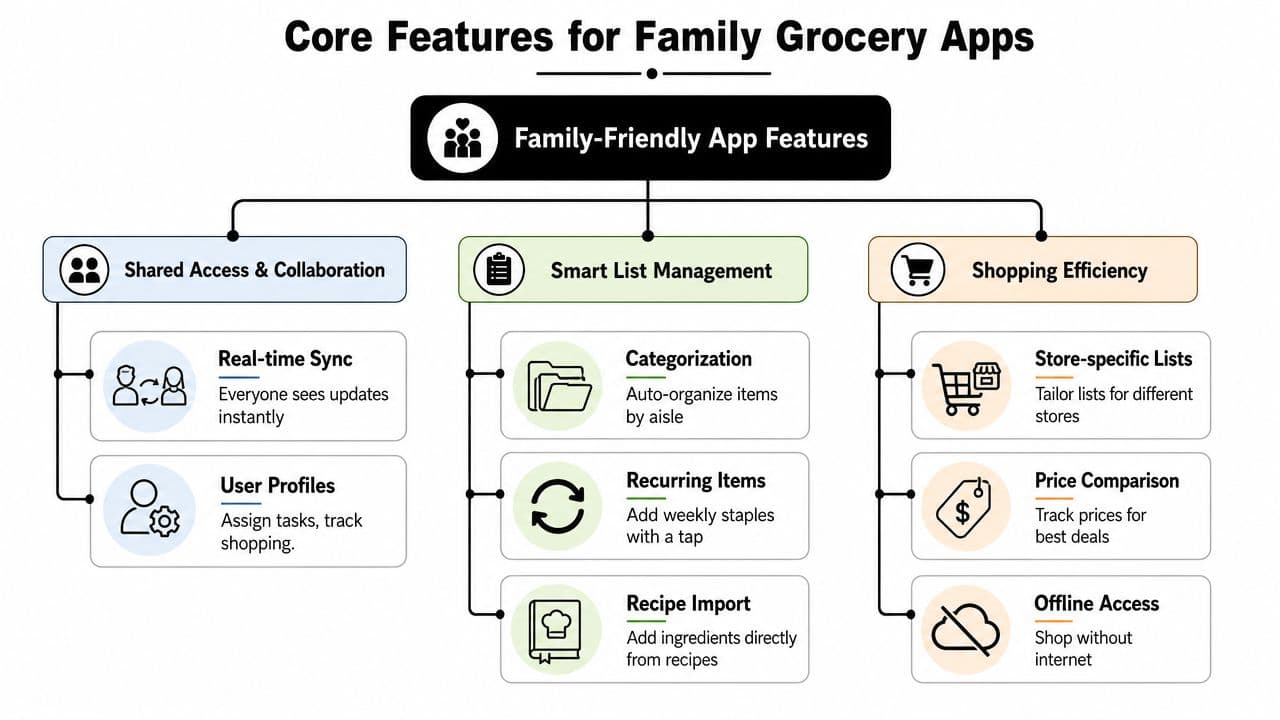
Most grocery apps look similar at first glance. They all promise sharing, checklists, and convenience. For families, the ultimate test is whether the app can act like a shopping command center instead of a digital sticky note.
Real-time sync is the foundation
The indispensable feature is true real-time synchronization. That matters more than almost anything else because a family list is collaborative by nature. AnyList states that shared changes show up instantly and that the app keeps devices in sync across iPhone, iPad, Mac, and web, which is why its Google Play listing points to sync as the critical technical requirement.
In practical terms, this solves the most annoying in-store problem. One person adds yogurt at home while another is already shopping. If the item appears right away, the system works. If it doesn’t, people create workarounds. They text. They call. They stop trusting the app.
Practical rule: If your shared list ever makes family members double-check it through another channel, the app is failing the job.
Cross-device access changes the whole experience
A grocery list app for family use has to meet people where they already are. That usually means mixed devices and different habits.
One person wants their phone. Another checks from a laptop during meal planning. Someone else glances at a tablet in the kitchen. If the app works well only in one place, the family ends up with partial participation.
Look for this combination:
- Phone-first use so people can add items the moment they notice something’s low
- Web access for bigger weekly planning sessions
- Multiple device support so no one gets excluded by platform choice
- Reliable shared visibility so everyone trusts they’re seeing the current list
This is also where practical extras matter. A helpful app should let you manage items in ways that fit real kitchens and real stores, not just ideal ones. If prices matter in your workflow, this overview of a grocery list app with prices shows how item-level tracking can support smarter planning.
Input and organization should match real life
Families don’t add groceries in one tidy weekly session. They add things while unloading lunchboxes, cooking dinner, or noticing the bathroom cabinet is empty. Good apps support that reality.
The features worth caring about are the ones that reduce friction:
| Feature | Why it matters in family use |
|---|---|
| Typing and quick entry | Fast enough for everyday staples |
| Voice input | Useful when hands are busy in the kitchen |
| Notes on items | Helps with specifics like brand, size, or ripeness |
| Categorization | Keeps the shopping trip from turning into backtracking |
| Recurring items | Makes weekly staples easy to restore |
The mistake I see often is families choosing an app based on how polished it looks, not on whether it supports the messiness of shared use. A clean interface is nice. An app that handles vague additions, repeated staples, and fast checkoffs is better.
The best family systems feel simple during the week and structured at the store. That balance matters more than having the longest feature list.
Connecting Your List to Your Meal Plan
A standalone list helps. A connected planning system helps much more.
The biggest waste in family shopping usually happens before anyone enters the store. It happens when meals live in one place, recipes in another, pantry memory in someone's head, and the shopping list somewhere else entirely. That setup invites missed ingredients, overbuying, and midweek emergency trips.
A shopping list without a meal plan stays reactive
Modern grocery apps increasingly bundle meal planning and recipe organization because shopping follows cooking. AnyList's listing explicitly connects grocery shopping with weekly meal planning and recipe saving, which reflects how the category has expanded into broader household workflow software, as noted in its Google Play listing for weekly meal planning.
That shift matters because families don't buy “groceries” in the abstract. They buy taco ingredients, lunchbox staples, breakfast basics, and a few backup items for rough days. When your list isn't tied to meals, it becomes reactive. You remember ingredients only when you need them.
A meal-connected workflow changes the order of operations. You decide what you're cooking, then build the list from that decision.
What a connected workflow looks like
Here's the version that holds up in real life:
- Choose meals for the week based on actual schedules, not wishful thinking.
- Pull ingredients from recipes instead of retyping them manually.
- Review the generated list and remove what you already have.
- Add household extras like snacks, paper goods, or toiletries.
- Share the finished list so everyone is working from the same plan.
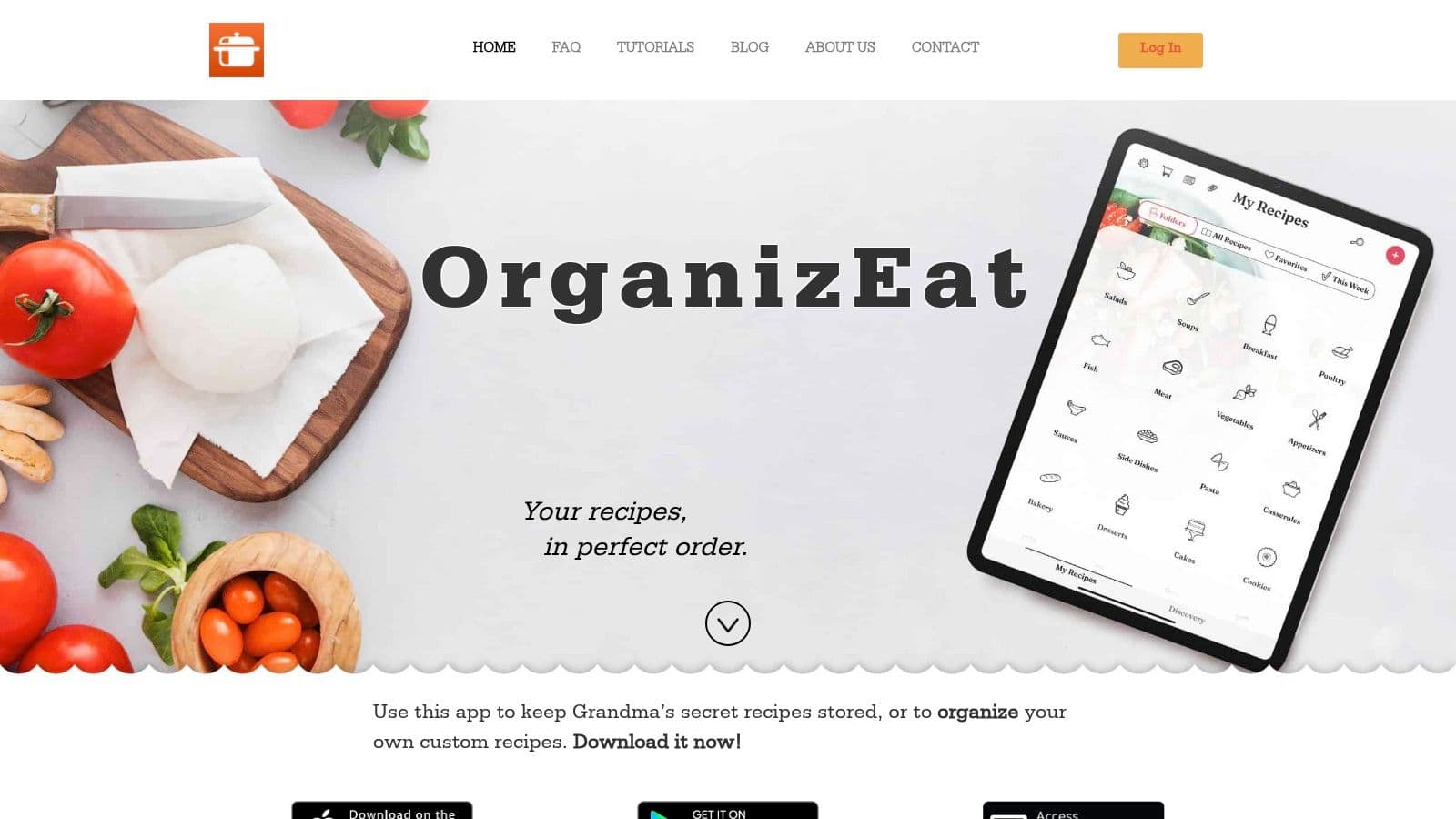
That's where a recipe organizer becomes more than a storage tool. OrganizEat, for example, can generate grocery lists from saved recipes or meal plans, combine ingredients into one list, and let you review or adjust items before shopping. For busy families, that creates a cleaner path from “what are we eating?” to “what do we need?”
Planning meals and planning groceries shouldn't be separate jobs. In a family kitchen, they're the same workflow seen from two angles.
If your week tends to unravel between dinner ideas and actual shopping, these meal planning ideas for busy families are a practical place to tighten the routine.
The win here isn't sophistication. It's less manual translation. Less cross-checking recipes against pantry memory. Less discovering at 5:30 that taco night has no tortillas.
Mastering the Shared List Practical Family Workflows
Shared lists break down for human reasons long before they break down for technical ones. The family isn't failing because the app can't sync. The family is failing because people use the list differently.
One person shops once a week and wants a structured plan. Another adds things in bursts whenever they notice something missing. Kids often need a place to request items but not a free hand to reorganize the whole list. That gap is where clutter, duplicates, and quiet frustration show up.
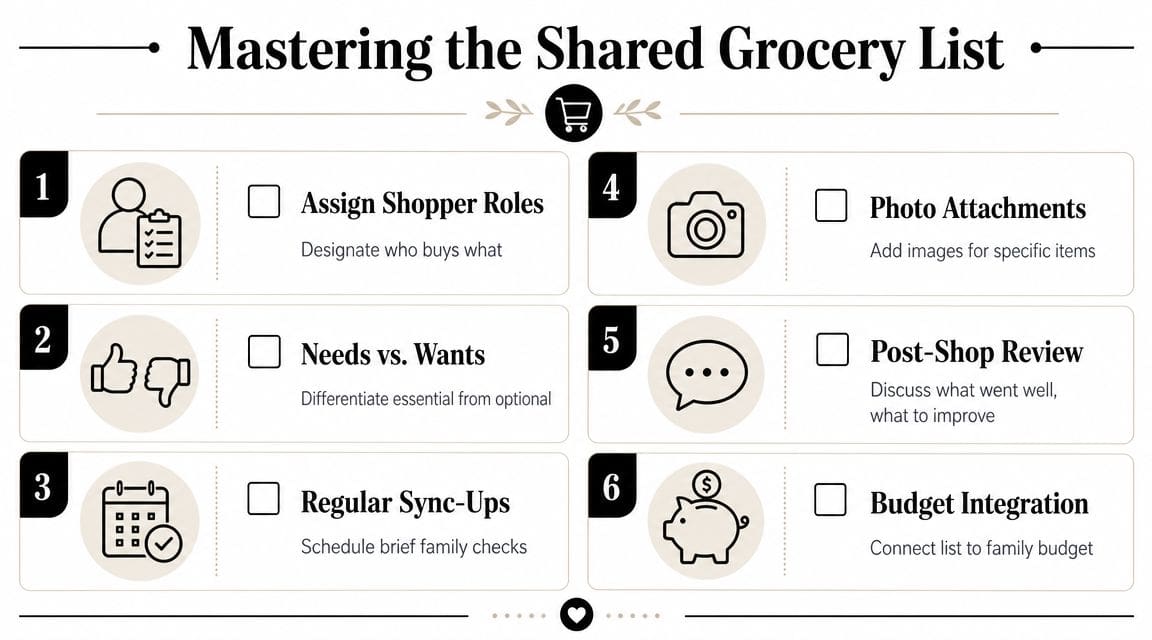
A useful point often missed in app roundups is that sharing isn't the same as household coordination. Families need workflows that prevent duplicates and clutter when shopping styles differ, including homes where one person shops weekly, another adds items ad hoc, and children mostly need visibility or request access, as discussed in this video on family shopping styles and list coordination.
Different shoppers need different rules
You'll get better results from one clear household rule than from ten fancy features.
For example, if your family has a weekly planner and a top-up shopper, don't force both people into the same behavior. Give them different jobs:
- Weekly shopper owns the main stock-up trip and reviews the full list before checkout.
- Top-up shopper handles quick refill runs and checks a shorter current-needs view.
- Kids or teens add requests, but use notes for details like flavor or brand.
This is also where wording matters. “Cheese” is not a useful list item. “Shredded cheddar for tacos” is useful. “Avocados” is vague. “Two ripe avocados for tonight” is clear.
How to stop clutter before it takes over
Most shared lists become messy in predictable ways. Checked items pile up. Duplicates creep in because one person writes “tomatoes” and another adds “cherry tomatoes.” Optional snacks sit next to dinner ingredients with no priority.
Set a few operating rules:
- Use check-off instead of delete during the trip so the shopper can see what has already been handled.
- Do a post-shop cleanup so stale items don't linger into the next week.
- Separate needs from wants with categories, notes, or naming conventions.
- Create a recurring staples routine for items your household buys again and again.
A lot of friction disappears when the list itself communicates urgency. “Need for school lunches” and “nice to have” don't belong in the same mental bucket.
Here's a simple way to split list behavior:
| Type of item | Best handling method |
|---|---|
| Weekly staples | Keep as recurring or easy to re-add |
| Meal-specific ingredients | Pull from recipes and review weekly |
| Last-minute requests | Add with a note and low priority if optional |
| Household supplies | Keep in their own category so they don't bury food items |
Later in the week, this video shows one practical angle on shared grocery coordination in action:
A simple household operating system
The strongest family grocery systems are boring in the best way. They reduce negotiation.
Try this weekly rhythm:
- Add items all week, immediately
- Review the list on one set day
- Clarify vague items before anyone shops
- Check off, don't improvise, in the store
- Clean the list after the trip
That may sound basic, but it's what keeps the app from becoming another ignored tool. The app handles the shared visibility. The household rules handle the human chaos.
Setup Privacy and Getting Everyone Onboard
A family can reject a good app for one simple reason. Setup felt annoying.
Keep setup boring and simple
The smoothest rollout is the least ambitious one. Create the shared household space, invite the core users, and start with a single active list. Don't build five store lists, a color-coded category system, and a rulebook on day one.
Use this order:
- Invite the adults first so the main shoppers are aligned.
- Create one default grocery list with a few obvious staples already in it.
- Show how to add one item, edit one item, and check one off.
- Only then bring in older kids or teens if they'll use it.
Privacy questions usually come up here too. Families want shared convenience without oversharing or losing control of household information. The practical answer is to choose tools with clear account structure, controlled sharing, and cloud sync that feels predictable. Individuals don't need to become technical experts. They need to know who can view, who can edit, and how to remove access if needed.
The best family tech setup is the one everyone can understand in under five minutes.
Adoption is a family issue not a tech issue
The holdout usually isn't refusing the app itself. They're refusing extra effort.
That's why lectures don't work. A quick success does. Ask each person to add one thing they care about. A partner adds coffee. A teen adds their snack. A child asks for pancake mix through an adult's phone. Once people see that requests make it into the cart, the system starts feeling useful.
A few habits make buy-in easier:
- Lead with convenience instead of organization. “Add it now so no one forgets.”
- Keep one source of truth. Don't accept backup texts if the app is the system.
- Use real moments of friction to reinforce the change. Forgotten lunch items are good teachers.
- Give kids a lane if they're participating. Requests work better than full editing freedom for many families.
That's what gets everyone onboard. Not a big speech. A visible reduction in missed items and repeated questions.
Your Next Steps to Smarter Family Shopping
Families don't need a more impressive list. They need less friction around one of the most repeated jobs in the house.
A good grocery list app for family life works when it solves the daily coordination problems that paper, memory, and text threads can't handle. It needs to fit different shopping styles, connect to how meals get planned, and stay clear enough that everyone trusts it without needing backup reminders.
Start with the frustration not the app
Don't begin by comparing every feature in every tool. Start by naming the one problem that keeps happening in your house.
Maybe you keep buying duplicates. Maybe dinner ingredients get forgotten. Maybe the list is fine, but nobody besides one adult updates it. That first diagnosis matters because it tells you what your system needs.
Use this filter:
- If duplicates are the problem, prioritize shared visibility and item clarity.
- If forgotten dinner ingredients are the problem, connect recipes and meal planning to the list.
- If the list stays messy, focus on recurring staples, notes, and household rules.
- If nobody uses the system, simplify setup and reduce how much people have to learn.
Commit to one week of one system
The best test isn't whether the app looks good on day one. It's whether your family uses it consistently for one full shopping cycle.
For that first week:
- Talk with your family about the biggest shopping frustration.
- Pick one app that directly addresses that issue.
- Use only that system for one full week.
No side texts. No backup paper list. No mental list “just in case.”
That trial week will tell you more than endless comparison shopping ever will. You'll see where people hesitate, which items stay vague, and whether the workflow fits your actual life.
If the system is working, shopping gets quieter. Fewer clarifying calls. Fewer forgotten basics. Less clutter on the list. More confidence that when someone adds an item, it won't disappear into household noise.
That's the goal. Not perfect organization. Just a family shopping process that people can trust enough to keep using.
If you want one place to manage recipes, meal plans, and shared grocery lists together, OrganizEat is worth a look. It's built for people who save recipes from many places, want to turn those recipes into shopping lists, and need that information available across devices without juggling separate tools.