


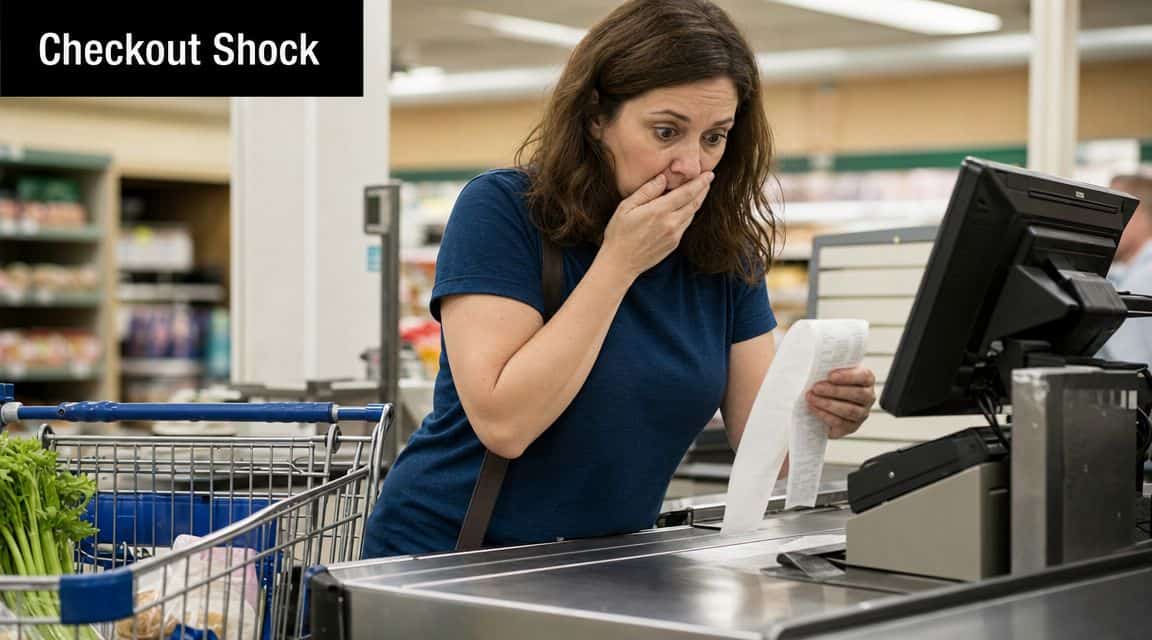
You planned the week, checked the pantry, picked recipes everyone would eat, and walked into the store feeling organized. Then the total at checkout landed higher than expected. That moment is frustrating because it makes grocery shopping feel less like a routine and more like guesswork.
A grocery list app with prices changes that feeling. It gives your list a dollar value before you leave the house, so you can make decisions while they're still easy to change. That might mean swapping one brand, moving a bulk item to next week, or noticing that your “quick stop” has grown into your expensive stop.
This habit doesn't require coupon binders or a spreadsheet obsession. It starts with paying attention to the items you buy often and building a simple price memory in the app you already use. If you want a practical way to stop getting surprised at the register, this is one of the most useful grocery habits to build.
Table of Contents
- That Surprise Moment at the Checkout
- What a Grocery List App With Prices Actually Does
- Automated Price Feeds vs Manual Price Entry
- How to Choose the Right Price Tracking App for You
- A Practical Guide to Adding and Maintaining Prices
- Price Tracking Workflow Using the OrganizEat App
- From Lists to Real Savings
That Surprise Moment at the Checkout
The hard part about grocery overspending is that it rarely feels reckless. Most of the time, it comes from normal decisions. You add ingredients for one extra dinner. You grab the yogurt your kids prefer. You replace a pantry staple that ran out sooner than expected. None of those choices seem dramatic on their own, but the receipt tells a different story.
That's why I think of price tracking as kitchen realism, not extreme budgeting. You're not trying to win a savings contest. You're trying to know what your choices cost before they pile up into a total you didn't expect.
Why this hits so many households
Meal planning solves only part of the problem. A good list tells you what to buy. It doesn't automatically tell you whether this week's version of that list still fits your budget.
A useful starting point is a system that connects your list to actual prices you see in real stores. If you already organize meals and ingredients digitally, adding prices is the next practical step. It turns a list from a reminder into a decision tool.
A list without prices is organized. A list with prices is organized and accountable.
Even simple grocery habits become sharper when you can compare an estimated total with what you usually spend. That's one reason so many home cooks eventually move beyond a plain checklist and start refining their process with tools and habits like the ones in these tips for smarter grocery list management.
What changes once you see the total early
When the list has prices attached, you catch problems sooner. You notice that a recipe with several convenience items may be worth saving for another week. You notice that one store is great for produce but rough on staples. You stop treating checkout as the first moment of truth.
That shift matters. It makes grocery spending feel manageable again, which is exactly what many seek.
What a Grocery List App With Prices Actually Does
At the simplest level, a grocery list app with prices attaches a cost to each item on your list. Once that happens, the list can do more than remind you to buy onions and eggs. It can estimate what the trip will cost, help you compare one week to the next, and show where small changes add up.
That's more useful than it sounds. Grocery pricing isn't stable enough to trust memory alone. Basket says local and online grocery prices can vary by 30% to 40% each week on its Basket savings app page. If your regular items move around that much, a price-aware list stops being a nice add-on and starts becoming a practical budgeting tool.
The three jobs that matter most
A good price-based list usually helps with three things:
-
Budget forecasting
Before you shop, you can see whether the current list looks light, normal, or expensive for your household. -
Price history
When you enter the cost of recurring items, you start building your own reference point. You don't have to wonder whether a familiar product feels expensive because it went up or because you just forgot last month's price. -
Impulse control
When the list already has a rough total, every extra item stands out more clearly. That makes it easier to ask, “Do we need this now?”
Why this is better than using a calculator
A calculator can total numbers. It can't help much with shopping behavior.
A grocery list app with prices keeps the cost attached to the item itself, often alongside recipes, pantry notes, and meal plans. That matters in real kitchens, because grocery trips aren't typically built from scratch. Instead, they are built from repeated meals, family preferences, and staples bought over and over.
Practical rule: If the price lives where you plan meals, you're much more likely to keep it updated.
That's the same reason data habits work in other areas too. If you like the broader idea of using simple information to make better decisions, this guide to data-driven business transformation is a useful read because the principle is the same. A clear view of the numbers changes behavior.
What it looks like in daily use
In real life, this usually means you build a list and see a running total before the trip. Then, after shopping, you compare your estimate to what you paid. Over time, you learn which categories are predictable, which stores tend to drift higher, and which “cheap” items aren't cheap once your usual brand or package size is factored in.
That's the part many app roundups skip. The win isn't just seeing a price. The win is creating a feedback loop between planning and spending.
Automated Price Feeds vs Manual Price Entry
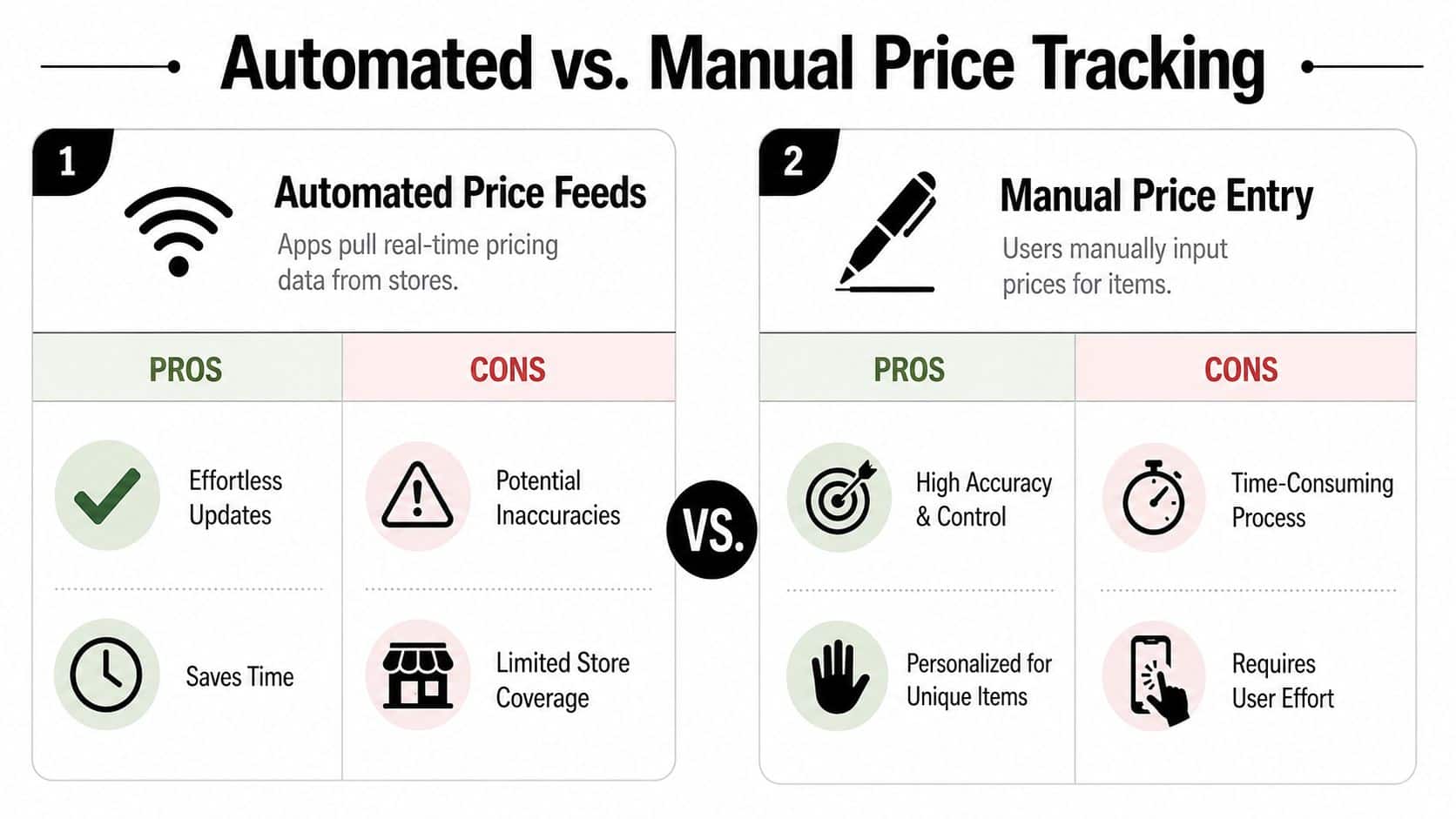
There are two main ways grocery apps handle pricing. One is automated price feeds, where the app tries to pull prices from stores. The other is manual price entry, where you type in the amount yourself.
On paper, automation sounds like the obvious winner. In practice, it depends on how you shop. If your household buys the same national brands from stores with strong digital catalogs, automated pricing can be convenient. If you buy store brands, flexible substitutions, butcher-counter items, produce sold in changing pack sizes, or local specials, manual tracking often gives you cleaner information.
Where automated feeds help
Automated feeds reduce typing. That matters when you're building a list fast or comparing common items from stores that publish structured product data.
Some apps and services are built around this idea. At the technical level, pulling product and pricing data across the web usually involves scraping or aggregation pipelines. If you're curious what that infrastructure can look like, an advanced web scraping API gives a useful example of the kind of tooling developers use for large-scale collection.
The problem is that grocery shopping isn't tidy. Stores change labels, promos, pack sizes, and availability. A clean product feed on Tuesday can become less useful by Friday if your actual cart depends on what's on the shelf.
Where manual entry wins
Manual entry is slower at first, but it tracks your shopping reality. That includes your preferred store, your actual package size, the store brand you always buy, and the price you really paid.
This is why manual systems hold up well for families. They don't fall apart when the app doesn't recognize “large avocados,” when chicken is priced by weight, or when your household buys one item only from a specific regional store. A few notes per week build a price book that fits your life instead of a generic catalog.
Automatic prices are convenient when they match your cart. Manual prices are useful even when your cart is messy.
Comparing Price Tracking Methods
| Feature | Automated Price Feeds | Manual Price Entry |
|---|---|---|
| Speed | Fast when store data is available | Slower at setup |
| Store coverage | Often limited to supported retailers | Works with any store |
| Accuracy for your exact item | Can miss brand, size, or promo differences | Reflects what you actually buy |
| Handling local specials | Often inconsistent | Easy to record after the trip |
| Learning value | Convenient, but passive | Builds price awareness over time |
| Best for | Shoppers who prioritize speed | Shoppers who prioritize control |
What works for different shoppers
If you’re the kind of shopper who sticks to a narrow set of stores and buys mostly the same packaged items, automated pricing can do enough to be helpful.
If your shopping is more flexible, manual entry usually becomes the stronger system. It handles:
- Regional stores that larger apps may not support
- Store brands with inconsistent digital listings
- Variable-weight foods like meat, produce, and deli items
- Preferred substitutions that only your household would think to track
A hybrid approach is often the sweet spot. Use automated prices when they’re reliable. Override them when they’re not. But if you’re choosing just one habit to build, manual tracking creates stronger awareness and fewer false assumptions.
How to Choose the Right Price Tracking App for You
For many, a flashy shopping app isn’t the priority. They need one that makes the everyday stuff easy. Can you add items quickly? Can you see the expected total? Can you update prices in the aisle without fighting the interface? Those questions matter more than long feature lists.
The biggest mistake I see is choosing an app because it promises the most automation. That sounds efficient, but it often breaks down if your real shopping life includes multiple stores, handwritten substitutions, family preferences, and products that don’t map neatly to a database. A better filter is flexibility.
The features worth caring about
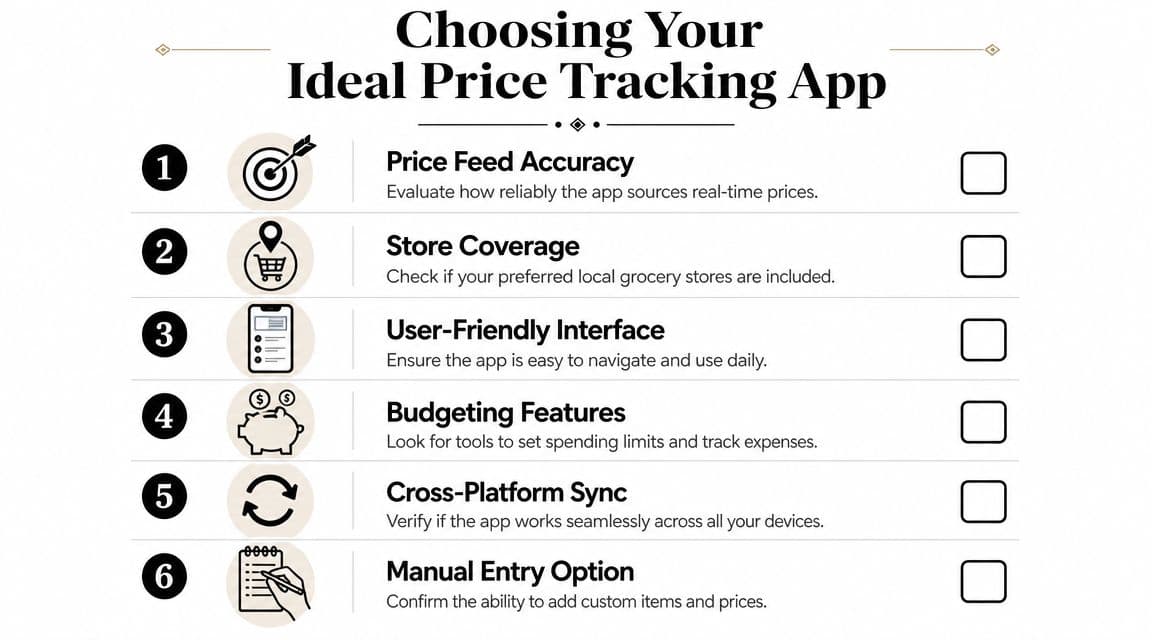
When you compare apps, look for these practical traits:
-
A clear running total
If the app hides the cost view or makes it awkward to review, you won’t use it consistently. -
Easy manual notes
You want a place to record details like store name, sale price, package size, or “worth buying only on promo.” -
Fast item editing
Grocery shopping happens in motion. The app should let you update a price with a few taps, not a long form. -
Sync across devices
If one person meal plans and another person shops, shared access matters. -
Recipe-to-list flow
Lists are easier to maintain when they connect to what you cook.
Flexibility beats feature overload
One useful market insight is that the most helpful grocery apps often aren’t the ones with the most automation. A review of the category at Groceries Tracker’s app analysis argues that flexible tools for comparing preferred stores and tracking the gap between estimated and real spending can be more useful than heavy automation. That lines up with how many budget-conscious home cooks shop.
The right app doesn’t have to know every store in town. It has to help you remember the prices that matter to your household.
A simple test before you commit
Try this before settling on any app:
- Add one week’s worth of real meals.
- Enter prices for your most common staples.
- Check whether you can update an item while standing in a store aisle.
- Share the list with whoever shops in your household.
- Review whether the app helps after the trip, not just before it.
If an app makes those actions easy, you’ve probably found a workable tool. If it makes you hunt for basic editing features, keep looking. The app should support your grocery rhythm, not ask you to shop differently just to fit the software.
If you mostly shop on your phone, it also helps to review tools built with mobile use in mind, such as this roundup of the best grocery list app for iPhone.
A Practical Guide to Adding and Maintaining Prices
The easiest way to fail at price tracking is trying to build a perfect system in one afternoon. Don’t do that. Start with the items that show up constantly in your kitchen. Milk, eggs, yogurt, bread, rice, bananas, chicken, coffee, whatever your household buys on repeat. Once those are in place, the habit gets lighter.
Start with your recent receipts
Your receipts are the fastest setup tool you already have. They show what you paid, which is more useful than trying to remember what something “usually costs.”
A simple starter process looks like this:
-
Pick your repeat items
Choose the groceries you buy most often. Don’t try to catalog everything. -
Create one baseline entry per item
Add the name, the usual store, and the latest price you paid. -
Include buying clues
Write down the package size, brand, or any note that helps you avoid confusion later.
That last part matters. “Cheddar cheese” is vague. “8 oz store-brand cheddar at main store” is something you can trust.
Build a tiny in-store habit
The maintenance habit should be small enough that you’ll keep doing it. Typically, this means updating only when something changes or when a price looks worth remembering.
Use a quick rule like this:
- Update staples first when their price jumps or drops
- Ignore one-off items unless you plan to buy them regularly
- Record the actual purchase price instead of the shelf price when there’s a meaningful difference
If tracking feels tedious, you’re tracking too many things.
That’s why I suggest focusing on your core items before expanding. Once the system starts saving you from budget surprises, you’ll naturally add more detail.
Review after the trip
The post-shopping review is where the whole system gets smarter. This doesn’t need to become a spreadsheet session. It can be a short cleanup while the bags are still on the counter.
Check three things:
- What matched your estimate
- What came in higher than expected
- Which items are now worth watching
This quick review teaches you more than pre-shopping guesswork ever will. You’ll see patterns. Maybe produce at one store swings more than expected. Maybe a freezer staple is cheaper in a larger size than it first appears. Maybe your estimate keeps missing because you’re forgetting tax on certain household items mixed into the trip.
Keep the system realistic
A sustainable price-tracking habit should fit into ordinary life. It works best when it feels like kitchen maintenance, not accounting.
A few rules keep it manageable:
-
Use your own wording
Don’t worry about perfect naming conventions. Use labels you’ll recognize instantly. -
Track the items that influence your budget
Expensive proteins and high-frequency staples deserve attention first. -
Leave room for judgment
Sometimes the cheapest option isn’t the right one. You may still choose quality, convenience, or one-stop shopping.
That’s normal. The point isn’t to optimize every penny. The point is to stop being surprised.
Price Tracking Workflow Using the OrganizEat App
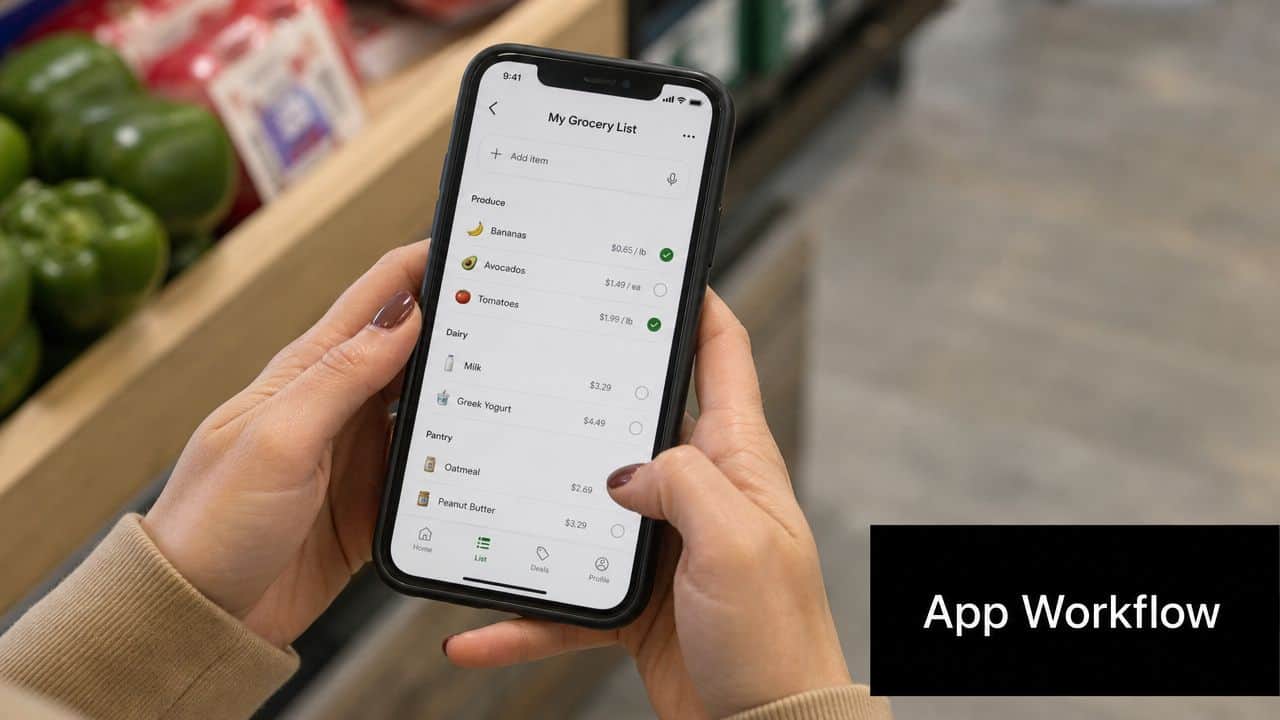
One practical way to handle price tracking is to use the grocery list you already build from recipes and add your own price notes inside the item details. That keeps everything in one place. Your recipes, your ingredient list, and your shopping notes all stay connected.
A service covered by Canadian Grocer, Gofer.run, said its basket-level comparison could save shoppers about 25% by showing where an entered list costs the least in nearby stores, according to this report on basket-level grocery comparison. Even if you’re not using a comparison engine like that, the bigger lesson is clear. When shoppers connect a full list to real prices, they make sharper choices.
A simple setup that works
In OrganizEat, you can generate a grocery list from recipes or meal plans, then use the item notes field to store your personal price record. That note can be as simple as:
- $3.99 at Trader Joe’s
- $2.49 on sale, good value
- Usually cheaper at bulk store
- Actual paid price was higher than estimate
This works because price tracking doesn’t need a complicated dashboard to be useful. It needs a reliable place to live.
A repeatable workflow
Here’s a practical way to use it week after week:
- Add recipes for the meals you plan to cook.
- Generate the shopping list from those ingredients.
- Open key items and enter price notes for the store you usually use.
- While shopping, adjust those notes if the current price changed.
- After the trip, keep the note that reflects what you paid.
That turns your list into a living price book without forcing you into a separate app just for pricing.
A note field sounds simple, but simple tools often survive longer than fancy features.
If you want a quick look at list building and recipe management in action, this walkthrough is useful:
Why this method holds up
This approach is especially helpful when your groceries don’t fit a rigid database. You can note the exact brand your family likes, the size you buy, or the store where a staple is consistently worth picking up. Over time, those notes become much more valuable than a generic estimate.
It also keeps the habit close to your meal planning process. That’s important. If price tracking lives far away from recipe planning, it often falls out of use. If it lives beside the items they already review every week, it becomes much easier to maintain.
From Lists to Real Savings
The core value of a grocery list app with prices isn’t that it makes shopping feel high-tech. It makes shopping feel knowable. You stop walking into the store with a vague sense of cost and start making decisions with a clearer picture of what the trip is likely to total.
That’s why manual price tracking is so useful. It reflects your stores, your brands, your shortcuts, and your trade-offs. It doesn’t need to be perfect to change the outcome. It just needs to be consistent enough to help you plan before checkout instead of reacting after it.
Start small. Track a handful of staples. Compare your estimate with what you paid. Then refine from there. If you also want to connect grocery planning with meal costs, a recipe cost estimator helps extend the same thinking into the meals themselves.
The payoff is bigger than a neater list. It’s less stress, better awareness, and more confidence every time you shop.
If you want one place to organize recipes, build grocery lists, and keep practical price notes tied to the meals you cook, take a look at OrganizEat. It gives home cooks a flexible way to turn everyday meal planning into a more price-aware routine without adding unnecessary complexity.