OrganizEat is your new meal-planning app, and turn your favorite recipes into a fun and tasty meal plan. Whether you plan for a family or for one person – meal planning has never been easier!
Check us out →
Adding a recipe to the meal plan:
This tutorial is about the fully structured calendar Weekly Meal Planner of OrganizEat. There is also a Monthly Calendar layout, to which you can switch using the meal planner’s top-left corner buttons.
If you prefer a less structured, more flexible meal-planning method, you might like the “This Week” shortlist option.
There are two ways to add a recipe to your Meal Plan.
From the Recipe screen:
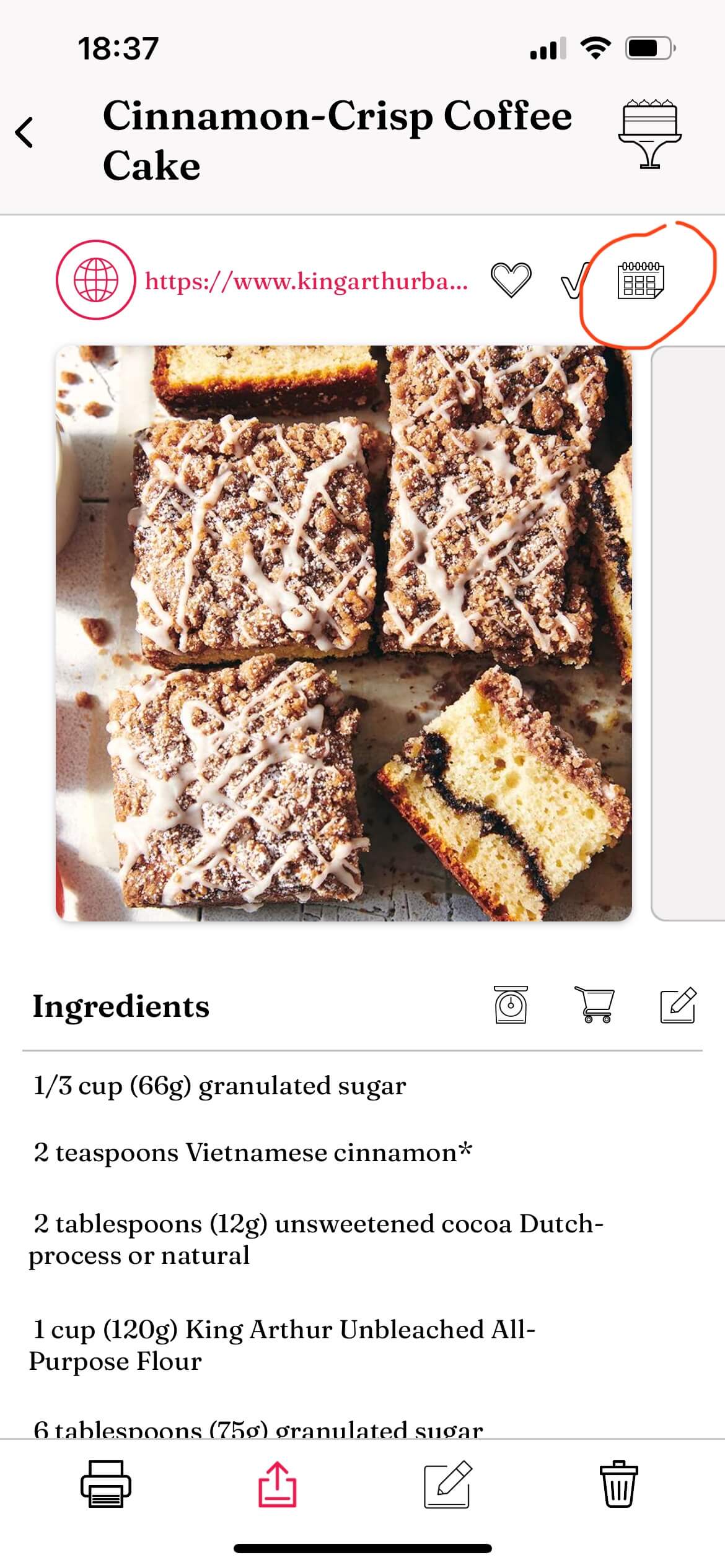
Open the recipe
Tap on the calendar icon at the top
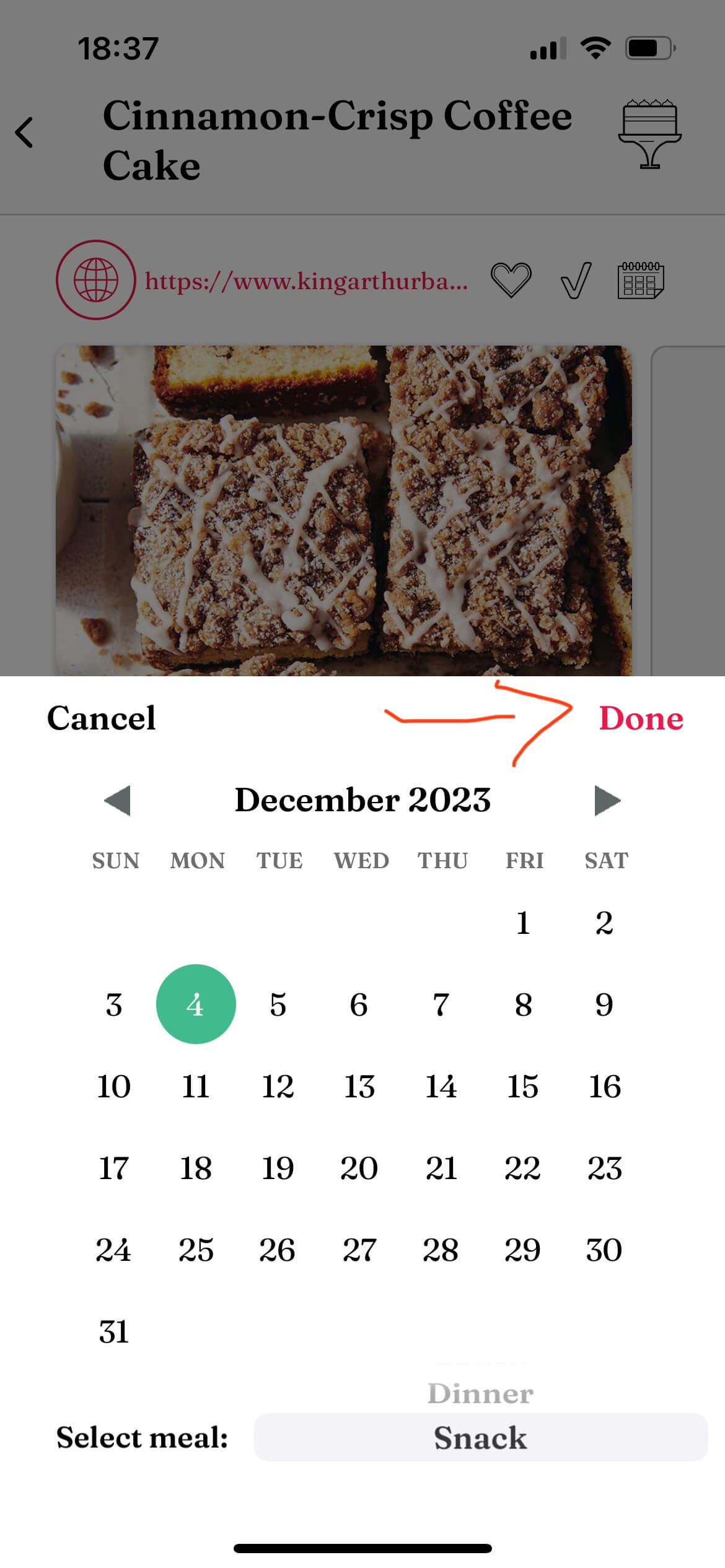
Choose a date (mandatory) and meal type (optional)
Click “Done”
2. From the Meal Planner screen:
Open the app’s main screen
Select the“Meal Plan” tab at the bottom
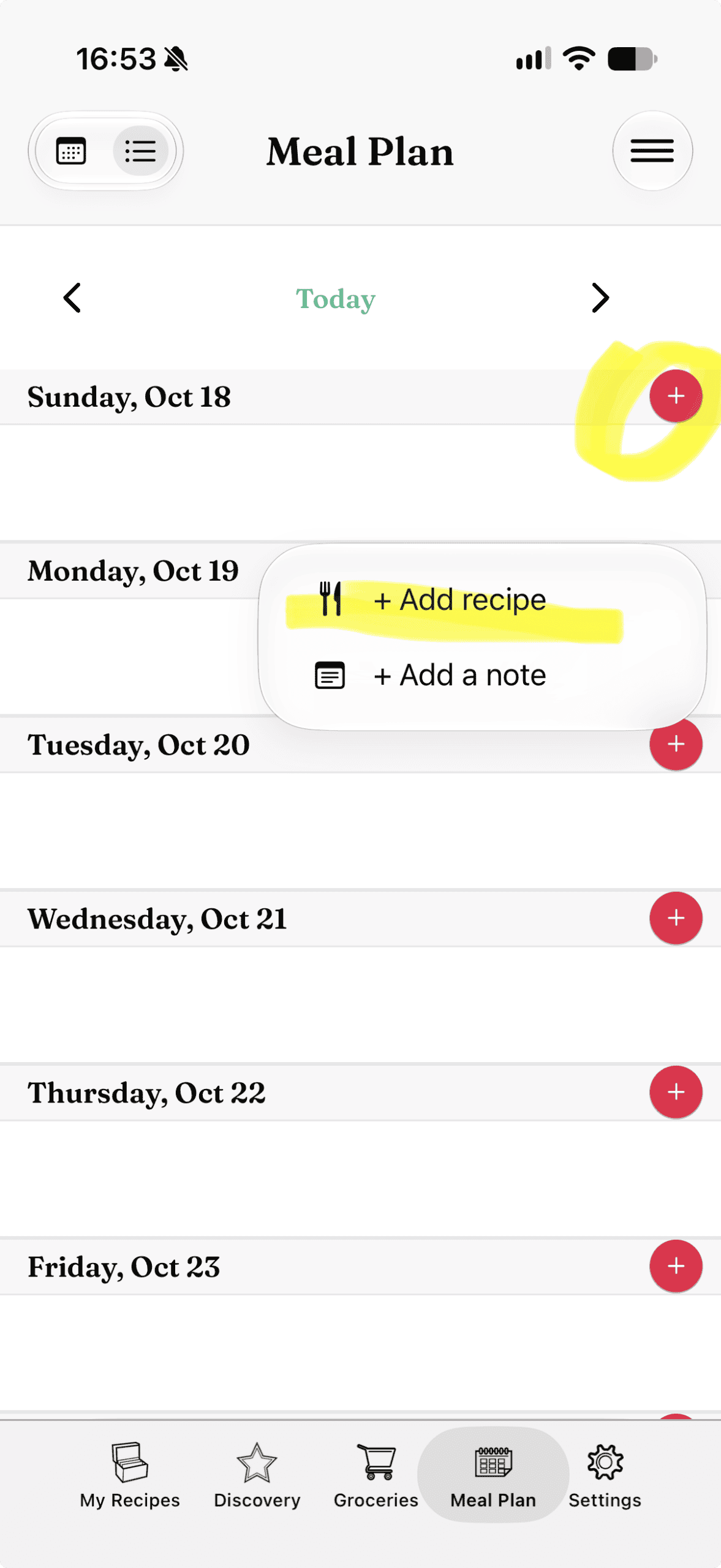
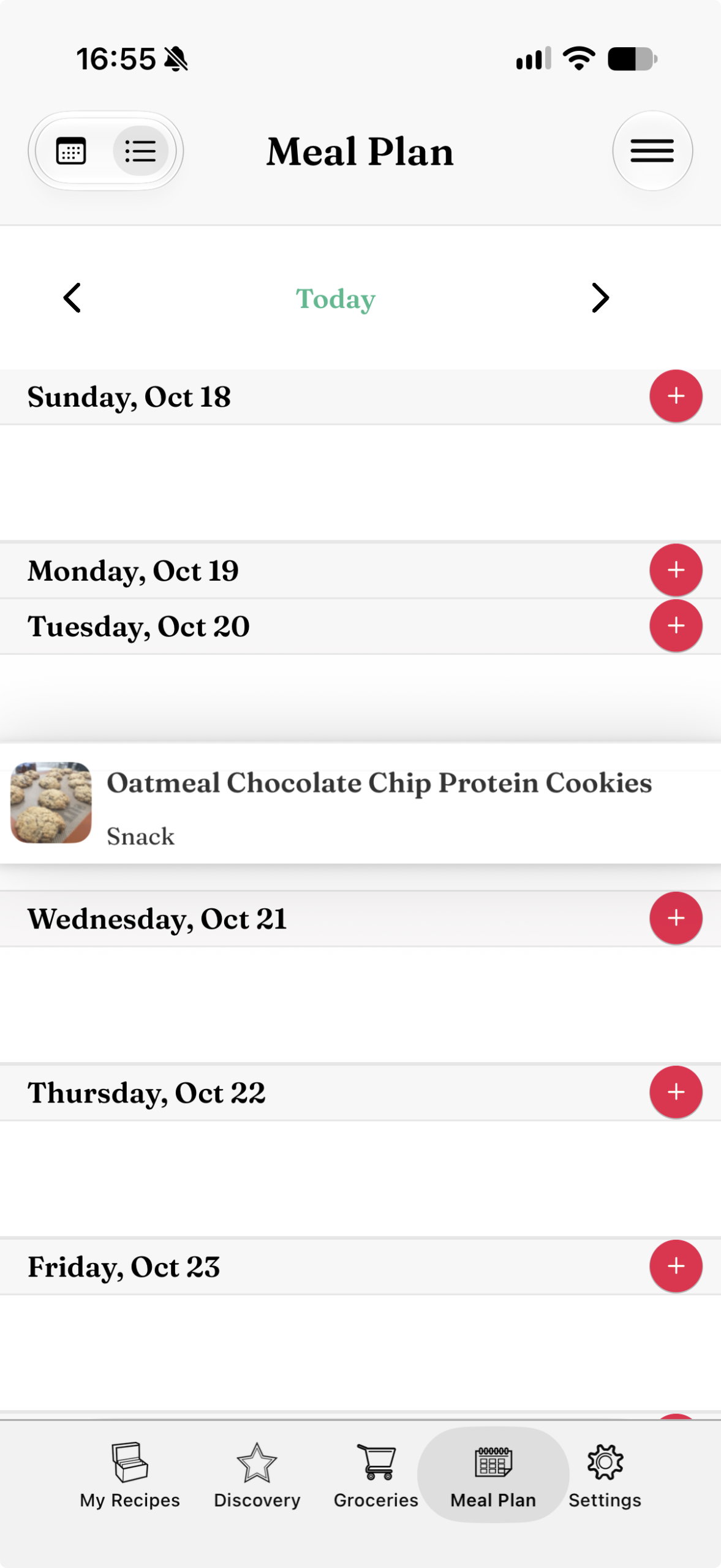
Select a day in the calendar
Click on “+Add recipe”
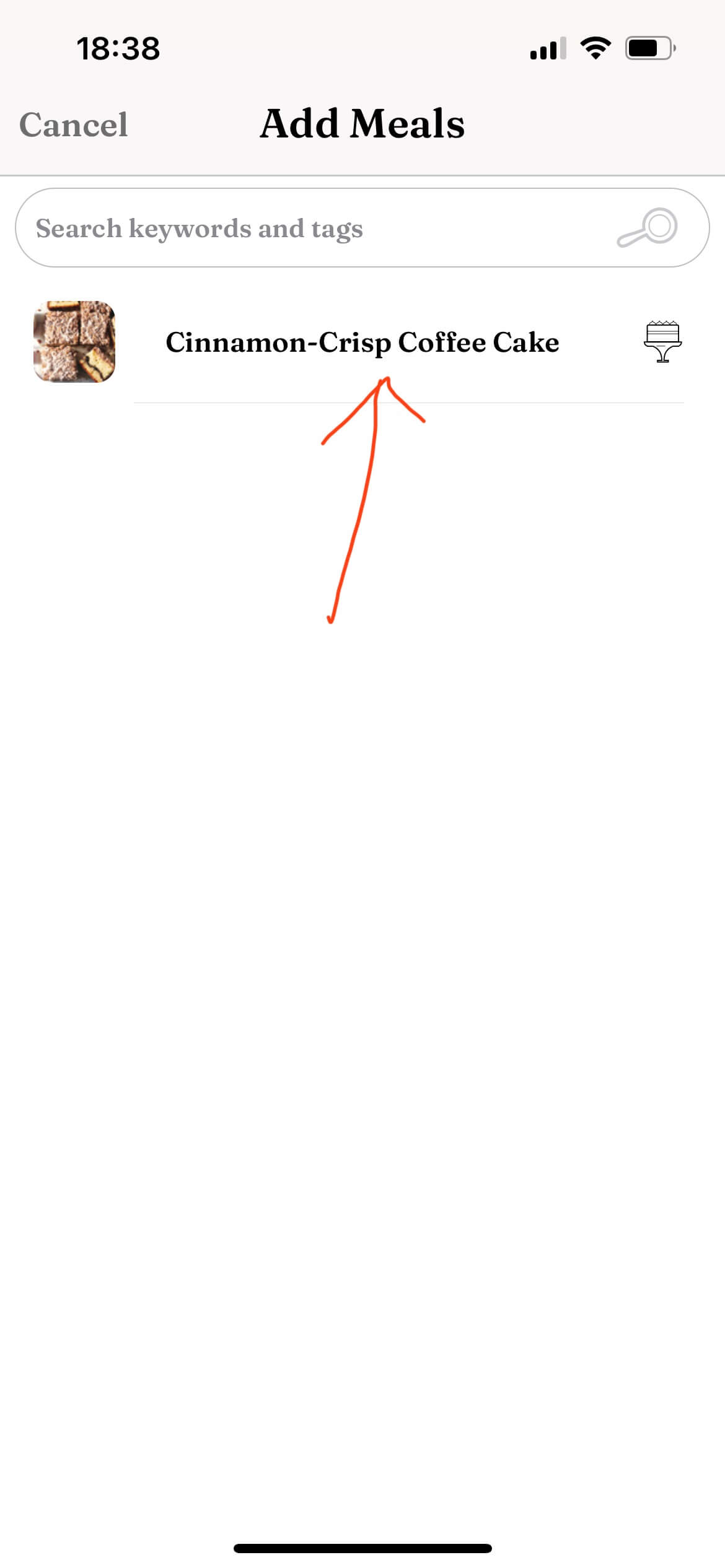
Choose the recipe (you can search for tags and keywords here)
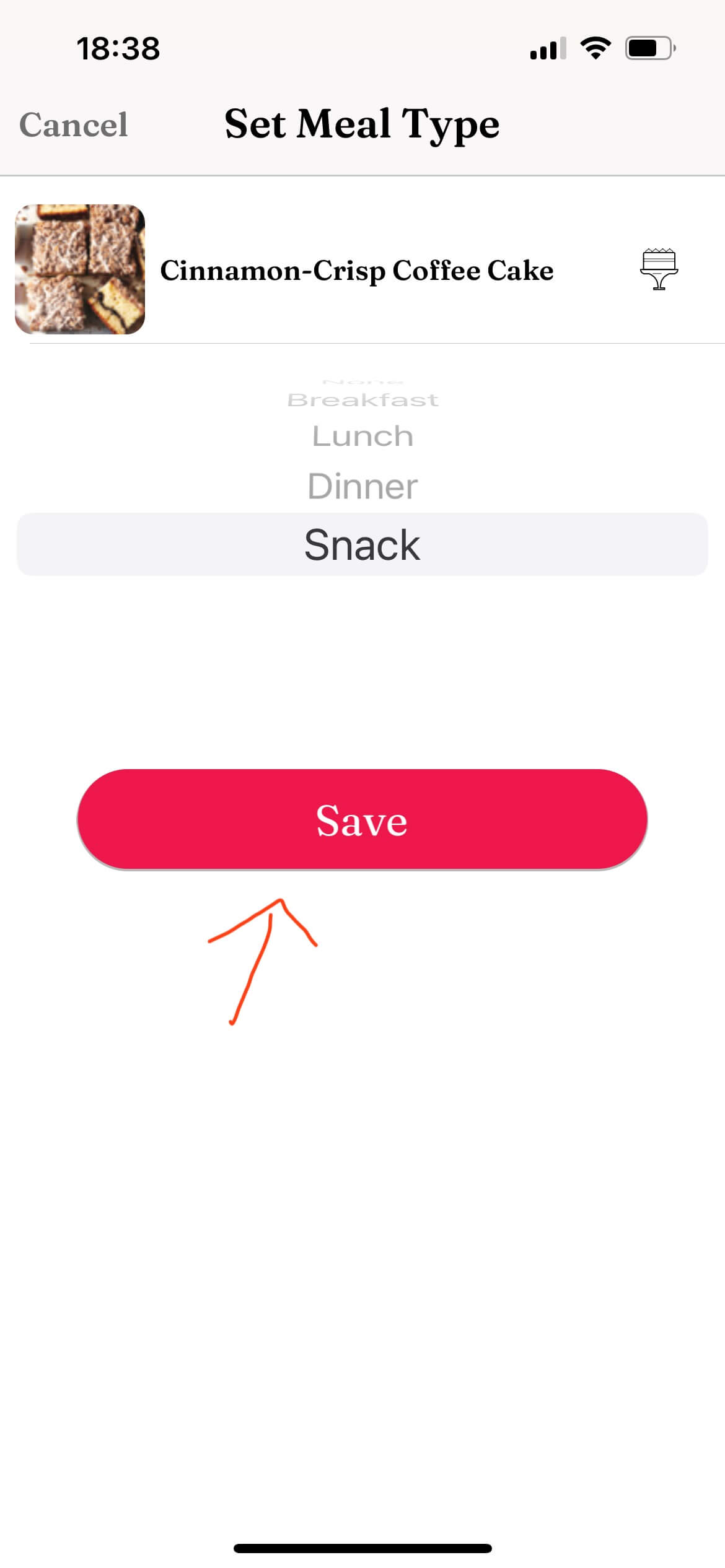
Select the meal type (optional)
Press “Save”
Generating a Grocery List from your meal plan:
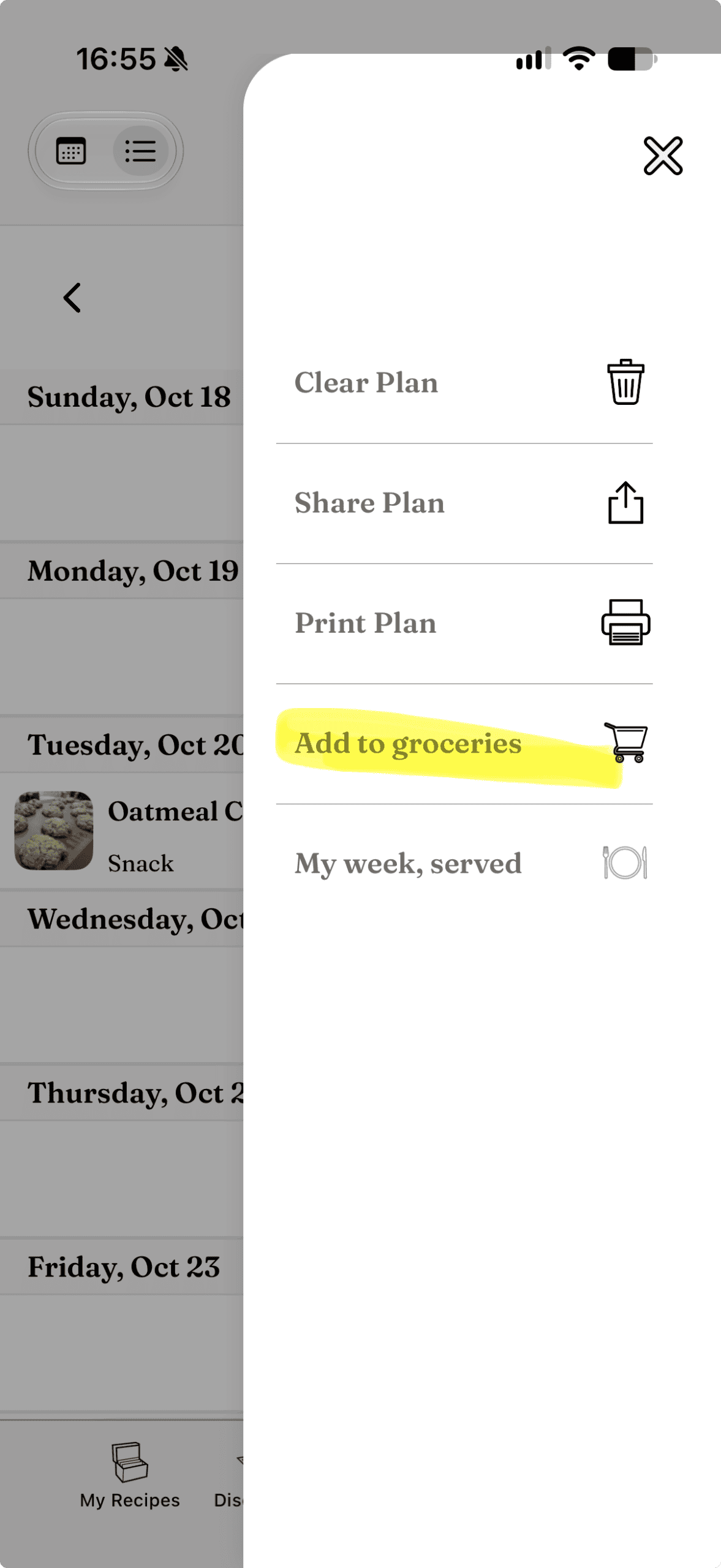
Tap on “More” (the 3-line button at the top-right corner of the screen)
Select “Add to groceries”
Choose weekly or monthly
All the ingredients from the recipes scheduled for this week/month will be added to your grocery list!
Deleting a recipe from the meal plan:
Select the day when the recipe you want to delete is scheduled
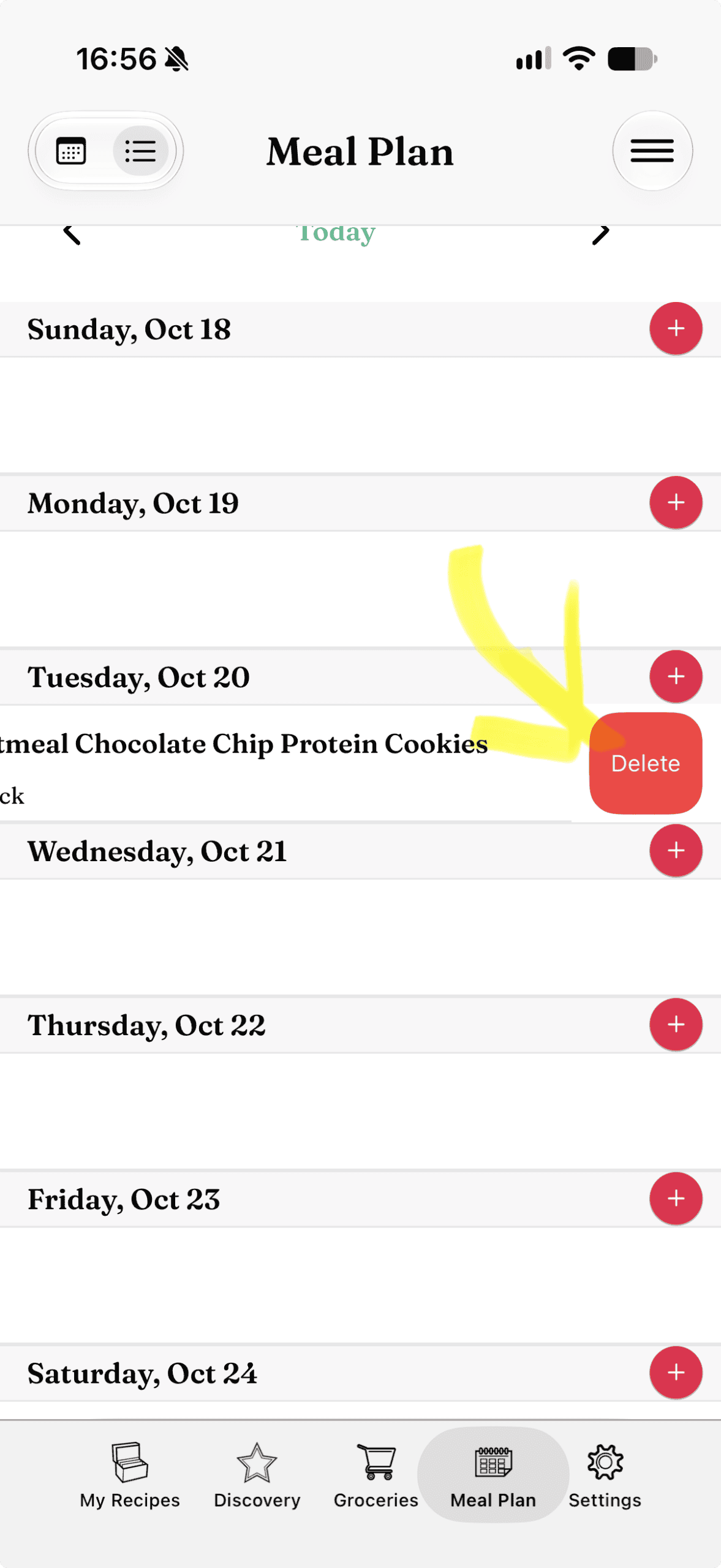
“Swipe” to the left on the scheduled recipe row
Confirm by pressing the red “Delete” button that is revealed
Move/Copy a meal to another day:
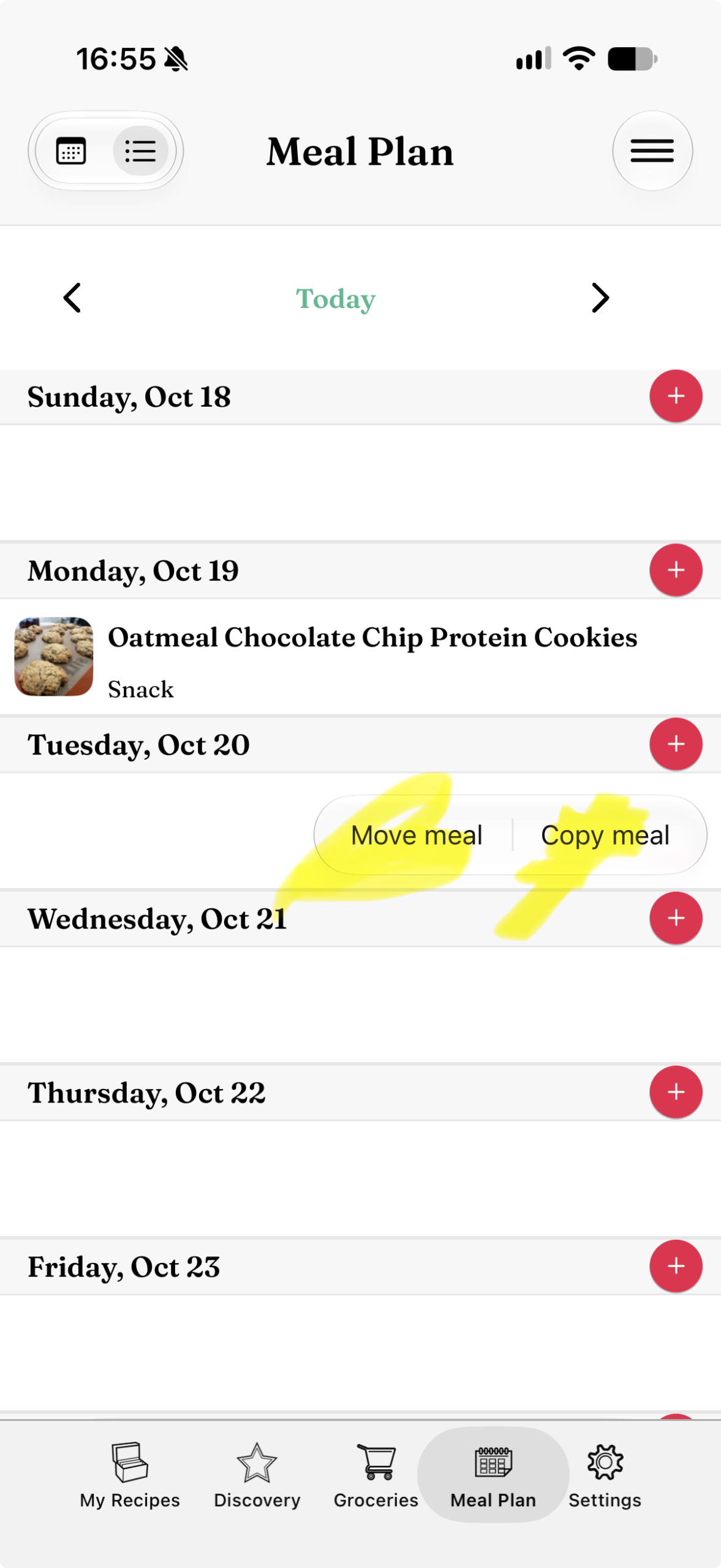
If you want to move a recipe to another day in your weekly plan, or if you want to repeat it and copy the same recipe to another day
Drag-and-drop the recipe from the original day to the new one
A menu with 2 options shows: Move and Copy
Chose either one of them, and the recipe will be moved or copied to the new day
Sharing your meal plan:
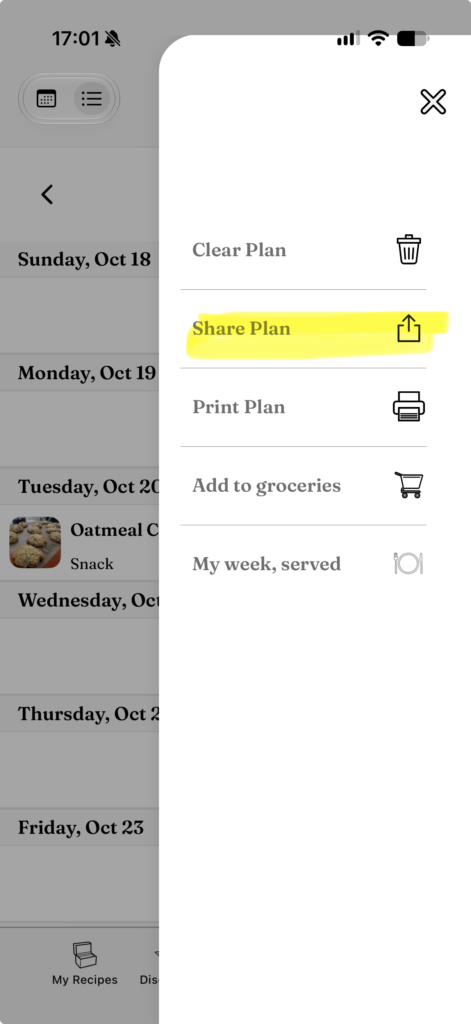
Tap on “More” (the 3-line button at the top-right corner of the screen)
Select “Share Plan”
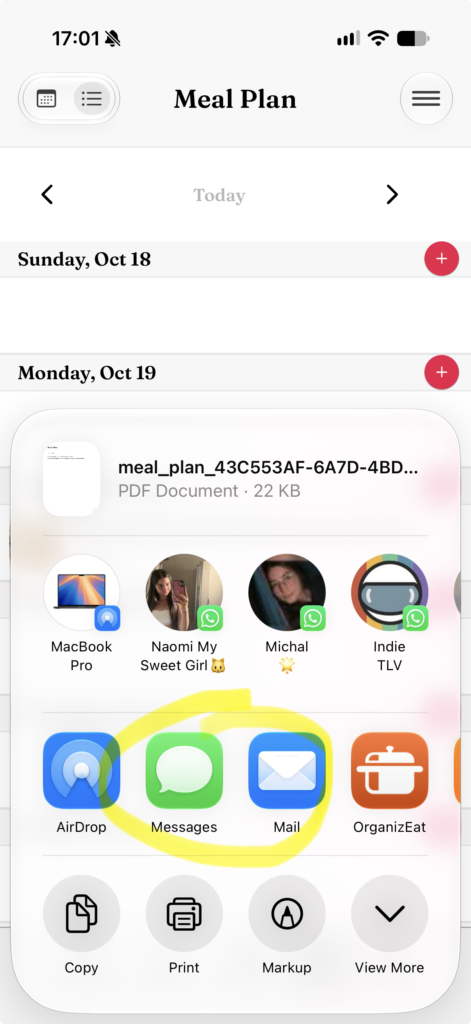
The standard sharing menu of the phone opens
Choose the method, how would you like to share the weekly plan
Printing your meal plan:
Tap on “More” (the 3 lines button at the top right corner of the screen)
Select “Print Plan”
Choose weekly or monthly
Print the plan
Clearing your meal plan:
Tap on “More” (the 3 lines button at the top right corner of the screen)