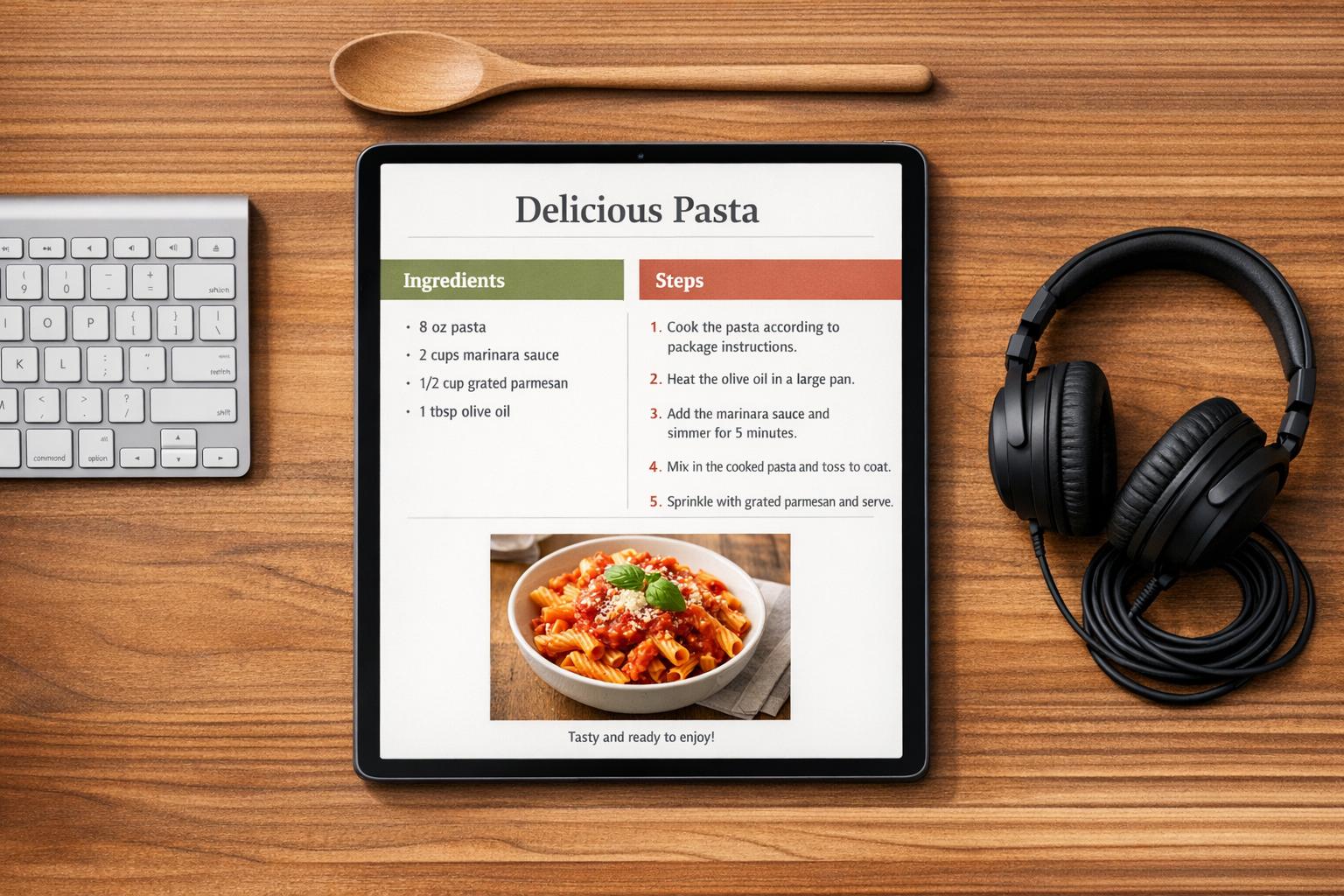



Over 25% of U.S. adults live with a disability, yet 96% of websites fail to meet accessibility standards. Accessible recipe formatting ensures everyone can enjoy cooking, including those with physical, cognitive, or digital challenges. Clear designs help not only people with disabilities but also mobile users, older adults, and non-native speakers.
Accessible recipes improve usability through:
- Semantic structure: Proper headings and lists for easy navigation.
- Readable fonts: Sans-serif fonts, 16px size, and proper spacing.
- Structured data: Recipe Schema boosts SEO and works with screen readers.
- Accessible media: Alt text, captions, and high contrast for visuals.
These practices also benefit search rankings, with accessible recipes seeing up to 78% traffic growth. Tools like OrganizEat simplify formatting with features like Cooking Mode and hands-free navigation. Accessible formatting creates a smoother experience for all cooks.
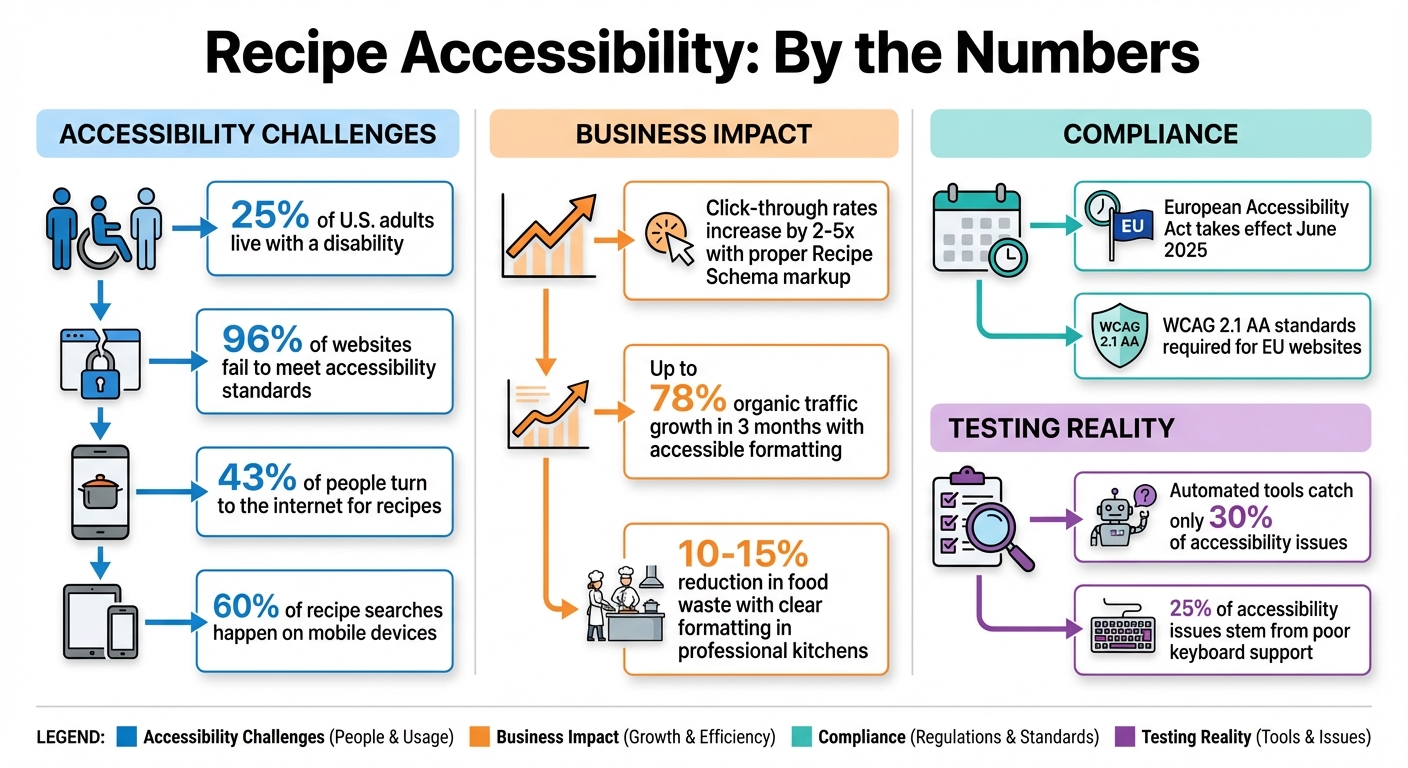
Recipe Accessibility Statistics and Impact
Accessible Chef Recipe Creator Tutorial UPDATE
sbb-itb-6688478
Why Recipe Accessibility Matters
Opening up the kitchen to everyone starts with making recipes accessible. George Stern, a deafblind writer and accessibility advocate, put it best when he shared:
"It’s clear that most cooking websites overlook that a wide spectrum of disabled people are out here seeking the same liberating, socially affirming confidence in the kitchen as everyone else".
This gap is especially important when you consider that 43% of people now turn to the internet for recipes. Accessibility isn’t just about inclusivity – it’s also about creating a better experience for all users and driving measurable business results.
For example, accessible recipes tend to perform better in search rankings. Google prioritizes structural elements like headings, alt text, and clean HTML, which not only improve screen reader functionality but also align with SEO best practices. Food blogs that use proper Recipe Schema markup often see click-through rates increase by 2–5 times, with some reporting organic traffic growth of up to 78% in just three months. And with the European Accessibility Act coming into effect in June 2025, websites offering goods or services in the EU will be required to meet WCAG 2.1 AA standards.
Common Accessibility Problems in Recipes
Despite the benefits, many recipes still present significant challenges.
- Physical barriers: Poor keyboard navigation, missing focus outlines, and cluttered layouts can make it difficult for users with mobility issues to interact with the page.
- Cognitive barriers: Overwhelming designs, dense text blocks, and instructions that combine multiple steps into one can leave readers struggling to keep up.
- Digital barriers: These can be particularly frustrating. For instance, auto-refreshing ads disrupt screen reader navigation, forcing blind users to start over. Recipes without proper semantic markup are incompatible with voice assistants or screen magnifiers. And vague instructions like "cook until golden brown" offer no help to blind cooks. Even ingredient lists can trip people up – "1 cup walnuts, chopped" isn’t the same as "1 cup chopped walnuts", and the difference can ruin a dish.
How Accessible Formatting Helps Everyone
Accessible recipe formatting isn’t just for those with disabilities – it makes life easier for everyone. For instance:
- Breaking down instructions into single, clear actions helps anyone planning meals and juggling tasks in a busy kitchen.
- High-contrast text improves readability for mobile users, especially in bright sunlight.
- Readable fonts and proper spacing are crucial, considering over 60% of recipe searches happen on mobile devices.
- Separating ingredients from instructions encourages better preparation habits (mise en place), reducing mistakes like burning garlic while still chopping onions.
Even in professional kitchens, clear formatting can have a big impact, cutting food waste by 10–15%. Including sensory details – like describing textures, sounds, or aromas – also gives all cooks more reliable ways to track their progress, making recipes more foolproof for everyone.
Core Principles of Accessible Recipe Formatting
Creating recipes that everyone can use starts with three key elements: semantic structure, readable typography, and structured data. These components ensure that recipes are easy to navigate for everyone, including screen reader users and mobile cooks. Plus, these practices make the experience smoother for all users, not just those with disabilities.
Using Proper Semantic Structure
Semantic HTML is the backbone of an accessible recipe. Clear headings (<h1> through <h6>) help screen readers and users navigate the recipe efficiently. For example, the recipe title should be an <h1>, major sections like "Ingredients" and "Instructions" should use <h2>, and any subsections should follow the appropriate heading levels.
For lists, use unordered lists (<ul>) for ingredients and ordered lists (<ol>) for step-by-step instructions. This approach ensures a logical flow and reduces the need for cooks to jump back and forth during preparation. Always list ingredients in the same sequence they appear in the instructions. This alignment helps cooks follow along without confusion or errors.
"A confusing map leads to a lost traveler. The difference between a beloved, five-star recipe and a frustrating kitchen failure often comes down to the ingredient list."
Once the structure is solid, the next step is to refine the recipe’s typography for better readability.
Choosing Readable Fonts and Spacing
Readable fonts and proper spacing make a world of difference, especially for users with visual or cognitive challenges. Stick with sans-serif fonts like Arial, Verdana, or Open Sans, as they are easier to read on screens. Avoid decorative or handwritten fonts, which can make reading difficult for users with dyslexia or visual impairments.
Set your body text size to at least 16px (1rem) and use relative units like rem or em to allow users to adjust text size without breaking the layout. Keep the line height at 1.5 times the font size, with paragraph spacing at twice the font size. For letter spacing, aim for 0.12 times the font size. To improve readability, limit line lengths to 45–80 characters and align text to the left instead of justifying it.
With structure and typography in place, the final step is leveraging Recipe Schema to enhance visibility and accessibility.
Implementing Recipe Schema Markup
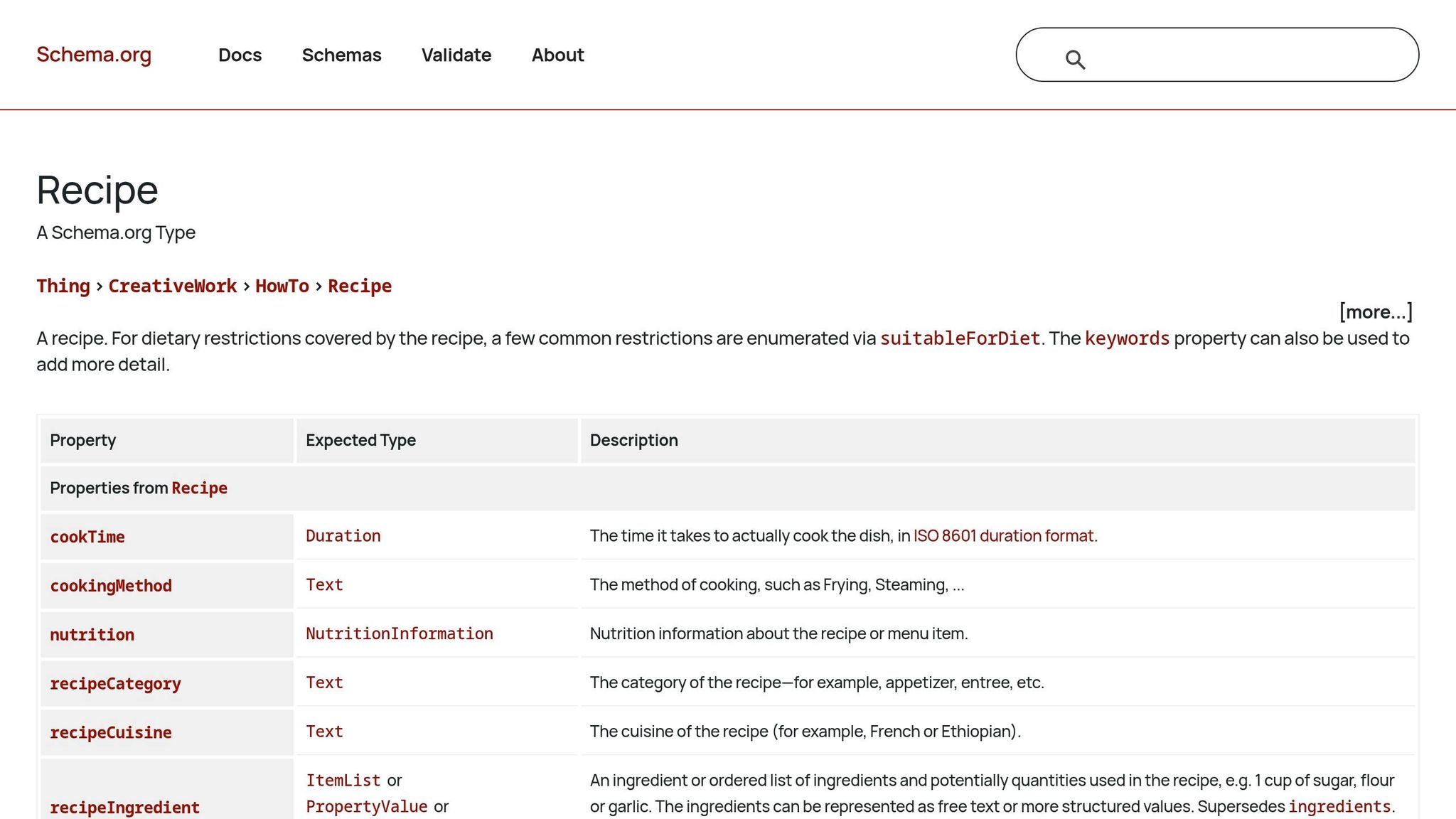
Recipe Schema is a form of structured data (commonly JSON-LD) that helps search engines and assistive technologies understand your recipe. It not only improves accessibility but also boosts search engine performance, enabling tools like voice assistants and screen readers to process details like ingredients, steps, and cooking times.
Use the ISO 8601 duration format for time fields (e.g., PT45M for 45 minutes). Break down instructions into an array of HowToStep objects instead of a single block of text. This makes it easier for users to follow instructions step by step. Include key fields such as name, image (with a minimum width of 1,200px), and author. Additional fields like recipeIngredient, recipeInstructions, prepTime, and cookTime can significantly improve your recipe’s search visibility.
For example, food blogs that use Recipe Schema correctly often see click-through rates double or even quintuple compared to standard search results. One blog with 200 recipes saw a 78% boost in organic traffic within three months of implementing proper schema markup. Just remember: every property in your schema must match the visible content on the page. Any mismatches can lead to search engine penalties.
Making Images and Media Accessible
Just like proper text formatting clarifies recipes, accessible media ensures that everyone can benefit from visual cues. Images and videos in recipes are more than just eye candy – they convey vital information about techniques, textures, and the final dish. Without accessibility features, though, these visuals can leave out users relying on assistive technologies. Here’s how to make your media more inclusive.
Writing Alt Text for Recipe Images
Alt text acts as a stand-in for images when they can’t be seen – whether due to visual impairments, slow internet, or broken links. The goal is to explain the purpose of the image rather than just describing its appearance. For instance, instead of writing "dough", opt for something like "Kneaded dough that is smooth and elastic." Keep it short – under 125 to 150 characters – and skip phrases like "image of" or "photo of", since screen readers already identify the element as an image. If an image is purely decorative and adds no information, use an empty alt attribute (alt=""). For functional images, such as a printer icon, describe the action it represents, like "Print recipe."
"Alt text exists to replace the meaning of an image, not to describe every visual detail. Its job is to convey what the image contributes to the page." – LLM Visibility Chemist
Beyond alt text, make sure your visuals are easy to read by paying attention to color contrast.
Maintaining Sufficient Color Contrast
Good color contrast ensures that text and graphics remain readable for users with low vision or color blindness. For normal text, aim for a contrast ratio of at least 4.5:1, while icons and buttons should meet a ratio of 3:1. Tools like WebAIM Contrast Checker can help you test your designs. Avoid relying solely on color to convey information – add clear text labels or symbols as backups. And if your images include embedded text, using the SVG format keeps the text sharp, even when zoomed in.
Adding Captions and Transcripts to Media
Videos need more than just visuals to be accessible. Recipe videos often share critical details – like measurements and cooking times – through audio. Captions make this information available to users who are deaf or hard of hearing, while transcripts provide a handy text version that’s easy to follow (especially when multitasking in the kitchen).
Start transcripts with the recipe name, creator, and a detailed ingredients list in order, including exact quantities (e.g., "four mashed overripe bananas"). Describe actions like "slowly whisking" or "flipping with a spatula", and include specifics like oven temperatures, burner settings, and timers. Any on-screen text should be transcribed word-for-word.
"Video descriptions provide a text-based description of visual elements in a video, acting as a transcript or summary that the viewer can read either with large print, a screen reader, or a braille display." – Veronica Lewis, Assistive Technology Specialist
For videos, include a link to the full text-based recipe in the caption or as a pinned comment. While many platforms offer auto-generated captions, always review them to ensure culinary terms and measurements are accurate. Small details like these can make a big difference for accessibility.
Testing Recipe Accessibility
After formatting your recipes for accessibility, it’s time to ensure they function seamlessly with assistive technologies. Shockingly, over 96% of websites fail to meet basic accessibility standards, and automated tools catch only about 30% of issues. The rest require manual testing. Use a mix of tools and hands-on methods to confirm your recipe is accessible.
Testing with Screen Readers
Screen readers process content linearly, presenting it one element at a time. This means your recipe must follow a logical flow, starting with the title, then moving to the description, ingredients, and instructions. To test, turn off or dim your monitor and rely solely on audio feedback.
Try tools like NVDA (free for Windows with Firefox) or VoiceOver (built into macOS with Safari). Use shortcuts to navigate quickly: press H for headings, L for lists, T for tables, and G for images. Ensure each element reads logically and that instructions are clear. Ran Ronen, CEO of Equally AI, emphasizes:
"A button might meet technical accessibility standards, but does its label make sense when read aloud? Screen reader testing uncovers these gaps".
Check that all images have accurate alt text, as previously described, and confirm ingredient tables use proper <th> headers. Avoid relying on vague visual cues – replace phrases like "cook until golden brown" with more specific instructions such as "cook for 5 minutes until sizzling softens." This ensures users can follow steps without confusion.
| Screen Reader | Platform | Recommended Browser | Cost |
|---|---|---|---|
| NVDA | Windows | Firefox | Free |
| JAWS | Windows | Chrome / Edge | $1,000+ |
| VoiceOver | macOS / iOS | Safari | Free (Built-in) |
| TalkBack | Android | Chrome | Free (Built-in) |
Using WCAG Compliance Tools
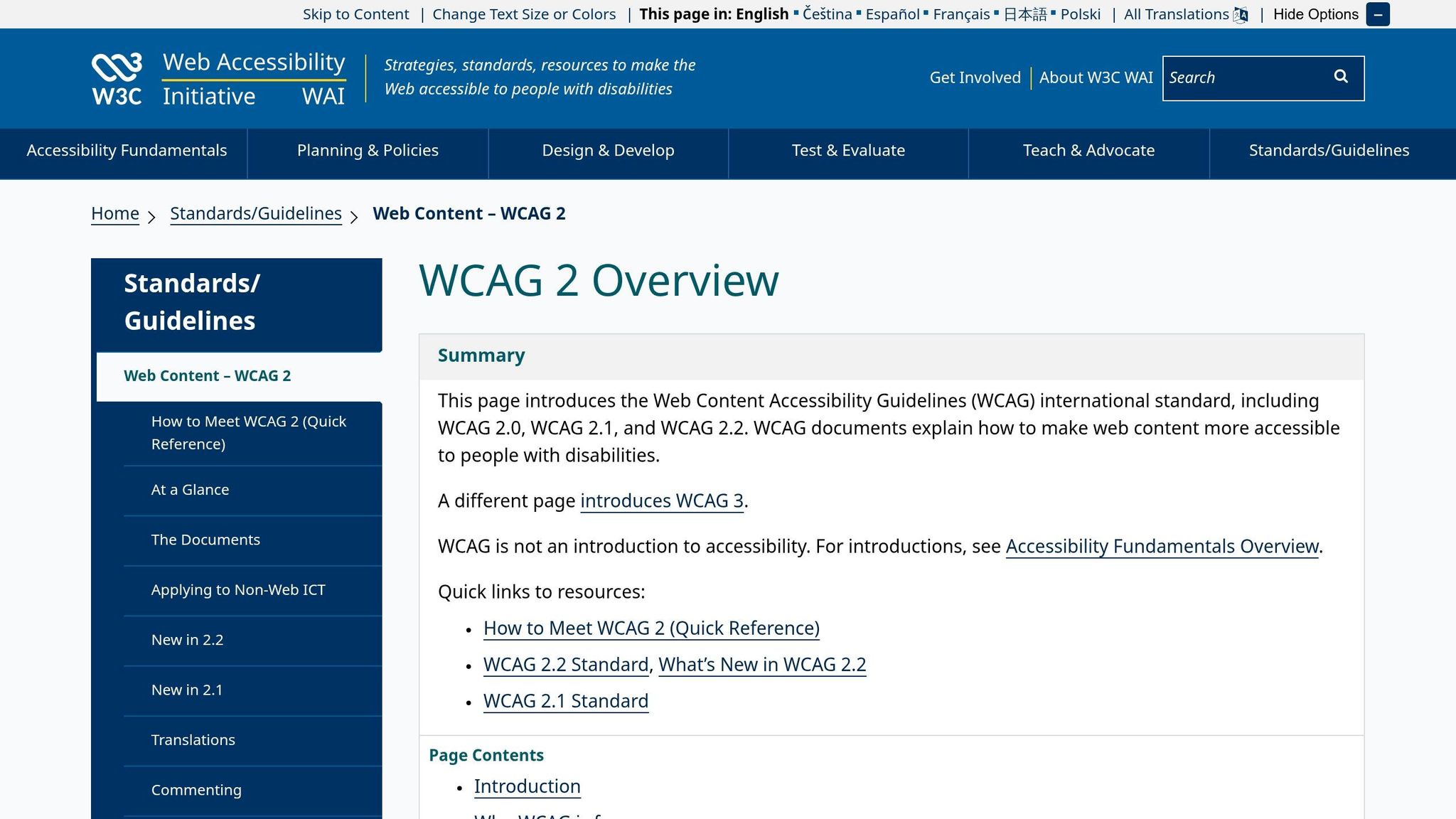
Automated tools are a quick way to spot technical errors, though they can’t replace manual tests. For instance, WAVE, a free browser extension for Chrome, Firefox, and Edge, highlights WCAG errors like missing alt text or incorrect heading structures. Use the "Structure" panel to confirm your recipe follows a logical heading hierarchy, such as <h1> for the title and <h2> for main sections.
For color contrast, try the WebAIM Contrast Checker to verify your text meets the required ratios (4.5:1 for standard text, 3:1 for larger text or icons). The Colour Contrast Analyser (CCA) desktop app for Windows and Mac also includes an eyedropper tool to sample on-screen colors, even from images or PDFs.
"WAVE can identify many accessibility and Web Content Accessibility Guideline (WCAG) errors, but also facilitates human evaluation of web content." – WebAIM
Don’t forget to zoom your browser to 200% to ensure your recipe text remains legible and doesn’t overlap or vanish.
Checking Keyboard Navigation
Manual keyboard testing is critical to ensuring full accessibility. If your recipe can’t be navigated using only a keyboard, it not only fails WCAG standards but also excludes millions of users. Around 25% of accessibility issues stem from poor keyboard support.
To test, unplug your mouse and navigate the recipe with just the Tab, Shift + Tab, Enter, and Spacebar keys. Every interactive element – like a "Print Recipe" button, ingredient checkbox, or serving size adjuster – should be fully functional. Caitlin de Rooij, Web Accessibility Specialist at Level Level, explains:
"One of the staples of having an inclusive website is keyboard accessibility. This important feature is used by many people, including those with motor disabilities, visual impairments, and even those who prefer using a keyboard for navigation".
Ensure the Esc key closes popups or modals, and that focus moves logically (top-to-bottom, left-to-right). Avoid removing focus outlines unless replaced with a clear custom indicator. Adding a "Skip to Recipe" link at the top of the page can also help keyboard users bypass lengthy intros.
| Key(s) | Function in Recipe Navigation |
|---|---|
| Tab | Moves focus forward to the next interactive element |
| Shift + Tab | Moves focus backward to the previous interactive element |
| Enter | Activates a link or submits a form |
| Spacebar | Toggles checkboxes or activates buttons |
| Arrow Keys | Navigates within grouped elements, like star ratings or tabs |
| Esc | Closes popups, modals, or dropdown menus |
Using OrganizEat for Accessible Recipe Formatting
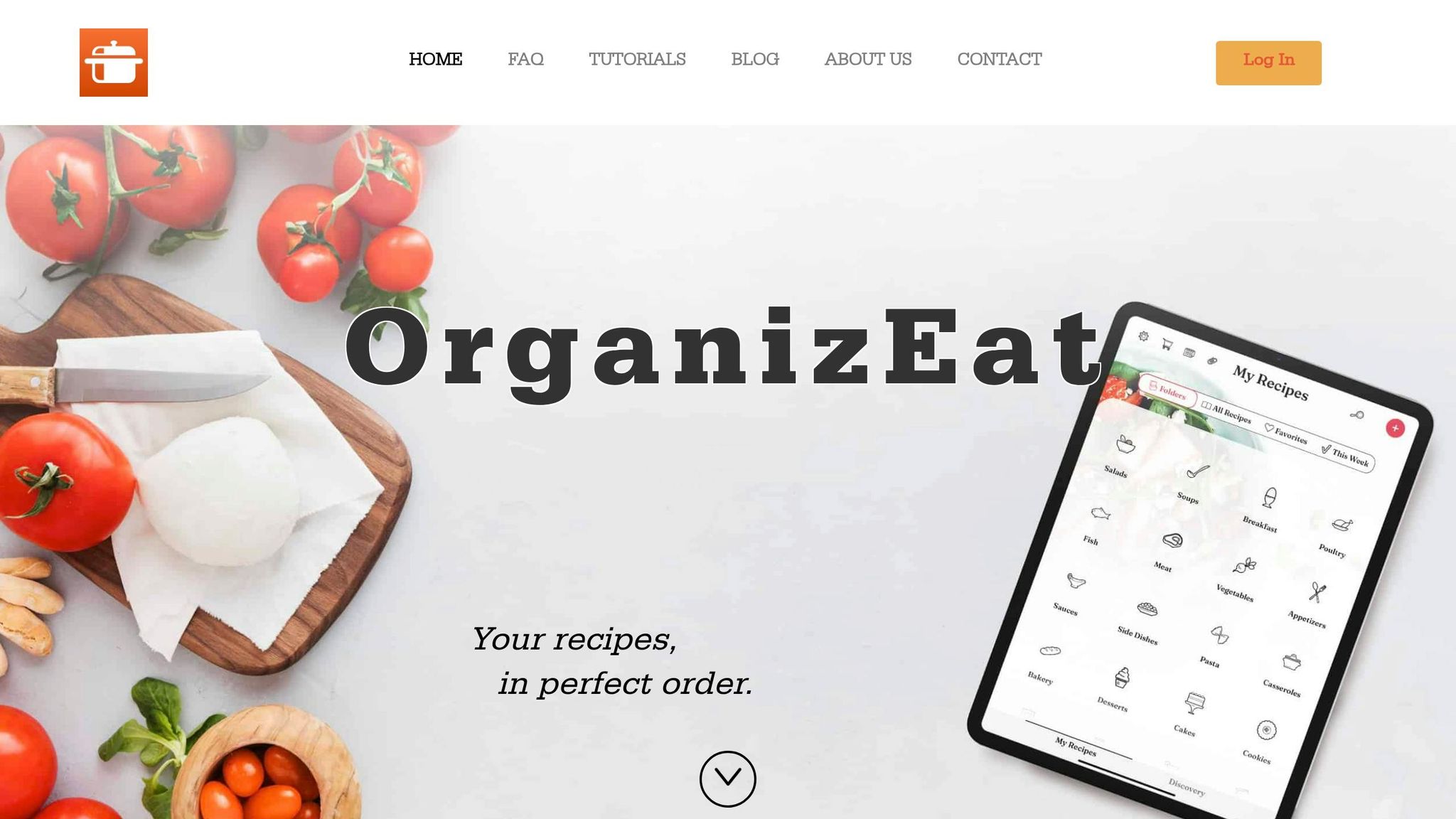
OrganizEat has taken accessibility to heart, offering features that simplify recipe formatting and sharing for everyone. With over 100,000 downloads on the Google Play Store and a solid 4.5/5-star rating from 1,100 reviews, this app has gained a loyal following. Its user-friendly design caters to a wide audience, including older adults in their 80s. Beyond simply storing and organizing recipes, OrganizEat focuses on making them accessible to all. Rachel Mislovaty, Lead Software Developer at OrganizEat, highlights this philosophy:
"Any app that I would dare use for my recipes should respect all of this, and not merely serve as a storage bin."
Formatting Recipes with Custom Options
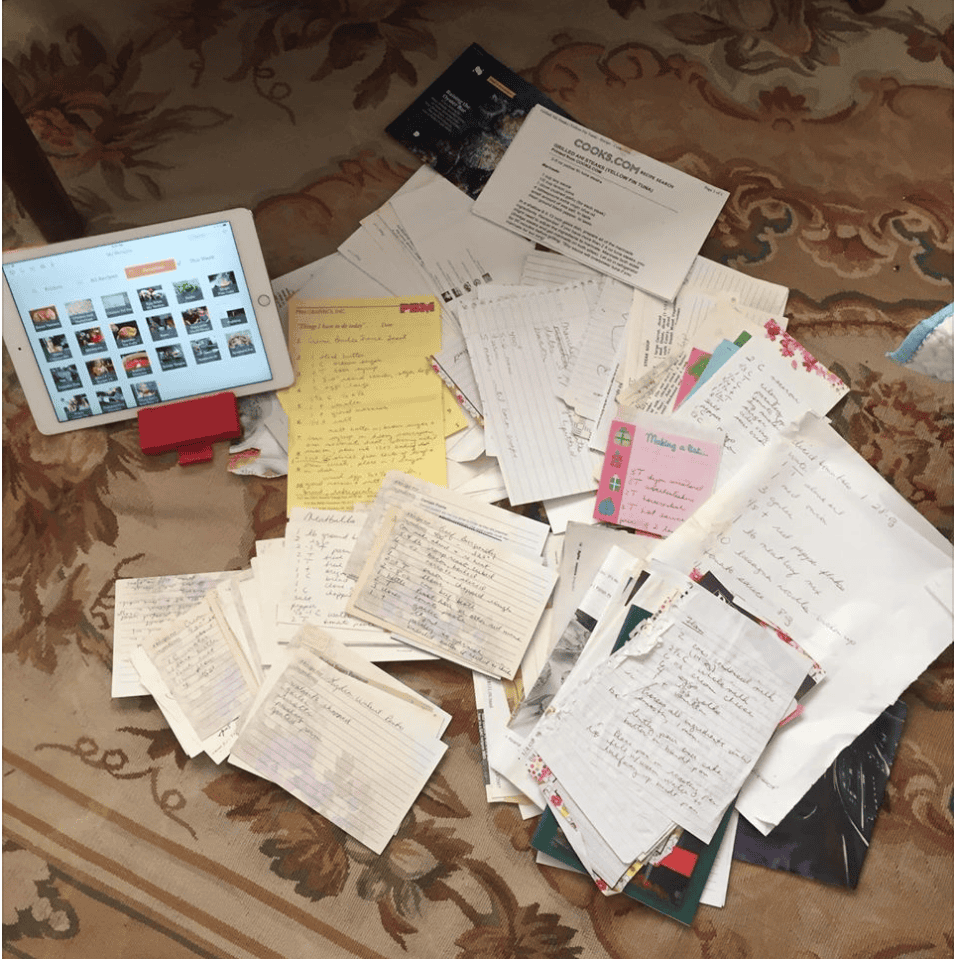
OrganizEat simplifies recipe formatting with tools like Snap ‘N Store, which uses optical character recognition (OCR) to turn photos of handwritten or printed recipes into editable, searchable text. Its intuitive template clearly separates ingredients from directions, and you can add custom tags, keywords, and notes for easier organization. These features address common challenges, such as deciphering cursive handwriting or old, faded recipe cards, and they ensure compatibility with screen readers. For those who prefer a larger display, the desktop version offers a more comfortable typing experience. Plus, the app syncs effortlessly across iOS, Android, and web browsers like Safari, Chrome, and Edge on both Windows and Mac devices. These tools make recipe formatting both accessible and practical.
Using Hands-Free Cooking Mode
Cooking Mode is a game-changer for messy kitchens. It displays recipes in full screen and prevents the screen from dimming, so you won’t need to touch your device while cooking. This feature works seamlessly with voice navigation, making it perfect for hands-free use. For an even better view, rotating your device to landscape orientation enlarges the text and provides a more spacious layout – especially handy for recipes with long ingredient lists or multiple steps.
Sharing Recipes in Accessible Formats
Sharing recipes is effortless with OrganizEat. The app generates public web links for cloud-synced recipes, which can be opened in any standard browser. This allows recipients to use browser-based tools like zoom, font scaling, and screen readers. For offline access or for those who don’t use the app, recipes can also be exported as PDFs. Including descriptive tags and keywords in the metadata ensures shared recipes are easy to find and well-organized, accommodating a variety of accessibility needs.
With these thoughtful features, OrganizEat not only simplifies recipe management but also ensures inclusivity for a diverse range of users.
Conclusion
Making recipe formatting accessible improves the cooking experience for everyone. Clear headings, detailed sensory cues, and logically ordered ingredients help eliminate challenges for many users. Plus, all cooks benefit from precise measurements, step-by-step instructions, and designs that reduce the need to constantly interact with devices while cooking.
Key practices like using semantic structure, easy-to-read fonts, proper contrast, descriptive alt text, and sensory feedback turn recipes into practical, easy-to-follow guides. Whether you’re relying on a screen reader, working in a dimly lit kitchen, or juggling tasks with messy hands, accessible formatting ensures cooking is less stressful and more efficient.
OrganizEat takes these principles to heart with features like Snap ‘n Store for saving recipes and Cooking Mode to keep your screen active without touch. At $39.99 per year, it equips users with tools to organize, format, and share recipes in ways that suit a wide range of needs and preferences.
FAQs
What’s the quickest way to make a recipe page accessible?
Making a recipe page easier to access doesn’t have to be complicated. By sticking to a few best practices, you can cater to physical, cognitive, and digital needs effectively. Here’s how:
- Use a clear structure: Organize your content with proper headings and accessible templates to make navigation simple for everyone.
- Ensure visual accessibility: Choose high-contrast text and test your fonts to ensure readability for all users.
- Incorporate structured data: Add Recipe schema markup to help search engines understand your content, boosting its visibility.
These straightforward steps can make a big difference in usability and accessibility.
How do I write good alt text for step-by-step cooking photos?
When writing alt text, aim to describe the key visual elements and the image’s purpose in a straightforward way. Instead of starting with phrases like "Image of", jump directly into the description. For example, if the image is a diagram, mention it specifically. Highlight actions, ingredients, or steps depicted in the image.
For more complex visuals, provide a brief summary in the alt text and include detailed explanations in the recipe or accompanying text. This approach ensures that users with visual impairments can access the information effectively without being overwhelmed.
What should I manually test to ensure a recipe works with a screen reader and keyboard?
Manually check for clear and descriptive headings and labels, ensuring the content is organized in a logical flow. Confirm that interactive elements like buttons and links can be navigated using the Tab key, with a visible focus indicator to guide users. Additionally, verify that images include meaningful alt text to describe their purpose.
Using screen readers such as NVDA, JAWS, or VoiceOver is highly recommended. These tools can uncover accessibility issues that automated testing tools might overlook, offering a more thorough evaluation of the user experience.