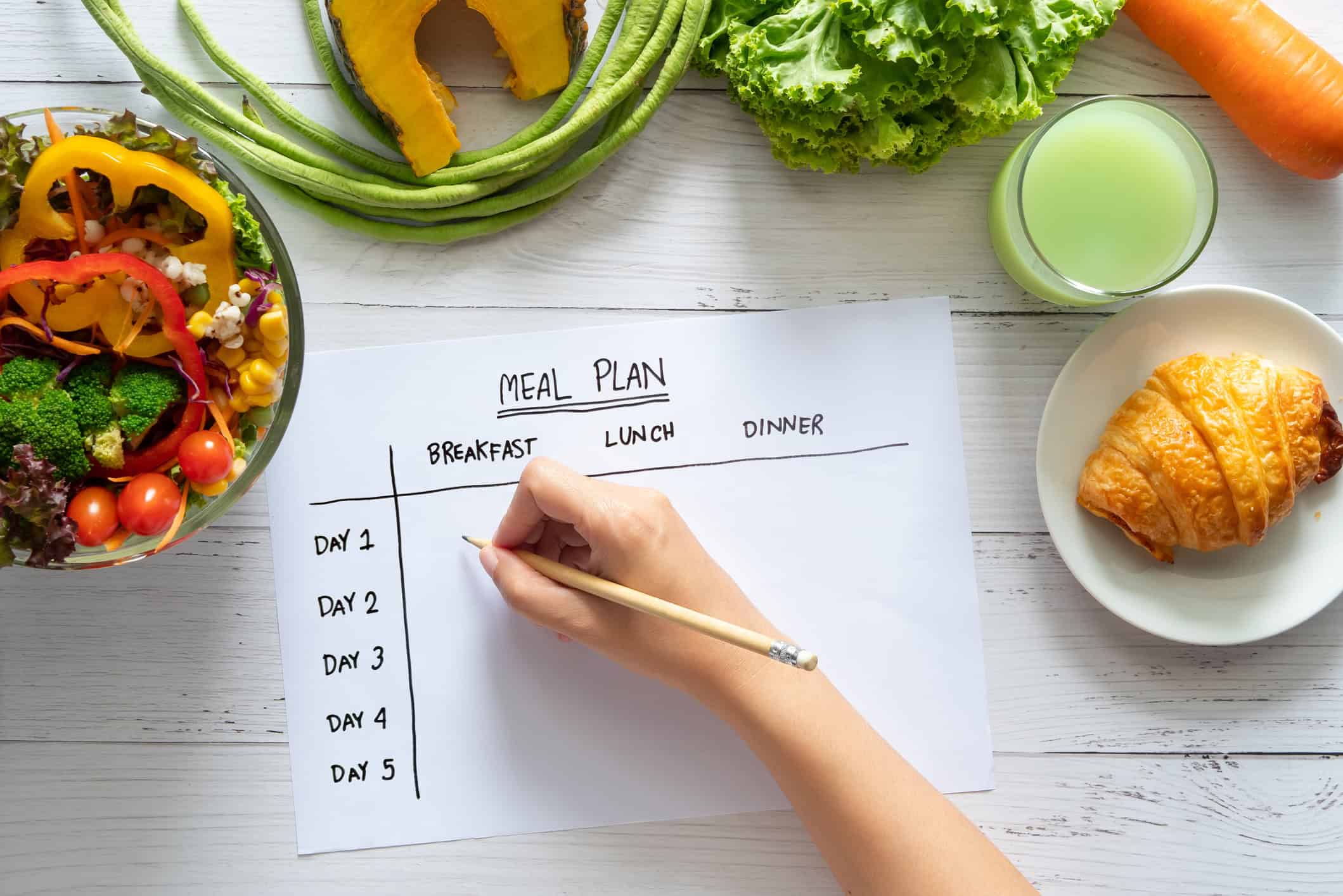



You open Reddit to find a meal planner app and end up with twelve tabs, three contradictory threads, one person swearing by a minimalist grocery list tool, and another insisting any app with a subscription is a scam. Meanwhile, dinner still needs to happen, the fridge is full of half-planned ingredients, and your saved recipes live in screenshots, browser bookmarks, and a text from your sister.
That’s why the search for a Meal Planner App Reddit recommendation feels both smart and exhausting. Smart, because Reddit is one of the few places where people talk plainly about what breaks in real kitchens. Exhausting, because the advice usually comes as scattered opinions instead of a useful framework.
The pattern across those threads is clear, though. Redditors don’t just want a pretty calendar. They want a tool that can handle messy recipe sources, turn meals into an editable shopping list, work at the store when signal is bad, and stay simple enough that they’ll still use it on a Wednesday night.
Table of Contents
- Why Reddit Is the Go-To for Meal Planner App Advice
- The Must-Have Features Redditors Demand in a Meal Planner
- Reddit’s Biggest Meal Planner App Complaints
- Your Checklist for Choosing the Right Meal Planner App
- How to Get Great App Recommendations on Reddit
- From Reddit Threads to a Real Meal Plan
Why Reddit Is the Go-To for Meal Planner App Advice
People looking for meal planning advice on Reddit are using the platform the way a lot of home cooks use it now. Not for polished reviews, but for honest friction. You can learn more from five annoyed comments about grocery list syncing than from a glossy app store description.
That behavior makes sense given Reddit’s scale. Reddit reported 101.7 million average daily active uniques in Q4 2024, with its user base expanding into a mainstream digital crowd, which helps explain why it became such a strong source of app discovery and validation for household tools and cooking workflows in that period (Reddit SEC filing).
Why the chaos is useful
Reddit is messy, but useful in a way review sites often aren’t. People post when they’re irritated, relieved, surprised, or trying to solve a practical problem. That gives you better signals.
A typical thread about meal planners usually reveals these things fast:
- How real households use the app. Batch cooking, family scheduling, solo cooking, macro tracking, or grocery planning.
- What users hate after the honeymoon period. Clunky imports, too many taps, weak search, locked features.
- Which features survive daily use. Shared lists, recipe tagging, offline access, and quick editing.
Reddit is where people explain what happened after week three, not just what looked good on install day.
If you like digging through patterns yourself, a technical resource like this guide to the Reddit API helps explain how Reddit data gets pulled and analyzed. That matters if you want to understand why the same complaints keep surfacing across different subreddits.
What Reddit does better than app store reviews
App store reviews often tell you whether someone is happy or angry. Reddit threads tell you why. That difference matters.
On food and productivity subreddits, people compare tools against actual kitchen behavior. Can it handle recipes from blogs and screenshots? Does it break when two people edit the same shopping list? Can you move meals around without rebuilding the week? Those are the questions that decide whether an app becomes part of your routine or gets deleted.
The Must-Have Features Redditors Demand in a Meal Planner
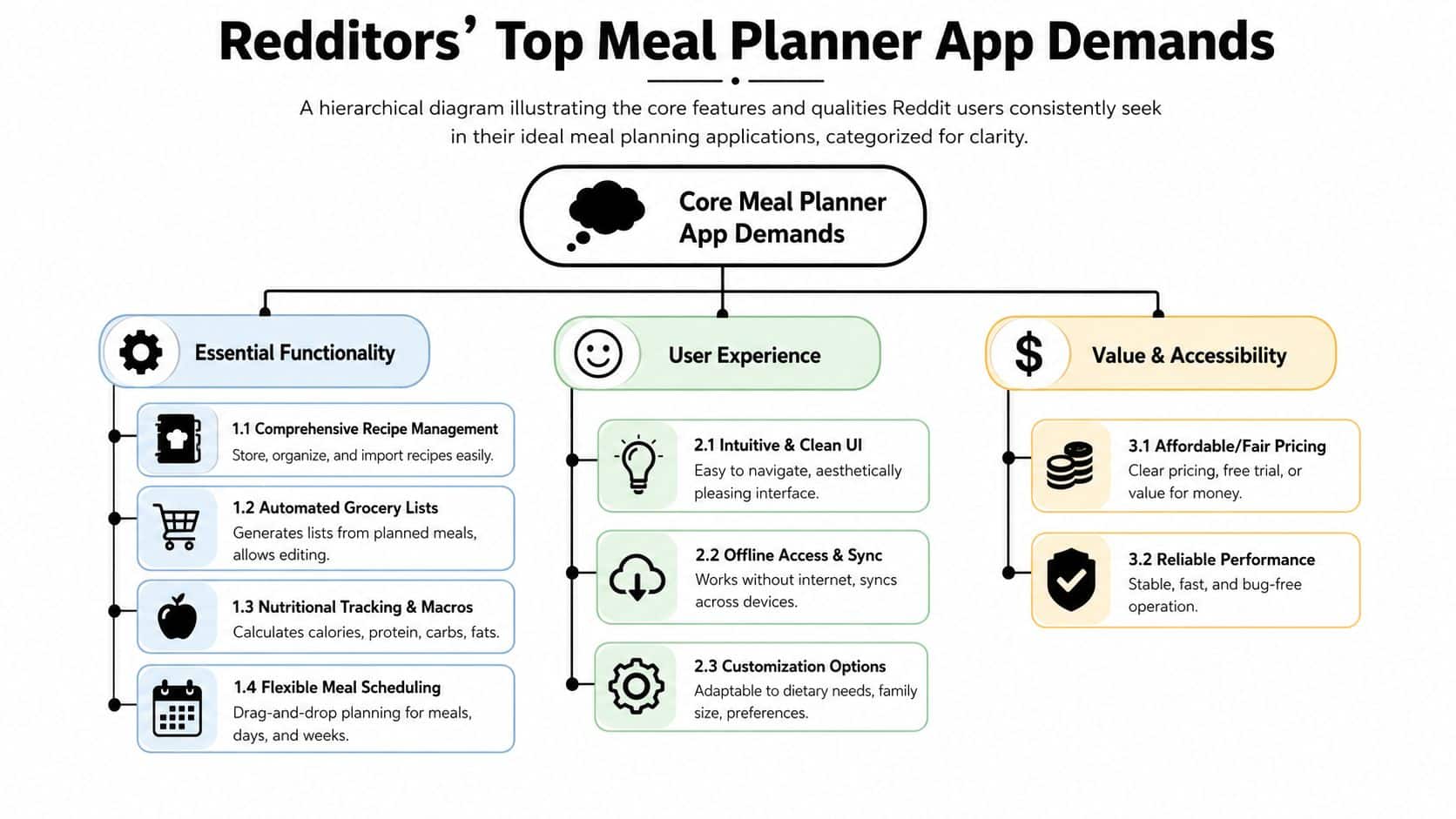
The strongest Reddit threads don’t obsess over flashy extras. They keep circling back to the same question: does this app remove kitchen friction, or does it create new admin work?
What separates a real planner from a recipe scrapbook
A lot of apps can store recipes. Fewer can help you decide what to cook, turn that plan into a usable list, and keep everything organized when life changes.
The features Redditors consistently care about look like this:
- Flexible recipe capture. The app should handle web recipes, manual entries, cookbook photos, and rough saved content without forcing a perfect format. If you need more detail on the basics, this breakdown of features to look for in recipe apps covers the practical side well.
- Meal calendar that bends. Dragging a meal from Tuesday to Thursday should be easy. So should planning loosely by week when your schedule isn’t stable.
- Shared access that doesn’t feel fragile. Couples and families need synced lists and shared recipe collections that stay current across devices.
- Editing without punishment. Real cooks substitute ingredients, skip sides, and add store items that aren’t in any recipe.
The common thread is flexibility. Redditors usually abandon apps that assume everyone plans in the same neat, linear way.
The grocery list feature that actually matters
The underrated technical idea here is the recipe-to-shopping-list dependency graph. In plain English, that means ingredients from a chosen recipe can move into the grocery list while still staying linked to the meal they came from. That preserves context and reduces manual list mistakes, especially when people edit plans midweek (developer discussion of the dependency graph pattern).
Practical rule: If an app can’t clearly connect recipes, meals, and grocery items, it won’t save you much time once your plan changes.
That same discussion pattern also points to other features people value:
| Feature | Why Redditors care |
|---|---|
| Aisle-based sorting | It speeds up shopping and cuts list chaos |
| Shared grocery syncing | It prevents duplicate buying and missed items |
| Recipe collections | It helps organize weeknight staples separately from experiments |
| Selective ingredient transfer | It lets you add only what you need instead of dumping every ingredient into the list |
What works in practice is usually boring. Fast search. Easy tagging. Stable sync. Grocery lists you can edit in the aisle without breaking the meal plan. That’s what people keep praising because that’s what gets used.
Reddit’s Biggest Meal Planner App Complaints
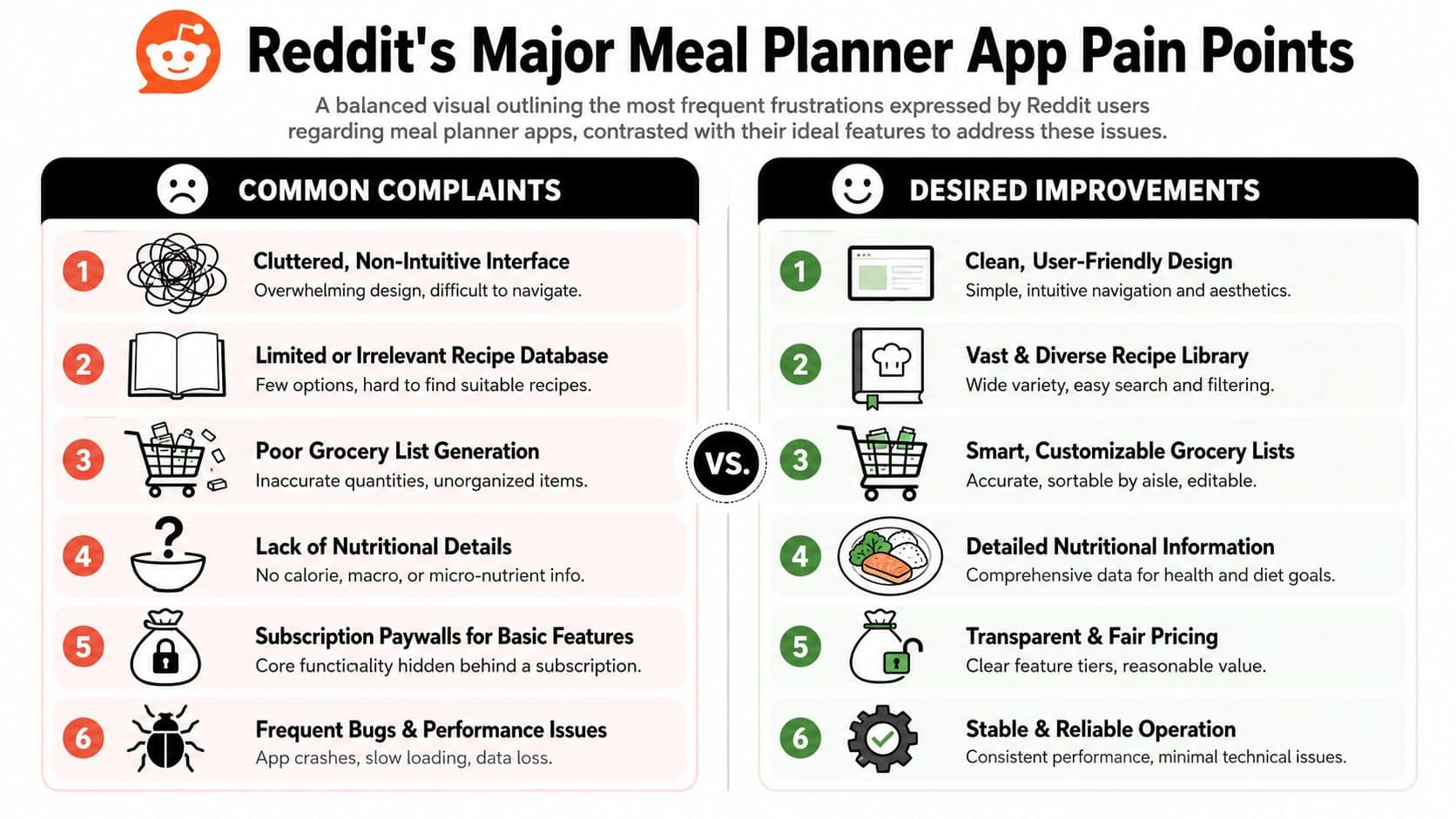
The biggest mistake people make is assuming a meal planner fails because it lacks enough features. On Reddit, the more common problem is the opposite. The app tries to do everything and becomes annoying to use.
Where most apps fall apart
The complaint that keeps resurfacing is simple. Many meal planners work only if your recipes already live in neat, compatible places.
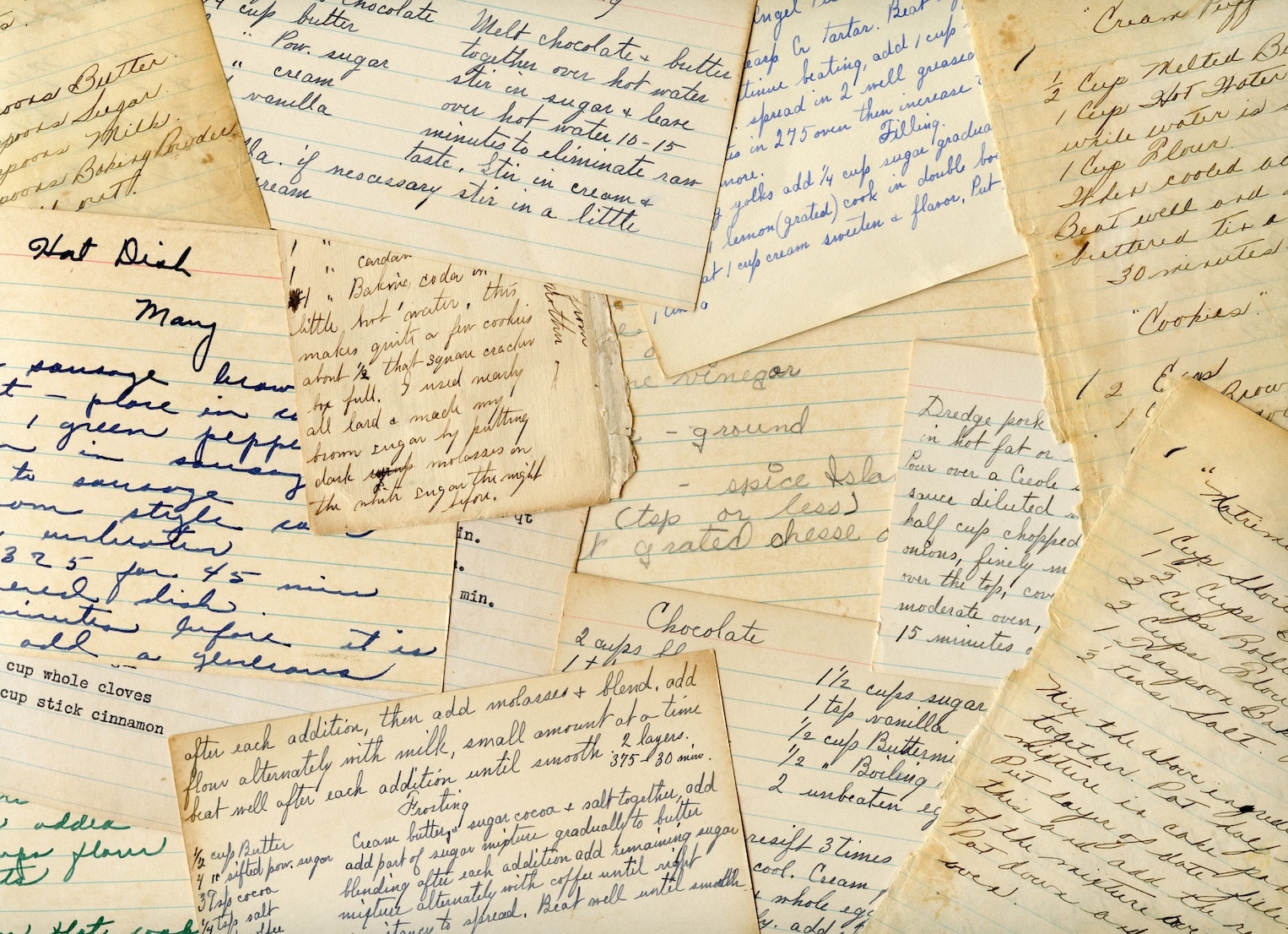
This isn’t how meals are typically prepared. Recipes come from Instagram posts, TikTok captions, screenshots, bookmarked blogs, photos of cookbook pages, and old handwritten cards. Reddit discussions repeatedly surface the need for tools that can organize those fragmented sources, because many generic planning apps still don’t solve that problem well (discussion of the fragmented recipe-source gap).
A quick way to spot a weak app is to ask whether it supports your messiest input, not your cleanest one.
- Screenshot blindness. If the app only likes clean web imports, your saved social recipes stay stranded.
- Rigid recipe fields. Some apps act like every recipe needs exact prep time, servings, and nutrition before you can save it.
- Bad list logic. Grocery lists become cluttered, duplicate items appear, or ingredients lose connection to the planned meal.
- Calendar friction. Moving one dinner can trigger too much cleanup.
For another perspective on what users push back on, this article on meal planning app reviews reflects many of the same concerns people raise in Reddit threads.
The app doesn’t need to be clever. It needs to stay out of the way while you decide dinner.
The paywall problem
The second major complaint is pricing structure. People don’t mind paying for a solid kitchen tool. They do mind discovering that basic planning, syncing, or grocery list functions are hidden behind a subscription after they’ve already invested time importing recipes.
What tends to trigger backlash:
- Core features locked later. You can save recipes, but planning or exports require payment.
- Unclear limits. The app doesn’t make it obvious what stays free.
- Poor value feeling. The experience is still buggy or awkward after you pay.
Reddit users are usually fair about this. If an app solves a stubborn kitchen problem, many will pay. If it creates one more system to maintain, they won’t.
Your Checklist for Choosing the Right Meal Planner App
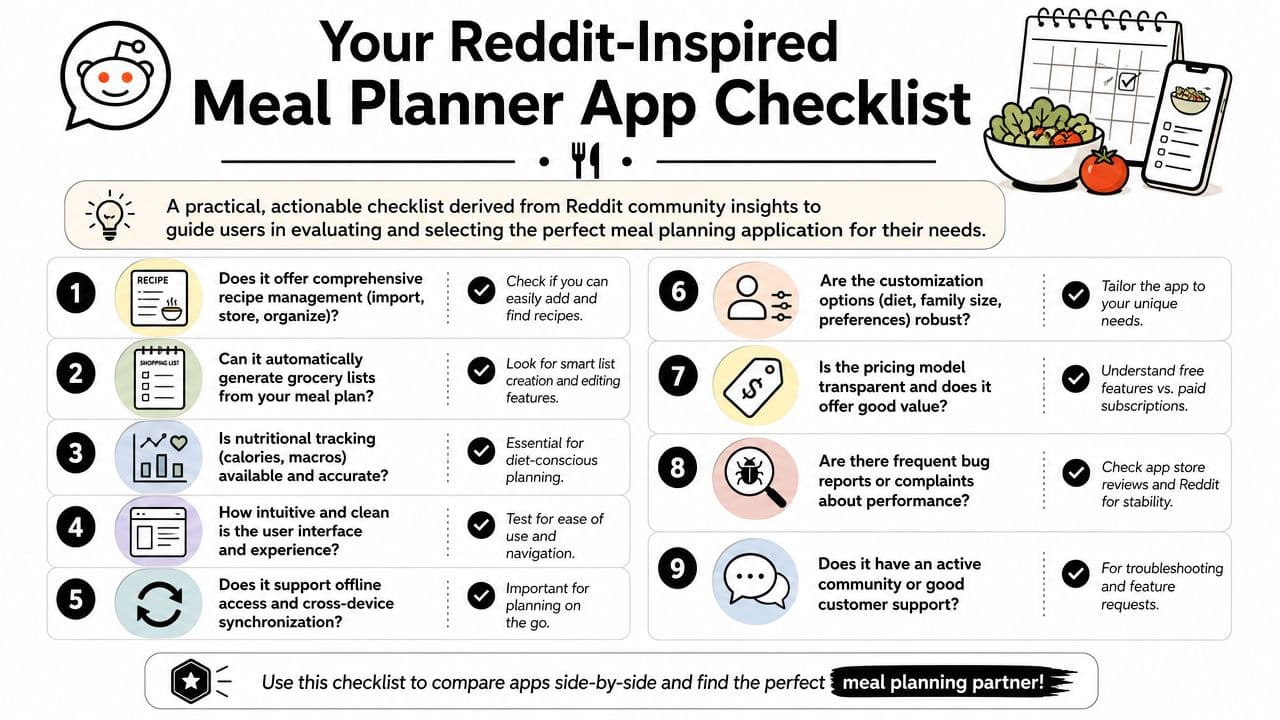
The right test isn’t “Do I like the interface?” It’s “Can this app survive my actual week?”
Test the app with your messiest real-life inputs
Don’t start with the app’s sample recipes. Start with your own chaos. Import a recipe from a website, add a screenshot recipe, and enter one handwritten family recipe. If the app gets awkward immediately, that’s useful information.
Then test the shopping flow. Add recipes to a weekly plan, generate a grocery list, and edit it as if you changed your mind halfway through the week. If deleting one meal wrecks the list, keep looking.
Offline performance matters more than many people realize. For households with inconsistent device access, a key evaluation point is how well meal planning, grocery list, and recipe features hold up in offline or low-data conditions (reporting on connectivity gaps and why offline reliability matters).
If you also save recipes from short-form cooking videos, it helps to understand how captions and overlays affect what you’re trying to preserve. This overview of captions from ClipCreator is useful context if a lot of your recipe discovery starts in video rather than on blogs.
Use this quick trial checklist
Run through this in one sitting if you can:
- Save three recipe types. One from a site, one from a screenshot, one from a photo or manual entry.
- Build a two-day plan. Don’t over-test with a full month at first.
- Generate the grocery list. Then remove one meal and see what happens.
- Check sync. Open the app on another device if your household uses more than one.
- Turn off your connection. See what still works in the kitchen or store.
- Search your recipes. Tags, keywords, and categories should feel fast.
- Scan the pricing page. Make sure the features you need aren’t hidden behind a surprise paywall.
If a trial takes more effort than your current paper-and-notes system, the app hasn’t earned a place in your kitchen.
One practical example of this kind of workflow is OrganizEat, which can save recipes from social platforms and websites, capture handwritten or printed recipes by photo, build grocery lists from ingredients, sync across devices, and place recipes on a calendar-based meal planner. That combination is worth paying attention to if your recipe collection is spread across many formats.
How to Get Great App Recommendations on Reddit
If you post “What’s the best meal planner app?” you’ll get broad, repetitive answers. Some will be helpful. Most won’t fit your kitchen.
Reddit works better when you ask like someone who already knows their own habits. Specific questions get specific recommendations.
What to include in your post
Good recommendation requests usually mention four things:
- Your household setup. Solo cook, couple, family, roommates.
- Your recipe sources. Blogs, screenshots, social media, cookbooks, handwritten cards.
- Your planning style. Batch cooking, macro tracking, budget meals, weekly planning, rotating staples.
- Your essential requirements. Offline access, shared lists, no subscription, browser access, simple UI.
Also say what you’ve already tried and what annoyed you. That helps people stop suggesting tools that fail in the same way.
A simple template that gets better replies
You don’t need a long post. You need a usable one.
Looking for a meal planner app that works for a family of four. We save recipes from websites, screenshots, and a few handwritten cards. Need shared grocery lists, easy weekly planning, and something that still works decently in the store if connection is spotty. Don’t care about calorie tracking. Do care about simple editing and clear pricing. What have you used that actually holds up after a few months?
That kind of post gives commenters something to work with. It also helps you filter answers faster. Replies from people with similar cooking habits matter more than generic “this app is great” comments.
The best subreddits for these questions are usually broad enough to attract tool comparisons but practical enough to surface actual use. Cooking, apps, productivity, meal prep, and budget food communities tend to be more helpful than niche tech threads.
From Reddit Threads to a Real Meal Plan
At some point, more research stops helping. You already know the big lesson from Reddit. The best meal planner isn’t the one with the longest feature list. It’s the one that handles your recipe mess, your shopping habits, and your level of planning realism.
Pick for fit, not hype
By 2024, Reddit had matured into a major marketplace of peer advice, with over $1.3 billion in annual revenue and over 416 million weekly active users, which helps explain why so many people now validate tools like meal planners there before committing. In practice, that means Reddit is great for narrowing the field. It’s not great at making the final choice for you.
The final choice comes down to kitchen fit.
If you mostly cook from social saves and family recipes, pick an app that captures mixed formats cleanly. If you plan as a household, prioritize shared lists and sync. If your week changes constantly, the calendar and grocery logic matter more than nutrition dashboards.
A good starting point for turning app research into an actual routine is this guide to stress-free weekly menus in five steps. The value isn’t in planning perfectly. It’s in making dinner decisions less scattered.
Your next move
Choose one or two apps that seem aligned with how you already cook. Import a few real recipes. Build a short meal plan. Generate the grocery list. Use it once at the store.
That test will tell you more than another hour of Reddit searching.
If your recipes are scattered across social media, screenshots, cookbooks, and handwritten cards, OrganizEat is worth a look. It’s built for organizing recipes from mixed sources, turning them into meal plans, and creating synced grocery lists that stay usable across devices and offline.