



You’re standing in your kitchen with a recipe you love, and one simple question keeps nagging at you: what’s in this dish per serving? Not in a vague, close-enough way. In a way you can reuse next week, compare against your goals, and trust when you portion leftovers into containers.
That’s where my recipe calorie calculator approach starts. Not with fancy software or nutrition jargon, but with a repeatable kitchen habit. Once you know how to count a recipe properly, you stop guessing. You can make your favorite chili, banana bread, soup, or lasagna and understand the full recipe, the per-serving numbers, and the trade-offs behind every ingredient.
The hard part isn’t only doing the math. It’s preserving the result so you don’t have to do the same work again the next time you cook.
Table of Contents
- Why Calculate Your Own Recipe Calories
- Gathering Your Tools and Nutrition Data
- The Core Calculation Process Step by Step
- Mastering Common Cooking Complications
- Using a Spreadsheet or Online Calculator
- Save and Sync Your Nutrition Info with OrganizEat
- Frequently Asked Questions About Recipe Calories
Why Calculate Your Own Recipe Calories
Homemade food rarely comes with a label. That doesn’t mean it has to stay a mystery.
A recipe calorie calculator uses a food database containing nutritional values for ingredient portion sizes to compute total calories and macronutrients like protein, carbohydrates, and fats after you enter the ingredients. Some tools also suggest macronutrient adjustments based on dietary targets. That sounds technical, but in practice it means you turn your ingredient list into something usable.
I find this most helpful with meals I cook on repeat. If you make the same curry, muffins, or pasta bake often, knowing the rough nutrition per serving helps you portion more realistically and tweak ingredients with purpose. You stop asking whether a change “seems lighter” and start seeing what changed.
Practical rule: Calculate recipes you make more than once. One-off meals usually aren’t worth the effort. Repeat recipes are.
This also makes ingredient swaps more intentional. If you’ve ever compared fats in cooking, a simple reference point like calories in ghee vs butter can help you decide whether a swap fits the dish and your goals.
Gathering Your Tools and Nutrition Data
Good calorie counting starts before you type a single ingredient. Most bad results come from sloppy inputs, not bad arithmetic.
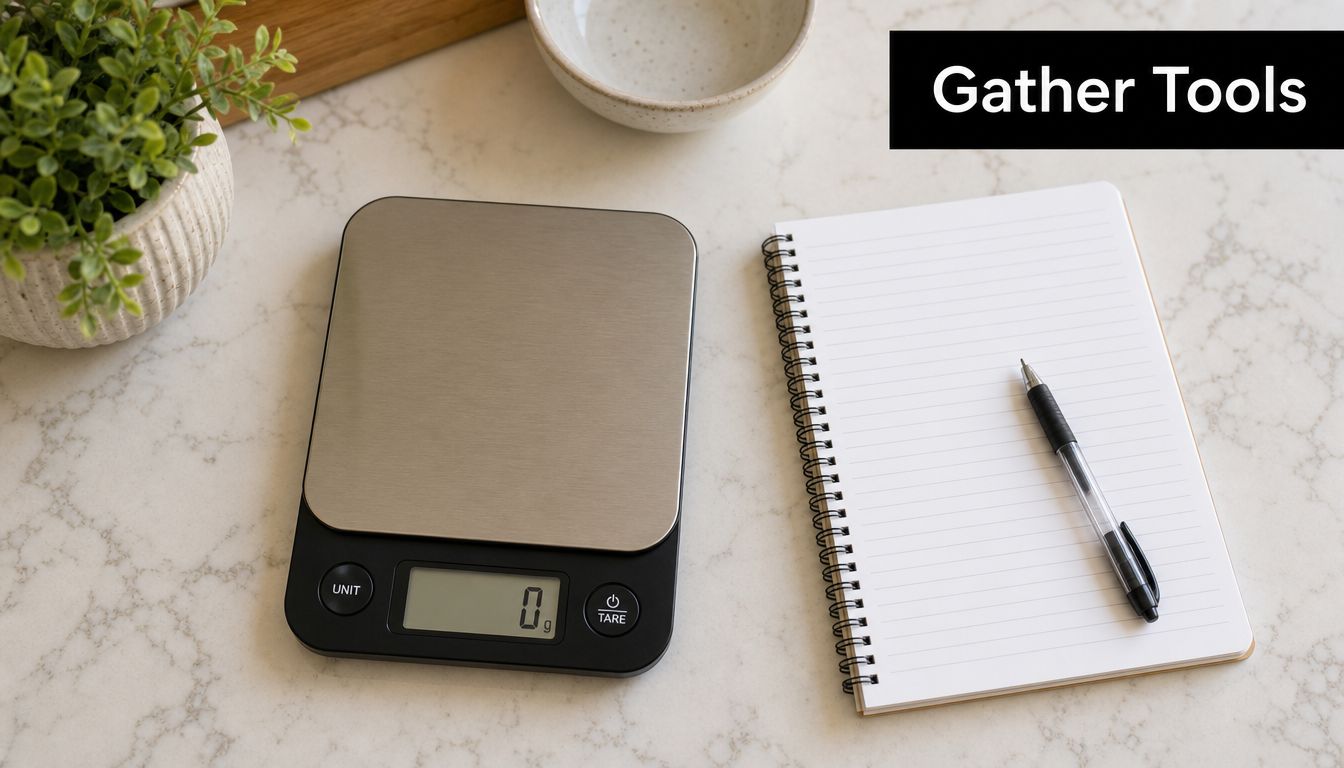
The three things that matter most
You don’t need a lab. You need a small setup you’ll use.
- A digital kitchen scale: This is the single biggest upgrade. Weighing ingredients removes a lot of guesswork.
- A notebook or running recipe draft: Write the ingredient, exact weight, and any brand details while you cook.
- One consistent nutrition database: Pick a reliable source and stick with it as much as possible. For many home cooks, the USDA FoodData Central database is a practical place to start because it gives you a stable reference point.
If you bounce between random apps, package labels, and vague search results, your numbers get messy fast. Consistency matters almost as much as precision.
Why grams beat cups
Cups are convenient for cooking. They’re not ideal for counting.
A cup of one ingredient doesn’t weigh the same as a cup of another, and even the same ingredient can vary depending on how tightly it’s packed, chopped, sifted, or drained. Grams are cleaner. If you weigh flour, oats, chicken, yogurt, and chopped onions in grams, you can match each one to a database entry with far less ambiguity.
That’s also why scanners and structured entry tools can save time when you want a faster workflow. If you want a practical look at that process, this guide to a recipe nutrition calculator with scanner for accurate meals is useful.
The closer your ingredient wording matches the database entry, the less cleanup you’ll do later.
A simple prep checklist helps:
| Item | What to record |
|---|---|
| Ingredient name | Be specific, such as “Greek yogurt, plain” instead of “yogurt” |
| Weight | Use grams whenever possible |
| Brand | Record it when it materially changes the product |
| State | Raw, cooked, drained, frozen, or thawed |
| Yield plan | How many servings you expect the finished dish to make |
The Core Calculation Process Step by Step
Once your setup is in place, the math becomes routine. My recipe calorie calculator method works best when you treat it like mise en place for numbers.
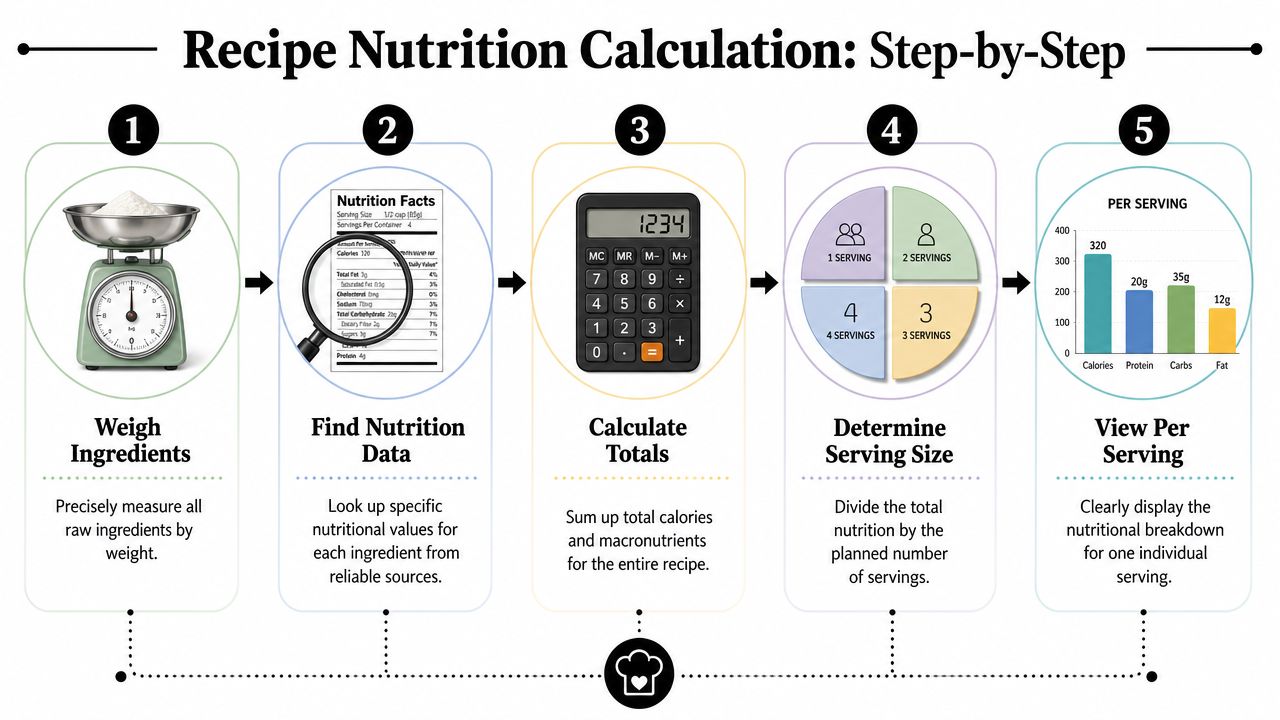
A visual process helps if you're new to it.
Start with a complete ingredient list
Use a simple example like chocolate chip cookies. Don't start with a complicated stew full of substitutions and garnish.
Write down every ingredient that goes into the bowl or pan. That includes butter, sugar, flour, eggs, vanilla, chocolate chips, baking soda, and salt. If you grease the pan with butter or oil and that fat stays in the food to any meaningful degree, include it too.
Then weigh each ingredient in grams before mixing. This gives you one clean amount for each item. After that, look up the nutrition data for that specific ingredient entry in your chosen database.
Here's the working formula:
- Find the nutrition entry for the ingredient.
- Note the calories and macros for the listed weight basis.
- Match your actual amount used to that entry.
- Calculate each ingredient's contribution.
- Add all ingredients together for the full recipe total.
If you prefer seeing the flow in motion, this walkthrough is useful:
Do the math once and do it cleanly
The most common manual workflow is based on nutrition per 100 grams. If a database lists an ingredient per 100 grams, divide that value by 100 to get the per-gram number, then multiply by the grams you used.
You don't need advanced math. You just need consistency.
- For total recipe calories: Add the calorie contribution from every ingredient.
- For total macros: Add protein, carbs, and fat across all ingredients the same way.
- For per-serving values: Divide the full recipe totals by the number of servings the recipe yields.
That last part matters. Planned servings and actual servings aren't always the same. If the cookie dough makes 18 cookies one day and 16 larger cookies the next, the per-cookie number changes.
Count what the recipe made, not what you hoped it would make.
If portioning is where you get stuck, a recipe portion calculator can help you turn full-batch totals into realistic serving numbers without redoing the whole recipe.
A good first pass looks like this:
| Step | What you do | Why it matters |
|---|---|---|
| List ingredients | Capture every item used | Prevents forgotten calories |
| Weigh ingredients | Record grams | Improves matching to database data |
| Pull nutrition data | Use one database consistently | Keeps results cleaner |
| Add totals | Sum calories and macros | Gives full recipe values |
| Divide by yield | Use actual servings | Produces useful per-serving data |
Mastering Common Cooking Complications
Real cooking isn’t neat. Water evaporates. Rice absorbs liquid. Meat loses weight. Sauces cling to pans unevenly. That’s where many calorie counts drift off course.
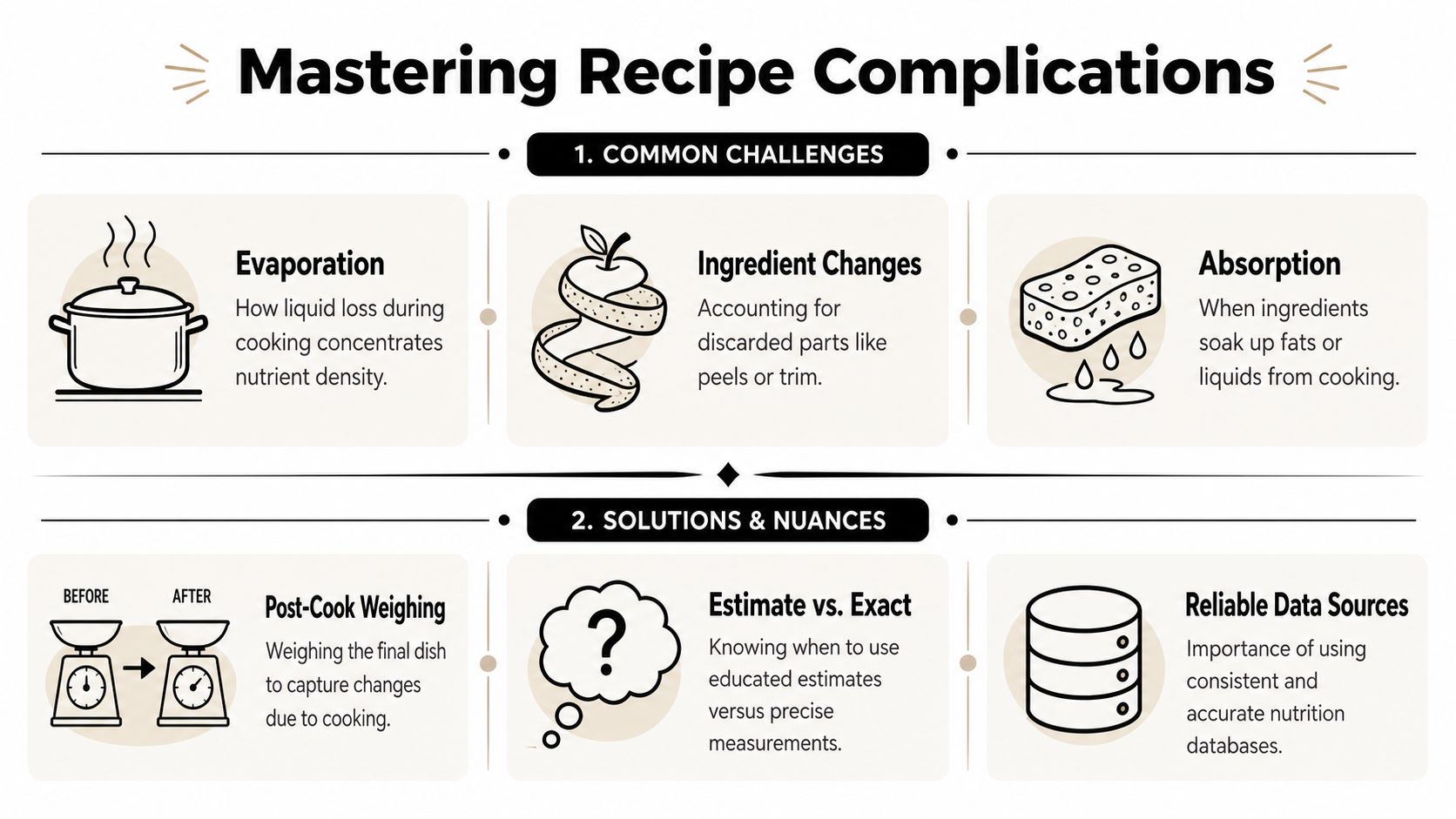
Do this not that
A few habits make a big difference.
-
Do weigh ingredients raw. Raw weights are easier to match to database entries.
Not that: Weighing cooked chicken, then using a raw chicken entry. -
Do describe ingredients precisely. “Fuji apple, raw” is stronger than “1 medium apple.”
Not that: Using broad entries when a more exact one is available. -
Do include oils and sauces you consume. Pan oil, dressing, glaze, and finishing butter can matter.
Not that: Ignoring them because they feel minor. -
Do weigh the finished dish if moisture changed a lot. This helps when portioning soups, braises, casseroles, or roasted meats.
Not that: Assuming the cooked yield matches the raw total.
A final-dish weight is especially helpful when splitting food into containers. If you know the whole cooked chili weighs a certain amount, you can portion by weight instead of eyeballing bowls.
Accept the limit of precision
Even a careful calculator has limits. Food databases don’t always agree with each other, and the same ingredient can show different values across sources because they use different analytical methods. Food labels also allow a 20% margin of error, meaning a stated 100 kcal may legally represent 80 to 120 kcal in practice, and precise calorie estimation rarely exceeds 80% in real-world conditions according to this analysis of why calorie calculators are always wrong.
That doesn’t make the process useless. It means you should treat the result as a reliable estimate, not a lab report.
Use calorie counts to compare recipes, portion food, and repeat good decisions. Don’t use them to chase false precision.
When a parser flags an ingredient or when a result looks off, check three things first: the unit, the ingredient wording, and the preparation state. Those are usually the source of the problem.
Using a Spreadsheet or Online Calculator
Once you’ve done the manual method a few times, you’ll probably want some help. That’s sensible. The principles stay the same, but the tool changes.
When a spreadsheet is enough
A spreadsheet is ideal if you like seeing every assumption.
Set up columns for ingredient name, grams used, calories per gram, protein per gram, carbs per gram, fat per gram, and line totals. Then add a final row that sums the recipe totals. Create one more cell for the number of servings, and divide the totals by that yield.
What I like about a spreadsheet is control. You can duplicate a recipe, test ingredient swaps, and keep notes like “used drained beans” or “weighed after trimming fat.” It’s also a good teacher because it makes the logic visible.
A simple spreadsheet works well for:
- Repeat meal prep recipes: Soups, chilis, baked oats, muffins
- Ingredient swap testing: Whole milk versus lower-fat milk, chicken thigh versus breast
- Portion planning: Lunch containers, freezer meals, snack boxes
When an online calculator helps
Online calculators are better when speed matters more than spreadsheet ownership. They generally use a food database to compute calories and macros after ingredient entry, and many also recalculate values when you adjust serving sizes. That makes them useful for busy weeknights and recipe edits.
Some tools also recalculate a broader nutrition panel, including vitamins and minerals, when the serving size changes. That kind of automatic update can save time when you’re scaling recipes up or down.
The trade-off is less visibility into the math. If an ingredient matches poorly, your results can drift. That’s why it helps to understand the manual method first. You’ll spot bad inputs faster.
Save and Sync Your Nutrition Info with OrganizEat
The calculation itself is only half the job. The other half is keeping that information attached to the recipe so you can use it again.
Why saved nutrition data matters
If you’ve ever calculated a family casserole, scribbled the totals on scrap paper, and lost them before the next grocery run, you know the problem. Hard-won nutrition info disappears easily.
Tools that let users instantly compute and save nutrition data became a major step forward in recipe organization. These systems are now standard in recipe organizer apps, and flexible templates with automatic tagging have been associated with 35% higher user retention in cross-device meal planning tools as of 2024.
That saving behavior matters because recipes don’t live in one place anymore. They come from handwritten cards, cookbook pages, screenshots, and social posts. If your calorie notes live separately from the recipe itself, you’ll redo the work.
What to store with each recipe
What works best is a recipe record that keeps the dish, the yield, and the nutrition notes together. That can include a typed recipe, a scanned page, or a saved web recipe, plus your own final serving count and nutrition breakdown.
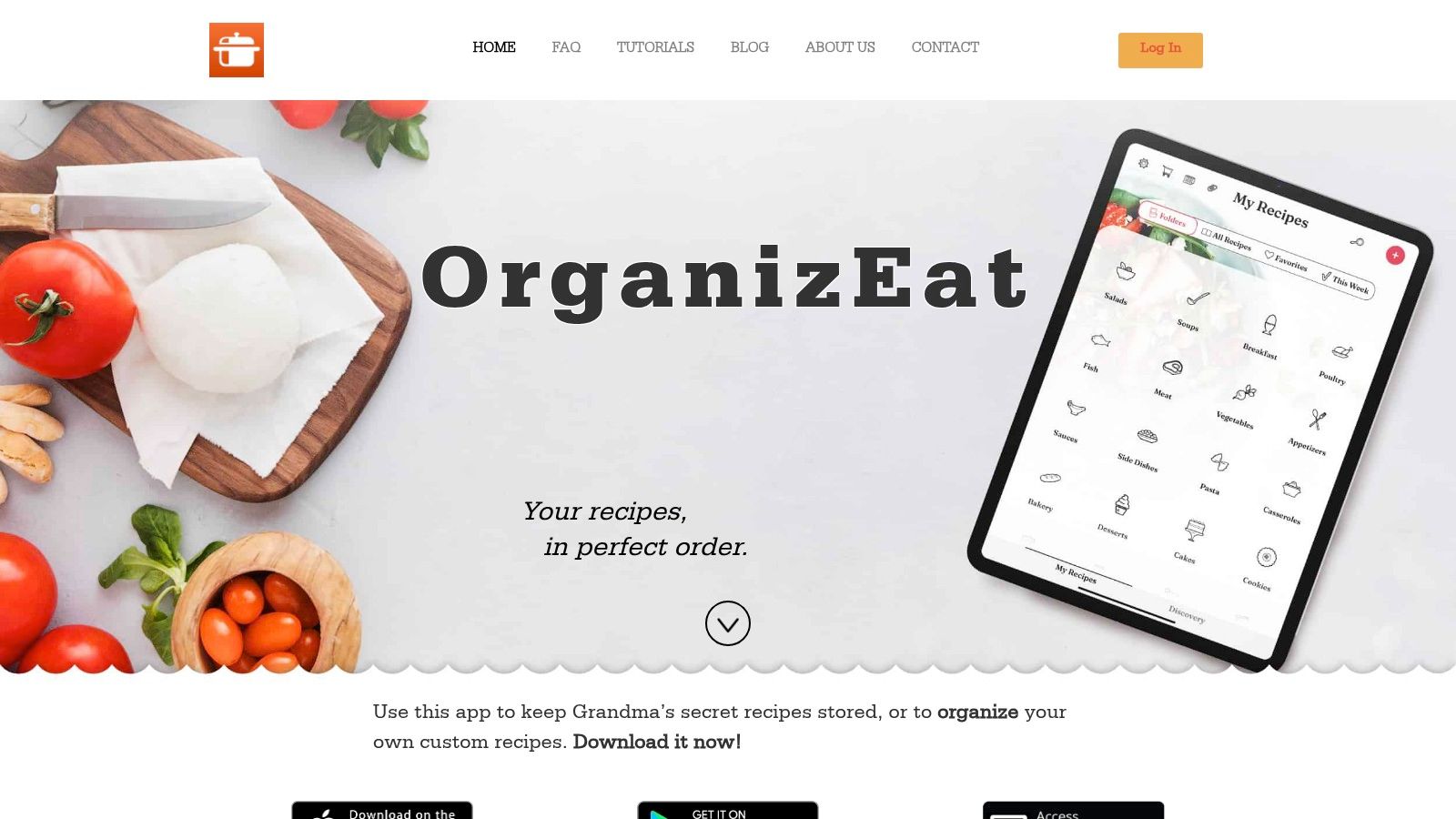
One practical option is OrganizEat, which lets home cooks save recipes from social platforms and websites, manually enter older recipes, keep them synced across devices, and retain access even if the original page disappears. For anyone who already documents recipes in sheets and content systems, resources on how to streamline WordPress content with Sheets can also help create a cleaner workflow for organizing food content outside the kitchen.
A useful saved record should include:
- Final ingredient list: Especially after you’ve made real-world edits
- Exact yield: Number of portions, cookies, slices, or grams of finished dish
- Per-serving nutrition: The number you’ll use later
- Prep notes: Raw versus cooked assumptions, drained weights, or brand-specific picks
Saved nutrition data is only useful if it stays attached to the recipe you actually cook.
Frequently Asked Questions About Recipe Calories
Do I count spices herbs and tiny ingredients
If you use a pinch of black pepper, I usually don’t worry about it. If you use a larger amount of seeds, nuts, sweeteners, spice blends, or oil-heavy pastes, I count them. The rule is simple: if the ingredient materially affects the dish, include it.
What if I can’t find exact nutrition data
Choose the closest plain equivalent and make a note. Prioritize matching the ingredient type, preparation state, and unit. Don’t spend more time hunting for the perfect entry than the recipe is worth.
Should I count marinades and pan oil
Count what ends up in the food you eat. If much of the marinade gets discarded, don’t count the full amount automatically. If oil is absorbed or remains in the finished dish, include it.
How accurate should I expect my result to be
Think in terms of a dependable estimate. For home cooking, consistency beats chasing exactness. If you use the same method every time, your numbers become much more useful for comparison and planning.
What if my recipe notes contain private information
If you’re digitizing family recipes, medical diet notes, or household documents alongside your cooking records, it can be smart to handle sensitive documents offline before importing or storing them.
If you’re tired of calculating a recipe’s nutrition only to lose the result later, OrganizEat gives you a practical place to keep the recipe, serving details, and your saved notes together so the work pays off every time you cook it again.