


If you're staring at a grocery delivery app right now, wondering whether this can become a real side income or just another drain on your car, that's the right question to ask. Grocery shopping app delivery jobs can work well, but only if you treat them like skilled gig work instead of easy money. The shoppers who last aren't always using a better app. They're usually using a better system.
That matters more now because demand is real. Consumer grocery delivery usage in the U.S. rose from 16% in 2022 to 25% in 2024, a 56% increase over two years, according to Drive Research's summary of online grocery shopping statistics. More people ordering groceries means more opportunities, but it also means more competition from other shoppers trying to grab the same good orders.
The practical difference comes down to how fast you shop, how well you handle substitutions, how carefully you track expenses, and how disciplined you are when deciding what to accept.
Table of Contents
- Understanding the Landscape of Grocery Delivery Jobs
- Finding the Right App and Getting Started
- Mastering the In-Store Shopping Workflow
- Strategies to Maximize Your Earnings and Tips
- Managing Your Vehicle Taxes and Safety
- Common Questions for Aspiring Grocery Shoppers
Understanding the Landscape of Grocery Delivery Jobs
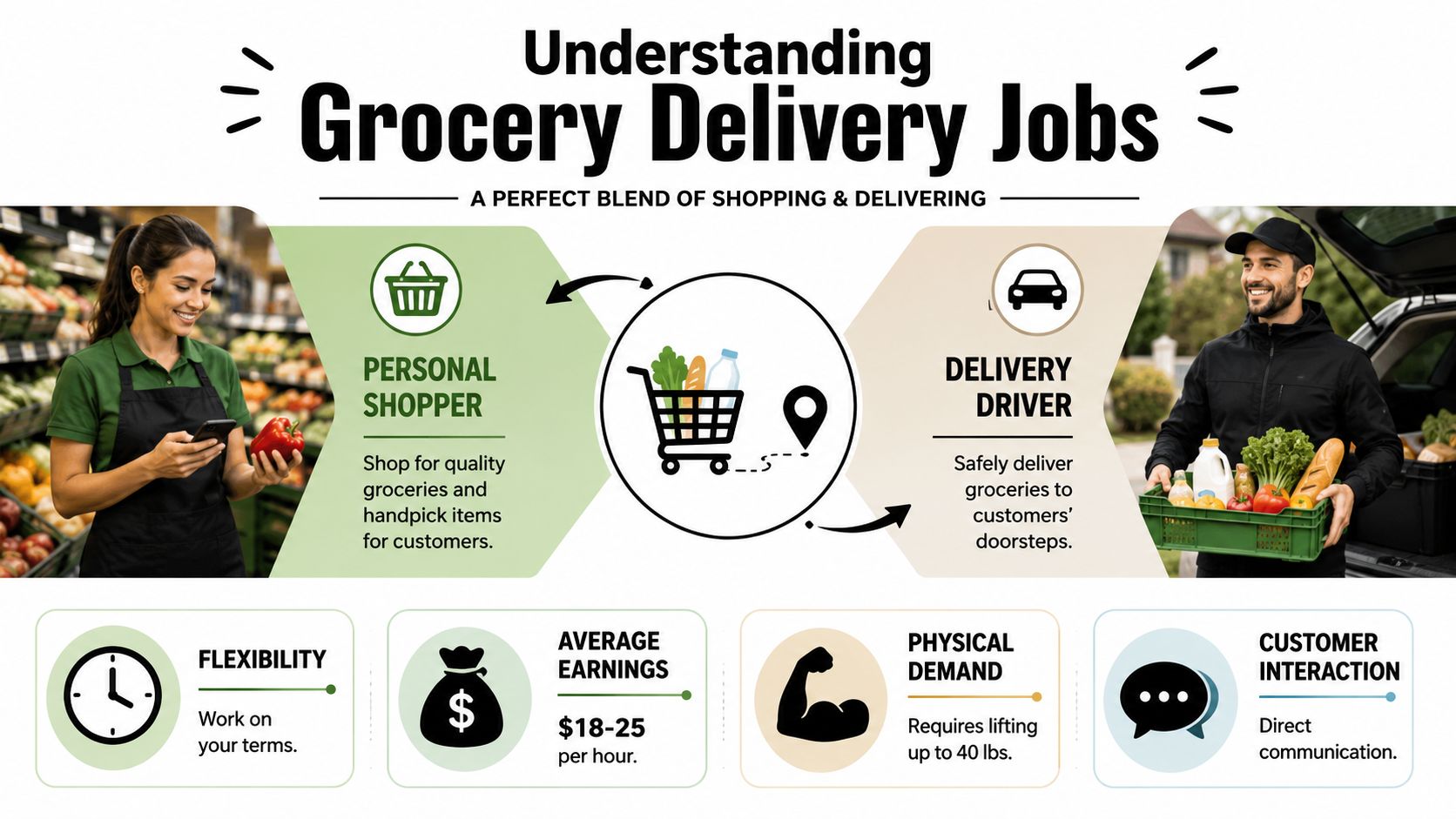
The first order of the day can look simple on your phone. Then you get inside the store and the actual job starts. One item is out of stock, the customer wants a photo of replacements, the deli counter is backed up, and frozen food is melting while you wait in line. Grocery app work is a shopping job first and a driving job second, and your results usually depend more on your process than the logo on the app.
What the job actually is
This work blends store awareness, time management, customer judgment, and basic delivery discipline. New shoppers often underestimate how often they have to make quick decisions with incomplete information. The app gives you a list. It does not give you a system.
Strong shoppers usually do four things well:
- Read the order before they start: Item size, quantity, brand notes, and delivery instructions matter. Catching those details early prevents wasted laps across the store.
- Build an efficient store path: Good shoppers stop treating each item like a separate task. They group the trip by department and avoid backtracking.
- Make clean substitution decisions: Out-of-stock items are part of the job. The difference is whether you solve the problem fast and keep the customer informed.
- Protect order quality at drop-off: Eggs, bread, hot food, and frozen items all need different handling. Accuracy matters, but so does condition.
That is why the highest earners often look ordinary from the outside. They are not using a magic app. They are using repeatable habits.
One practical example. If an app's item list is messy or out of order, a simple backup list can save time on every batch. Some shoppers use notes. Some use screenshots. Some prefer a grocery list app with prices to keep categories and item details easier to scan before they enter the store. The tool matters less than the habit. You want fewer surprises once the cart starts moving.
Practical rule: Treat each order like a small operation with a clock on it. The calmer and more organized you are in the store, the more consistent your pay becomes.
Why the opportunity is real but uneven
Demand exists, but the day-to-day experience varies a lot by area, store, and time block. As noted earlier, online grocery ordering has grown. That does not mean every shopper gets steady, profitable work every shift.
A busy market can still be frustrating. You may see more available orders, but also more traffic, tougher parking, longer checkout lines, and more competition for good batches. A quieter market has the opposite problem. Fewer shoppers compete for orders, but dead time between offers can wreck your hourly average.
The trade-offs show up fast:
| Reality | Helps you | Hurts you |
|---|---|---|
| Flexible schedule | Easier to fit around another job or family responsibilities | Easy to burn hours if you log in without a plan |
| Mixed shopping and driving | Breaks up repetitive road time | Creates more points where delays and mistakes can happen |
| Direct customer contact | Clear communication can improve outcomes | Constant messaging can slow the order if you let it |
| Independent work | You control your pace and routine | Bad habits stay expensive until you fix them |
The shoppers who last usually accept one basic truth. Success comes less from choosing the perfect app and more from shopping efficiently, communicating clearly, and protecting their time. Those skills transfer across platforms.
Finding the Right App and Getting Started
A lot of beginners make the same mistake. They pick an app first, then hope their area supports it. That's backwards. Start with your market.

Start with your market, not the brand
Availability changes sharply by location. Brookings' analysis of digital food delivery access reports that over 99% of people in very large metro areas have access to at least one delivery platform, while only 37% of rural residents do. That gap affects order flow, wait time, and how often you can stack useful work into a shift.
So before you apply anywhere, check the basics:
- Which stores near you fulfill app orders
- Whether you live in a dense delivery zone or a spread-out one
- Where parking is easy and where it slows every order
- What times your local stores seem busiest for pickups and deliveries
If you're in a metro area, your problem is usually competition and traffic. If you're in a lower-density area, your problem is often dead time between orders. Both situations are workable, but they require different expectations.
A helpful way to think about it is this: the app matters less than local order density and your ability to execute cleanly once an order appears. If you already organize personal shopping carefully, the workflow ideas in this guide to a grocery list app with prices can also sharpen how you think about item planning and list structure.
Get your documents ready before you apply
Most grocery platforms ask for roughly the same core information. The exact rules vary, but the onboarding friction points are usually predictable.
Have these ready before you start:
- Government ID: Make sure the name matches what you'll enter in the app.
- Vehicle information: Registration and insurance are common checkpoints when the platform includes delivery.
- A reliable smartphone: If your phone lags, freezes, or dies fast, you'll feel it on every order.
- Banking and tax details: Set these up carefully so payouts don't get delayed.
- Background check consent: Expect waiting time here, and don't assume approval is instant.
The smoothest onboarding usually comes from boring preparation. Correct documents, matching names, updated insurance, and a phone with enough storage prevent most avoidable delays.
Don't overthink your first platform. Apply where your area has real volume, complete the setup cleanly, and learn the workflow. You can always adjust later once you understand what your market supports.
Mastering the In-Store Shopping Workflow
Most grocery delivery profits are won or lost inside the store. New shoppers think driving speed matters most. Experienced shoppers know wasted footsteps, sloppy item scanning, and bad substitution habits do more damage.
Professional operators focus on route optimization and batch-picking because reducing walking time and organizing multiple orders efficiently raises output, as explained in Mercatus' breakdown of grocery delivery operational challenges. Even if you're working solo through an app, the same principle applies. Shop like you're running a process, not improvising.
Shop the order like a route, not a scavenger hunt
The fastest shoppers don't necessarily move faster. They backtrack less.
A practical store workflow looks like this:
- Preview the full order before grabbing anything: Catch produce, deli, frozen, and bulky items early.
- Build your store path mentally: Start with stable items, leave frozen and hot items for later when possible.
- Group by department: Produce together, dairy together, pantry together. That sounds basic, but many app lists are cluttered and out of order.
- Check difficult items first when needed: Specialty drinks, baby formula, seasonal products, and promo items often create delays.
When substitutions come up, don't send vague messages. Be specific. Give the customer a close alternative with size, brand, or price context if the app allows it. If they don't respond, use judgment that protects the order quality rather than forcing a random replacement.
A few habits separate efficient shoppers from frantic ones:
| Strong habit | Weak habit |
|---|---|
| Reading notes before entering the aisle | Discovering notes after scanning the wrong item |
| Keeping fragile items separate | Repacking crushed items at checkout |
| Asking one clear substitution question | Sending a stream of confusing messages |
| Reviewing the cart before checkout | Fixing preventable mistakes in the parking lot |
Use a backup system when the app list is messy
Platform item lists aren't always clean. Some sort badly. Some hide notes. Some lag when reception is weak inside a store. That's why many shoppers use their own backup structure.
One option is a simple notes app with categories like produce, dairy, frozen, household, and bulky items. Another is a spreadsheet or checklist app. If you want a more visual list system, OrganizEat's grocery shopping tips show how categorized shopping lists can reduce missed items and confusion. The same logic can help a delivery shopper manually organize a complex order when the in-app list is clumsy.
That doesn't mean retyping every simple order. It means using a personal system when the order is large, the list is poorly grouped, or the customer has lots of notes.
A shopper who controls the list usually controls the pace.
For double orders or large carts, separate your space physically too. Use cart sections, reusable bags, or a basket-in-cart setup so you don't mix items. One bad mix-up can erase the time you saved all hour.
Strategies to Maximize Your Earnings and Tips
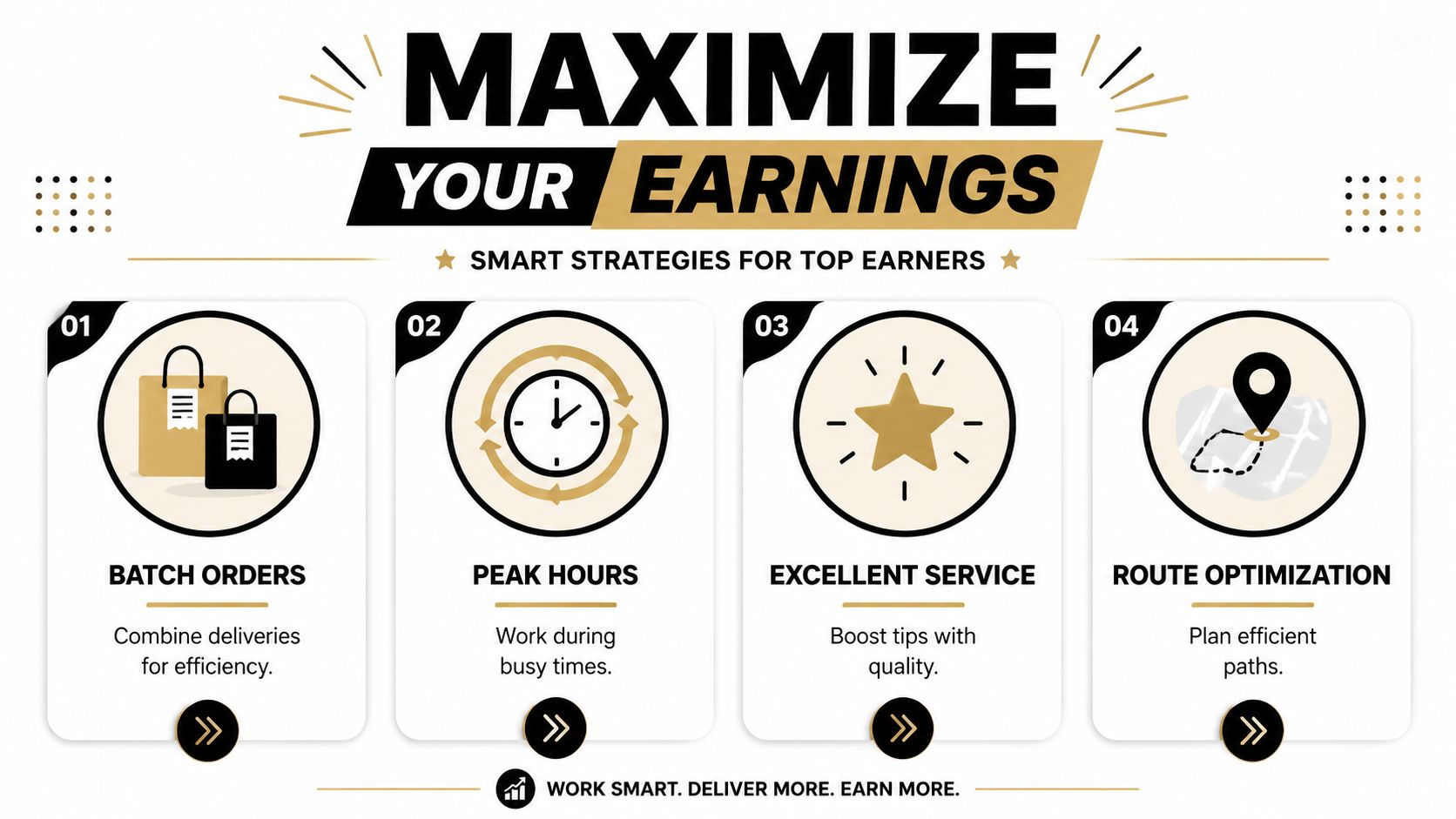
Passive shoppers usually earn passively. They accept almost everything, hope the hour works out, and wonder why they feel busy but underpaid. Grocery shopping app delivery jobs reward selectivity.
Stop judging orders by payout alone
The screen shows gross pay. Your body and car pay the rest.
A better filter is profit per hour with friction included. Ask yourself:
- How long will this shop take?
- Is the store easy or chaotic?
- Will checkout be fast or backed up?
- How far is the drop-off, and is parking annoying?
- Does this order include heavy items, deli counters, or a lot of substitution risk?
Strategic timing matters too. In New York City, restaurant delivery-app workers earned an average of $19.26 per hour in Q1 2024, which was 64% higher than the same quarter a year earlier, according to the NYC Department of Consumer and Worker Protection report. That report covers restaurant delivery, not grocery specifically, but it still shows how app-based delivery earnings can move quickly when demand and pay conditions line up.
Use that as a practical lesson, not a promise. Better shifts exist. Better timing exists. Randomly logging on and accepting weak orders is not a strategy.
Communication increases consistency
Tips often follow trust. Customers don't expect perfection when stock is messy. They do expect competence.
Use short updates that help the customer make fast decisions:
- Opening message: Let them know you've started shopping.
- Substitution message: Offer one or two clear alternatives, not five messy possibilities.
- Delay message: If checkout or traffic slows things down, say so early.
- Drop-off message: Confirm where the order was placed and mention any fragile or temperature-sensitive bags.
This doesn't mean chatting all day. Good communication is brief, useful, and timed. It reduces disputes, lowers stress, and keeps the order moving.
For your own side of the workflow, list discipline matters just as much as customer messaging. These tips for smarter grocery list management apply surprisingly well to delivery work because the same principle holds: organized lists reduce missed items and wasted motion.
Strong earnings usually come from boring decisions made repeatedly. Better stores, better timing, cleaner communication, fewer bad accepts.
Managing Your Vehicle Taxes and Safety
A lot of workers judge this gig by the payout screen. That's incomplete math. The number that matters is what stays after fuel, maintenance, taxes, waiting time, and the small mistakes that slowly erode a shift.
Gross pay is not your take-home pay
Platform work is a large labor category, and income can be unstable. Public recruiting pages often emphasize flexibility and fast payouts, but they rarely show what happens after expenses. That gap is important for the 1.1 million people the U.S. Bureau of Labor Statistics estimated had electronically mediated jobs as their main job in 2023, as summarized in the source context tied to Uber's grocery delivery recruiting page.
Track your business side from day one:
| What to track | Why it matters |
|---|---|
| Mileage | Driving costs add up quietly across a week |
| Fuel | Helps you spot which zones are profitable and which aren't |
| Maintenance | Tires, brakes, oil changes, and suspension wear come from repeated delivery driving |
| Supplies | Insulated bags, phone mounts, and small gear are part of doing the work |
| Time by shift | A high-paying hour on paper may be weak after waiting and dead miles |
If you don't track these, you can work hard and still misread your real hourly rate. Many shoppers discover too late that a busy week wasn't a profitable week.
A simple routine works best. Log mileage every shift. Move a portion of each payout into a tax savings bucket. Review your weekly average by zone and store, not just by total earnings.
Protect yourself on the road and during screening
Safety isn't separate from profitability. A preventable accident, parking ticket, or screening issue can interrupt your ability to work.
Use practical habits:
- Keep your phone mounted safely: Never balance it in your lap or a cup holder.
- Avoid rushed parking choices: Hazard lights don't make bad parking legal or safe.
- Carry deliveries with both hands when needed: One trip is nice. A dropped order is expensive.
- Check delivery locations before dark if an address looks confusing: Getting lost in the wrong complex wastes time and raises stress.
If you're concerned about what may appear during application screening, especially if driving history is part of your work readiness, this Florida driver's guide to background checks is a useful plain-English reference.
Hidden costs don't care whether the shift felt productive. You either tracked them or you didn't.
Treat your car, records, and safety habits like business equipment. That's how this stays sustainable instead of turning into short-term cash with long-term cleanup.
Common Questions for Aspiring Grocery Shoppers
A few issues always come up once you start taking orders. Most of them are easier to handle if you decide your rules early.
Can you do this without a car
Sometimes, but it depends heavily on your market and the platform's local setup. In dense urban areas, some workers can handle delivery by bike or scooter, especially for smaller orders and short distances. Grocery work gets harder without a car when orders include cases of water, large household items, or long suburban drop-offs.
If you don't have a car, focus on whether your zone has compact delivery distances, reliable order density, and stores that are realistic to shop at without trunk space.
What if the customer doesn't respond
Don't freeze the order waiting forever. Send one clear message, wait a reasonable amount of time based on the app flow, then make the best available decision using the customer's notes and item quality. If a replacement is poor, it's often better to refund than force a bad substitute.
Keep screenshots or app records where appropriate if the situation looks likely to create a complaint.
Is one app better than multi-apping
For most beginners, one app is easier. It lets you learn store layouts, timing, and customer communication without juggling alerts from multiple platforms.
Once your workflow is stable, using more than one platform can help fill dead time. The risk is distraction. If multi-apping causes late deliveries, missed messages, or poor substitutions, it stops being a strategy and becomes self-sabotage.
What should you improve first
Not speed by itself. Improve this order:
- Accuracy
- Store routing
- Substitution judgment
- Order selection
- Speed
Fast and sloppy doesn't last. Accurate and organized usually becomes fast on its own.
If you want a cleaner personal system for list building, category sorting, and keeping shopping information organized across devices, OrganizEat is a practical option to explore. It's built for organizing recipes and grocery lists, and that same list structure can help you think more clearly about shopping workflows in everyday life.