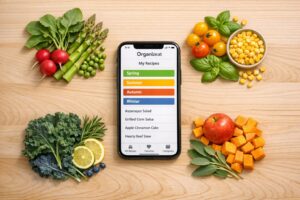



OrganizEat makes it simple to organize recipes by season, helping you cook with ingredients at their peak. Seasonal tags like "Spring" or "Winter Comforts" let you quickly find recipes for fresh produce, save on groceries, and keep family traditions alive. The app’s features – Snap ‘n Store for digitizing recipes, Web Import for online recipes, and a flexible tagging system – turn your recipe collection into a searchable, digital library.
Key benefits include:
- Effortless Meal Planning: Filter recipes by season and schedule them in a weekly Meal Planner.
- Streamlined Grocery Lists: Add ingredients from seasonal recipes to a digital shopping list in one tap.
- Family Favorites: Preserve traditions by tagging cherished recipes for holidays or specific seasons.
OrganizEat also offers a Seasonal Produce Guide, helping you tag recipes based on what’s in season – like asparagus in spring or pumpkins in fall. With features like Cooking Mode and syncing recipes via the cloud, the app ensures your recipes are always accessible and easy to follow. Start tagging today to simplify your cooking and celebrate the flavors of the season.
Benefits of Seasonal Recipe Tagging in OrganizEat
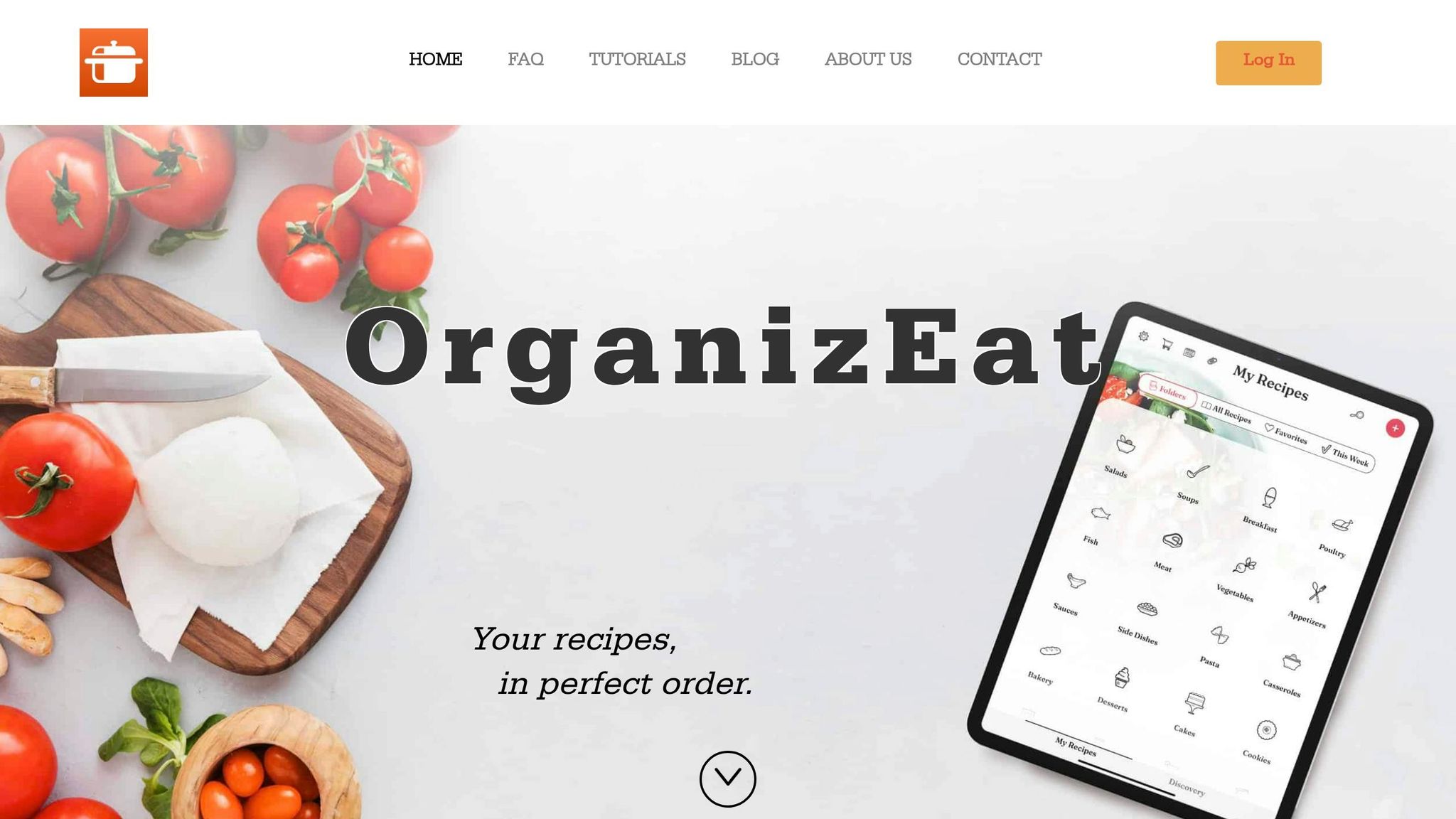
Better Meal Planning and Grocery Shopping
Seasonal tags turn your recipe collection into a well-organized, searchable library, making meal planning a breeze. Instead of scrolling endlessly through recipes, you can filter by tags like "Winter" or "Soups" to quickly find the perfect dish for the week ahead.
Once you’ve chosen a seasonal recipe, OrganizEat allows you to add all the ingredients to a digital grocery list with just one tap. No more manual entry or forgotten items! You can even use the Meal Planner to schedule your tagged recipes and generate a single, consolidated shopping list. Imagine planning an entire week of spring-inspired meals with fresh asparagus and strawberries, then heading to the store with everything you need already listed – effortless and efficient.
But it’s not just about saving time; seasonal tags also help keep family culinary traditions alive.
Keeping Track of Family Traditions and Seasonal Favorites
While the time-saving aspect is great, seasonal tags also ensure your treasured recipes stay front and center during their peak seasons. Think of them as digital folders for your holiday and family favorites. For example, you could tag your grandmother’s famous pumpkin pie with "Fall" and "Thanksgiving", so it’s easy to find when autumn arrives. This way, those special dishes are always ready for celebrations and gatherings.
When it’s time to cook, OrganizEat’s Cooking Mode keeps your screen lit and active, so you can view full-screen images of handwritten recipes without interruptions. This feature is perfect for preserving family heirlooms – those recipes passed down from generation to generation. Plus, you can share your tagged collection to create a shared family recipe album, making it simple to coordinate holiday meals or pass along beloved seasonal recipes to future generations.
sbb-itb-6688478
Seasonal Produce Guide for US Regions
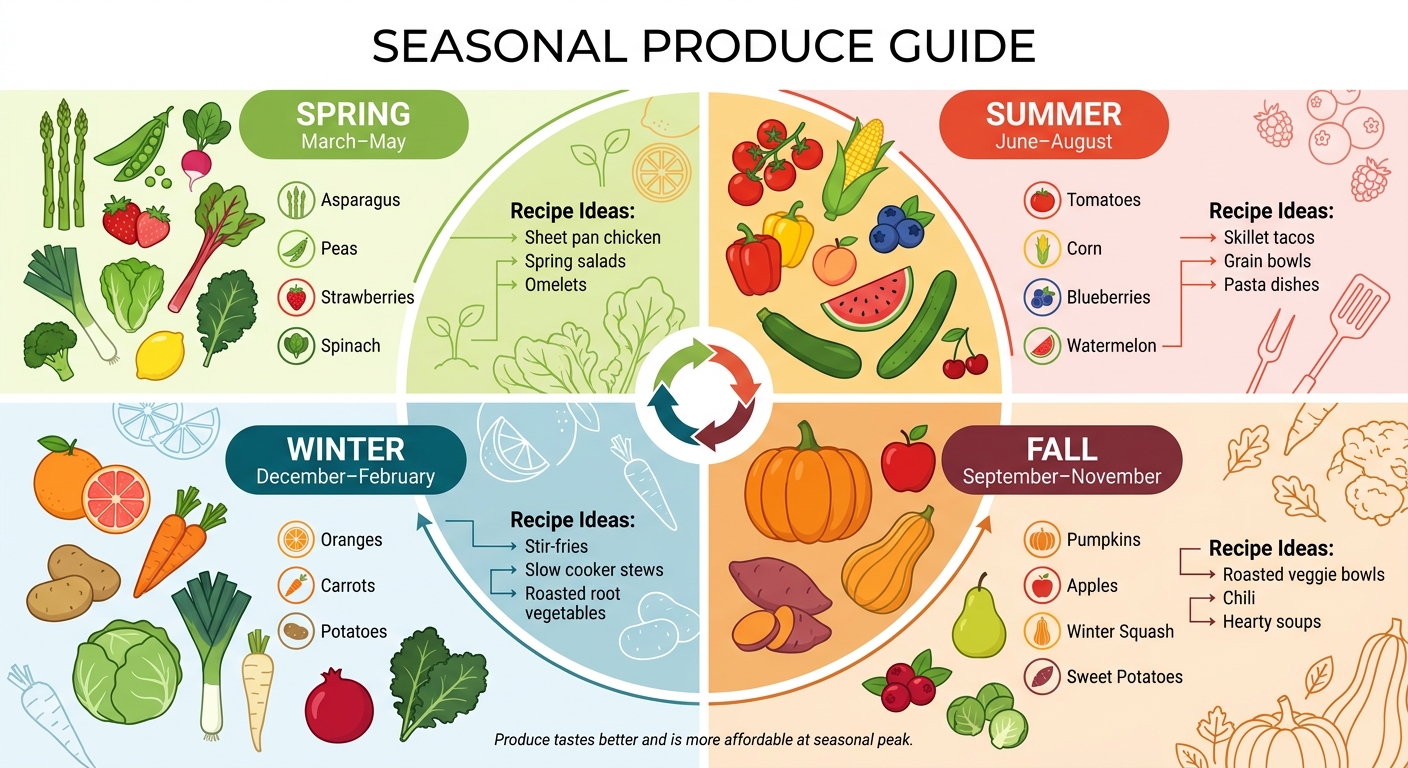
Seasonal Produce Guide: What’s Fresh Each Season in the US
When tagging recipes in OrganizEat, it’s helpful to know what produce is in season. Across the United States, seasonal produce varies depending on local climates and growing conditions. Although modern storage and shipping make many items available year-round, fruits and vegetables are often tastier and more affordable when they’re at their seasonal peak. This guide will help you align your recipe tags with the freshest local offerings.
"When produce is in season, it usually tastes better and tends to be more available, which gives you more options without hunting for ‘perfect’ ingredients."
– Diana Torianyk, Fitness & Wellness Coach
Spring: Fresh Greens and Citrus
Spring (March–May) is all about vibrant greens and zesty citrus. Asparagus, peas, radishes, spinach, strawberries, rhubarb, leeks, lettuce, kale, broccoli, and lemons take center stage during this season. These ingredients are perfect for dishes like sheet pan chicken, spring salads, and omelets. When tagging recipes in OrganizEat, focus on meals that highlight these fresh, seasonal flavors.
Summer: Berries and Barbecue Staples
Summer (June–August) bursts with bright, juicy produce. Think tomatoes, corn, bell peppers, blueberries, peaches, watermelon, zucchini, cucumbers, and cherries. These ingredients shine in skillet tacos, grain bowls, or pasta dishes with fresh tomatoes. Tag summer recipes that celebrate vibrant colors and require minimal cooking to reflect the season’s peak offerings.
Fall: Harvest Vegetables and Warm Flavors
Fall (September–November) marks the season of hearty, comforting produce. Pumpkins, apples, winter squash, sweet potatoes, cranberries, Brussels sprouts, cauliflower, and pears dominate the harvest. These ingredients work beautifully in roasted veggie bowls, chili, or hearty soups. Tag fall recipes that embrace these warm, cozy flavors and seasonal vegetables.
Winter: Comfort Foods and Root Vegetables
Winter (December–February) brings a mix of citrus and hearty root vegetables. Oranges, grapefruit, carrots, potatoes, cabbage, leeks, parsnips, pomegranates, and kale are in season. These ingredients lend themselves well to stir-fries, slow cooker stews, and roasted root vegetable dishes. Tag winter recipes that feature these hearty, comforting ingredients to align with the season’s offerings.
"Seasonal shopping is less about memorizing charts and more about building a flexible routine: buy what looks best right now, then plan meals around a few repeatable building blocks."
– Diana Torianyk, Fitness & Wellness Coach
How to Add Seasonal Tags in OrganizEat
Finding the Tagging Feature
OrganizEat’s tagging feature works seamlessly across all three recipe-adding methods: Snap ‘n Store (photos), Web Import, and Custom Entries (manual entry). Whether you’re creating a new recipe or editing an existing one, you can easily add tags. To access this feature, open any recipe and tap the pencil icon in the top-right corner. From there, select "Tags." This process is the same no matter how the recipe was originally added.
Adding Seasonal Tags to Your Recipes
Once you’re in the tagging section, it’s time to label your recipes with seasonal keywords. Tap the "Tags" field to start adding your seasonal labels. You can type in or choose from suggestions like "Spring", "Summer Berries", "Fall Harvest", or "Winter Comforts." The app also offers regional suggestions such as "Spring Greens", "Summer BBQ", "Fall Squash", and "Winter Roots", thanks to its built-in Seasonal Produce Guide. If you’d like, you can create your own custom tags – like "Spring Citrus" – by typing directly into the field. Once added, tags are saved as colorful badges, making it easy to filter and search for recipes later. Even recipes stored as photos can be tagged and found just as easily.
"By adding short tags for main ingredients and keywords, you make your recipe searchable." – OrganizEat FAQ
Using Multiple Tags for Better Organization
The app lets you assign multiple tags to each recipe, giving you the ability to organize dishes by season, dietary needs, or even special occasions. For example, a recipe for asparagus risotto could include tags like "Spring", "Vegetarian", "Family Dinner", and "Italian", making it simple to locate under any of these categories. To add multiple tags, tap "Add Tag" for each one or separate them with commas. This creates a system of virtual subfolders for quick filtering. A strawberry salad imported from the web might have tags like "Summer", "Berries", and "Fresh Greens", ensuring it appears under any of these filters. Plus, all your tags sync across devices via cloud backup, so your organization stays consistent whether you’re on your phone, tablet, or computer. This tagging system works hand-in-hand with other OrganizEat features like the Meal Planner and digital grocery lists, making meal prep even easier.
Using Seasonal Tags with Other OrganizEat Features
Seasonal tagging in OrganizEat is more than just a neat way to organize recipes – it’s a tool that simplifies meal planning, grocery shopping, and cooking from start to finish. You can check it out to see how these features work together to streamline your kitchen routine.
Adding Tags to the Meal Planner
Tagged recipes make it easy to create a meal plan that aligns with what’s fresh and in season. To get started, head to the Meal Planner screen, pick a day, and tap "+Add recipe." Enter a seasonal tag like "Summer" to filter recipes. You can add recipes directly within the Meal Planner or from an individual recipe by tapping the calendar icon to schedule it for a specific meal or date.
The Meal Planner offers two handy views: a structured weekly calendar and a flexible "This Week" shortlist. Not cooking on a certain day? Use the "+Add a note" feature to leave reminders or notes for yourself.
Creating Grocery Lists with Seasonal Tags
Once your seasonal recipes are scheduled, generating a grocery list is a breeze. Tap the "More" button (the three-line icon) and choose "Add to groceries." You can opt for a "weekly" or "monthly" list, and OrganizEat will consolidate all the ingredients into a single list.
To keep things tidy, clear out any old items using the "Clear List" option in the Grocery tab’s More menu before creating a new list. The generated list syncs across your devices, works offline (perfect for spotty internet areas), and can even be shared via email or text – ideal for coordinating shopping with others. [27, 28, 1]
Once you’ve got your grocery list ready, you’re all set to move into Cooking Mode and bring your seasonal recipes to life.
Viewing Tagged Recipes in Cooking Mode
With your meal plan and shopping done, Cooking Mode helps you focus on preparing your seasonal dishes. Use the "Search with Tags" feature on the main screen to filter recipes by season – like "Winter" or "Fall Harvest." Pick a recipe and switch to Cooking Mode for an uninterrupted cooking experience.
Cooking Mode keeps your screen on and lets you rotate your device to landscape for a clearer view of ingredients and instructions.
"Presents your recipe in full screen and prevents your device’s screen from going black." – OrganizEat
This feature works seamlessly with recipes added from the Meal Planner. Even recipes stored as photos maintain their original handwritten charm in Cooking Mode, making it easy to follow along without worrying about your screen going dark. [3, 2]
Conclusion
Seasonal tagging transforms OrganizEat from a simple recipe organizer into a dynamic meal-planning tool that aligns with the rhythm of the year. By categorizing recipes based on seasonal ingredients – like spring greens, summer berries, fall harvests, and winter comfort foods – you can focus on fresh, locally available produce that’s often more affordable and tastier when in season.
What makes seasonal tags so effective is how seamlessly they work with OrganizEat’s features. You can filter recipes in the Meal Planner, generate accurate grocery lists, and access step-by-step instructions in Cooking Mode – all synced across your devices. This not only saves time and money but also makes it easier to keep family traditions alive, whether you’re preparing Thanksgiving classics or summer barbecue favorites.
To get started, tag your go-to recipes with seasonal labels like Spring, Summer, Fall, and Winter. Add tags whenever you upload new recipes or digitize old family favorites. Over time, your seasonal recipe collection will grow, making meal planning smoother and reducing food waste. Don’t forget to revisit and adjust your tags as your cooking habits or local produce availability changes. Seasonal tagging helps you cook with the seasons while tailoring meals to your family’s tastes and needs.
FAQs
What seasonal tags should I start with?
When diving into seasonal tags, start by grouping recipes based on the time of year and their star ingredients. Consider creating tags like spring, summer, fall, and winter to keep things organized. You can also include tags for crowd-favorite seasonal ingredients – think strawberries for spring, pumpkin for fall, or watermelon for summer. This setup helps users quickly locate recipes that perfectly match the season.
Can I tag handwritten recipe photos?
Yes, with OrganizEat, you can tag photos of handwritten recipes. This feature allows you to categorize and label images of recipe cards or notes, making it easier to organize all your scattered recipes into a well-structured digital collection.
How do seasonal tags affect my grocery list?
Seasonal tags are a handy way to sort recipes based on the time of year. They help you plan meals that align with seasonal ingredients and flavors, making it easier to shop for fresh produce and organize your meal planning around what’s naturally available.